Participating Frequently
March 5, 2020
Answered

Disable Photoshop Tooltips when using vector shapes

  • March 5, 2020
  • 1 reply
  • 478 views

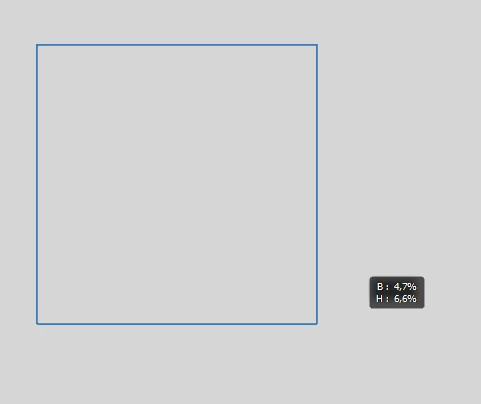
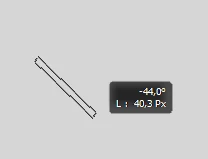
When drawing any vector shape Photoshop CC displays a little black box indicating the width and height of the vector shape (my Photoshop is German which is why B for Breite and H for Höhe are being displayed). The box disappears as soon as you release the mouse button the first time.


Is there any way to disable the tooltip? I find it to be extremely distracting especially when working with the line tool.
 

Thanks for your help!

- Jascha

This topic has been closed for replies.
Correct answer PECourtejoie

Hello in the menu edit (pc) or Photoshop(Mac) / preferences /tools for "show transform values", select "never" (the last element in that preferences window)

1 reply

PECourtejoie
Community Expert
PECourtejoieCommunity ExpertCorrect answer
Community Expert
March 5, 2020

Hello in the menu edit (pc) or Photoshop(Mac) / preferences /tools for "show transform values", select "never" (the last element in that preferences window)

jaschagAuthor
Participating Frequently
March 5, 2020

Thanks!!