
Answered
Disabling "Recently Used Colors"?
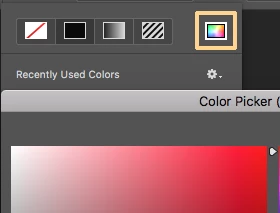
Greetings all--I've just been upgraded from CS6 to CC 2017 at work, and I've run into a little annoyance (at least to me). When I'm using the Line tool to draw a line, clicking the "Fill" color picker on the tool bar brings up a list of recently used colors instead of the color picker. Is there any way of disabling the list of recently used colors and forcing Photoshop to just open the color picker directly when selecting a color tool? (I know I can still get to the color picker using the Foreground Color tool in the tools window, but I'm in the habit of going to that Fill option with the Line tool.) Thanks!
 AdChoices