Participant
May 5, 2022
Answered

Display Issue - Reverting to Home Screen

  • May 5, 2022
  • 2 replies
  • 304 views

Hi All,


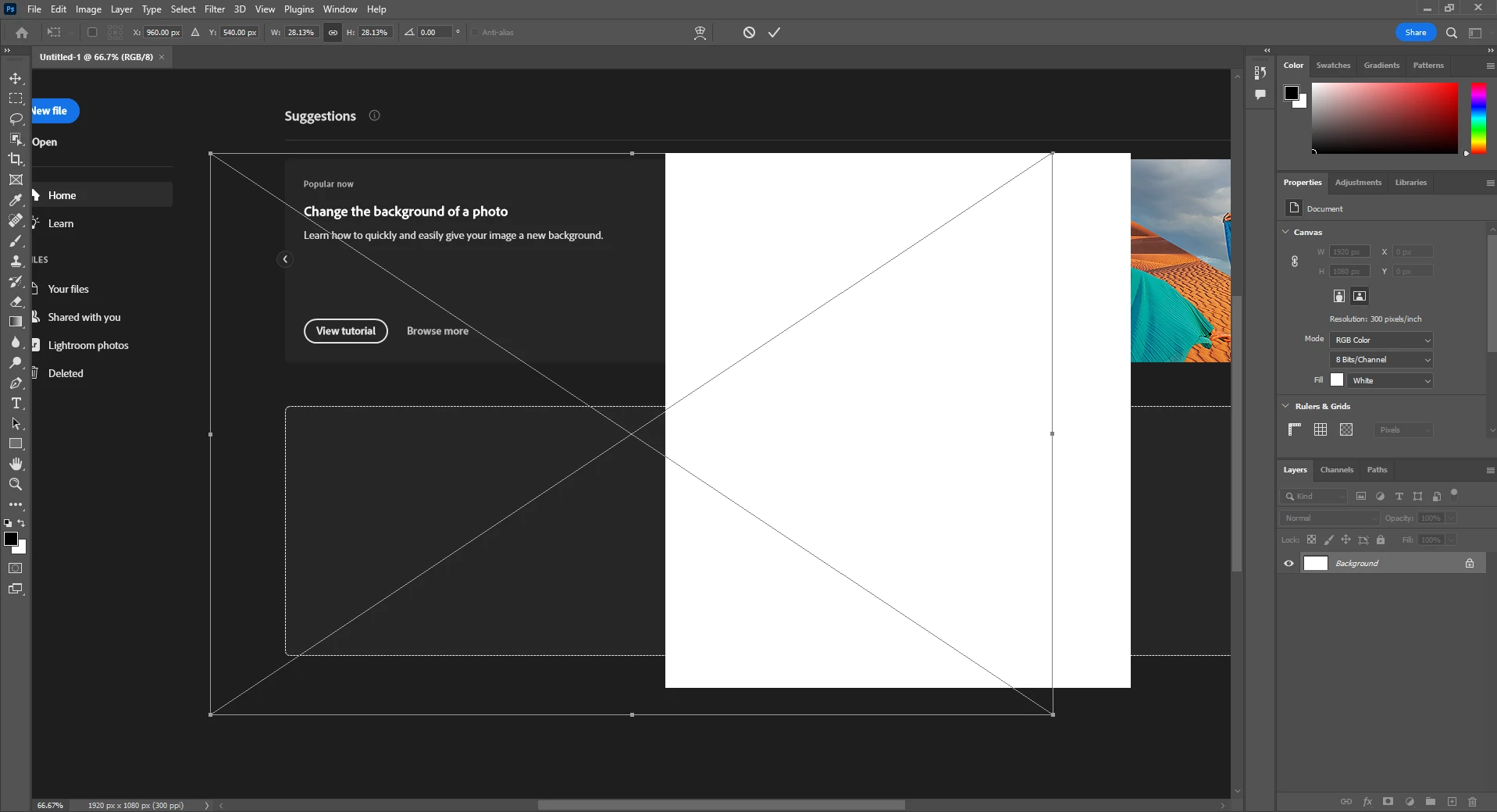
Whenever i try to import a photo into photoshop the display freaks out and tries to bring back up the home screen while also not dispaying whatever I tried to import. I tried uninstalling/reinstalling but no dice. I'm on Windows 10, most recent version of the app.  Any advice?
This topic has been closed for replies.
Correct answer Ged_Traynor

Hi

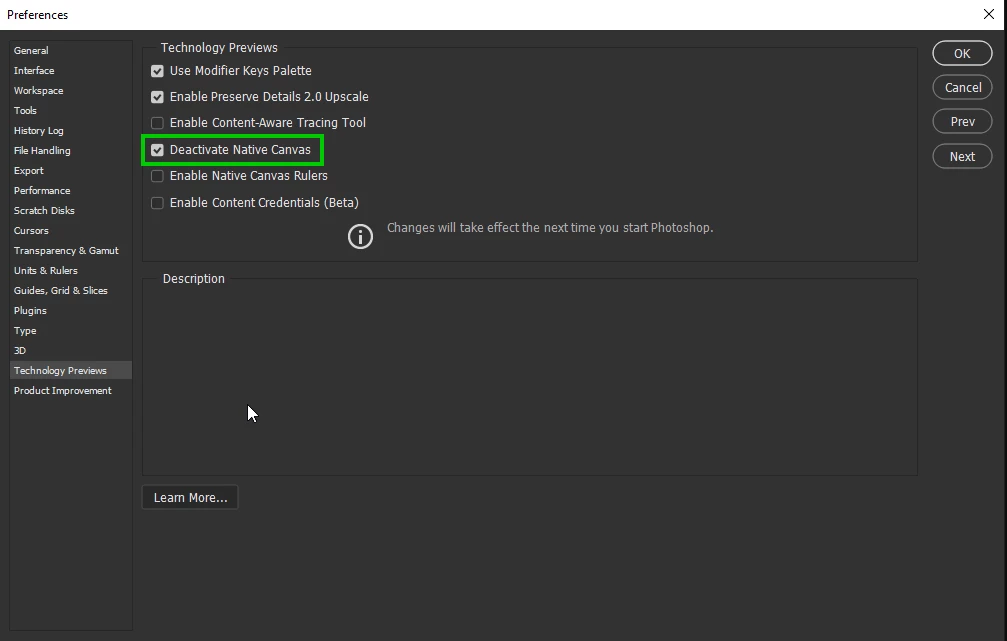
Try enabling this option in preferences and restarting Photoshop

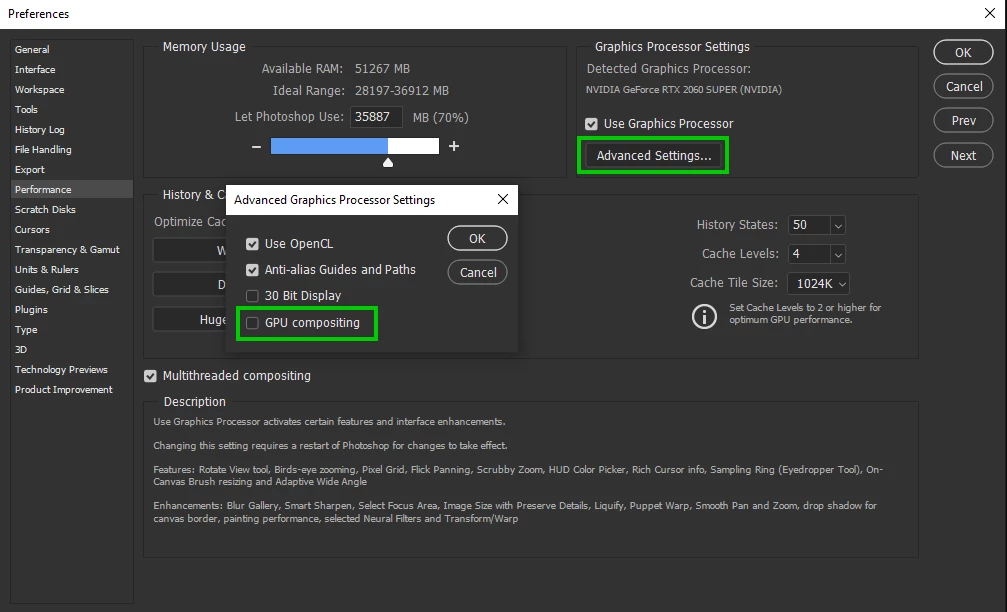
If that doesn't help, disable this option again restart Photoshop

2 replies

Mark.Dahm
Community Manager
Community Manager
September 14, 2022

We believe that underlying issue of the Photoshop home screen appearing where the document canvas should be (temporarily worked around by selecting the ‘Deactivate native canvas button’ in Technology Preview) has been fixed, and you may now de-select that button for future Photoshop sessions. Please let us know if any of these issues return once the native canvas has been re-activated.

Ged_Traynor
Community Expert
Ged_TraynorCommunity ExpertCorrect answer
Community Expert
May 6, 2022

Hi

Try enabling this option in preferences and restarting Photoshop

If that doesn't help, disable this option again restart Photoshop