
Divide Irregular Selection into Multiple Equal Parts
Hello,
I have a spiral-like image that looks like this:
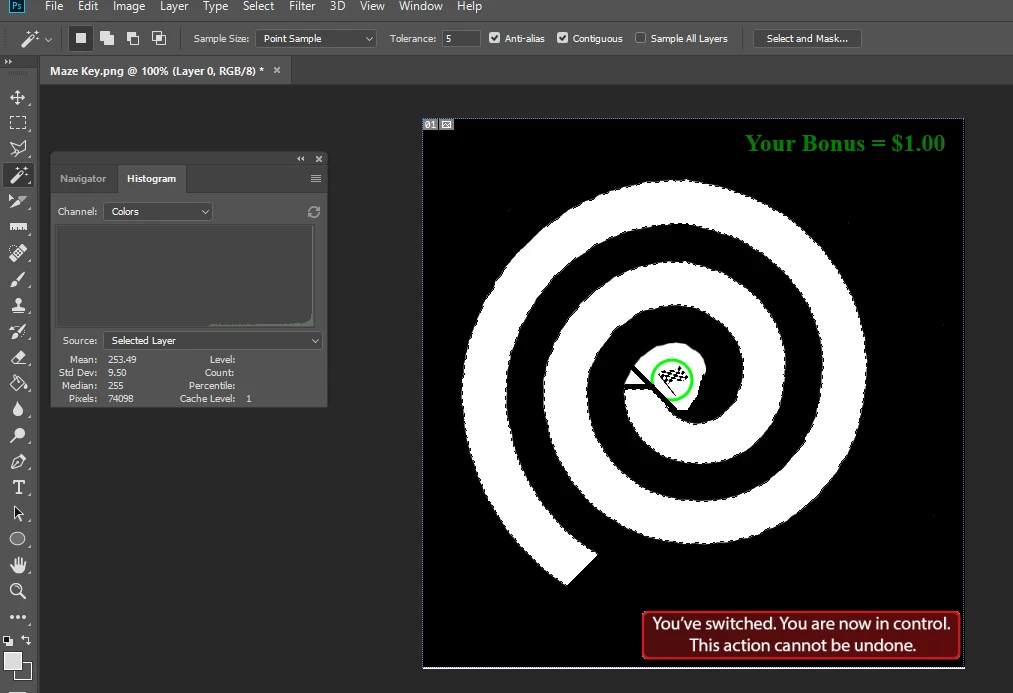
And I'm trying to divide just the selection (i.e. just the white spiral) into 100 equal parts. More specifically, the spiral has an area of ~74K pixels, so I want to divide the spiral into components that are 740 pixels each.
Once I have 100 740-pixel components, I'd like to draw a thin black line to separate each area from each other. Again, these components must only be within the white spiral, and they cannot take into account the surrounding black area. For clarity, I want my final product to look something like this (although it should be a lot nicer, have more components, and be accurate) (I made this in paint):
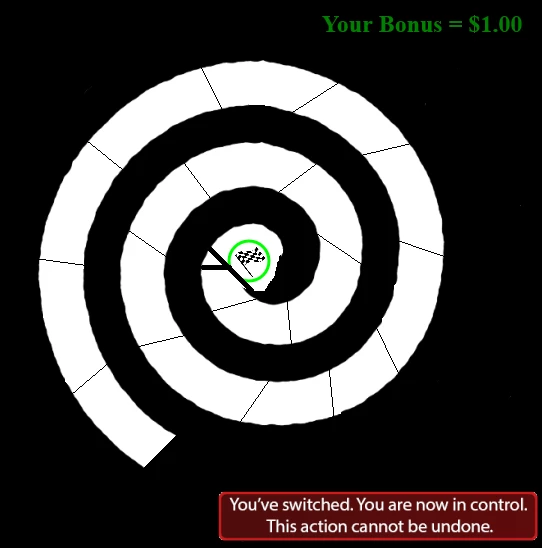
Unfortunately, I don't know how to do that. I can use the polygonal lasso tool to make selections, but I can't specify a fixed area. I've also tried using guides, but I don't think they will be able to do what I want.
How can I go about doing this?
 AdChoices