
DJI Drone DNG files corrupted
I enjoy doing 360 degree panoramas with my DJI Mavic Pro drone. When doing the 34 frames, I like to have them saved as JPEGs and as Raw files (which are saved as .DNG files).
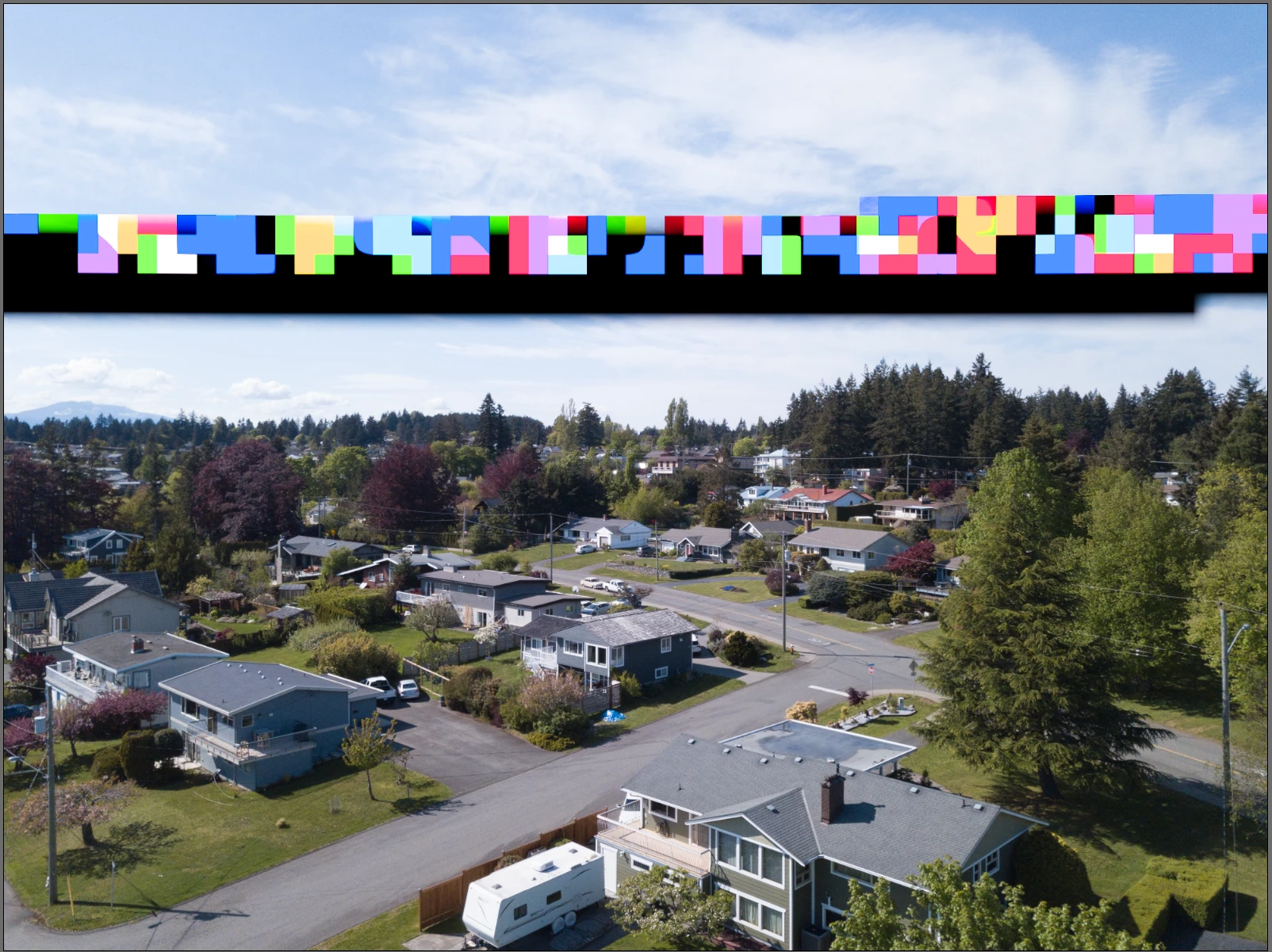
Every so often, the 16th frame turns out to be corrupted with a horizontal series of coloured "blocks". A few details are as follows:
1. The preview of the file looks fine, but opening the file in Adobe Camera Raw shows this effect;
2. I have tried opening the DNG file in older and newer versions of Lightroom and Photoshop, but all show this unwanted effect;
3. I have had friends try this on PC's and Mac's with Adobe Camera Raw. Again, the unwanted effects are there;
4. I have used other (non Adobe) pixel editing programs as well as enlisting friends to open this file with non Adobe pixel editing programs, and they all open and display the file correctly.
5. Changing the card in the drone or formatting the memory card in the drone doesn't seem to make a difference. It is one that the manufaturer recommends for speed, etc.
I love how Adobe Camera Raw processes these files from my Nikon gear as well as from my drone. I would love to know if there is a fix for this bug. I'll include a little screen grab showing the effect as well as the original .DNG file.
Many thanks for any insights!
ErnstV
PS, interesting that when posting the original file, the Adobe forum states that it is not an actual .DNG file and therefore will be removed. I have now run the original DNG file through Adobe's DNG Converter and attached that...

 AdChoices