


DNG file loses camera profile CS5
Hello everyone
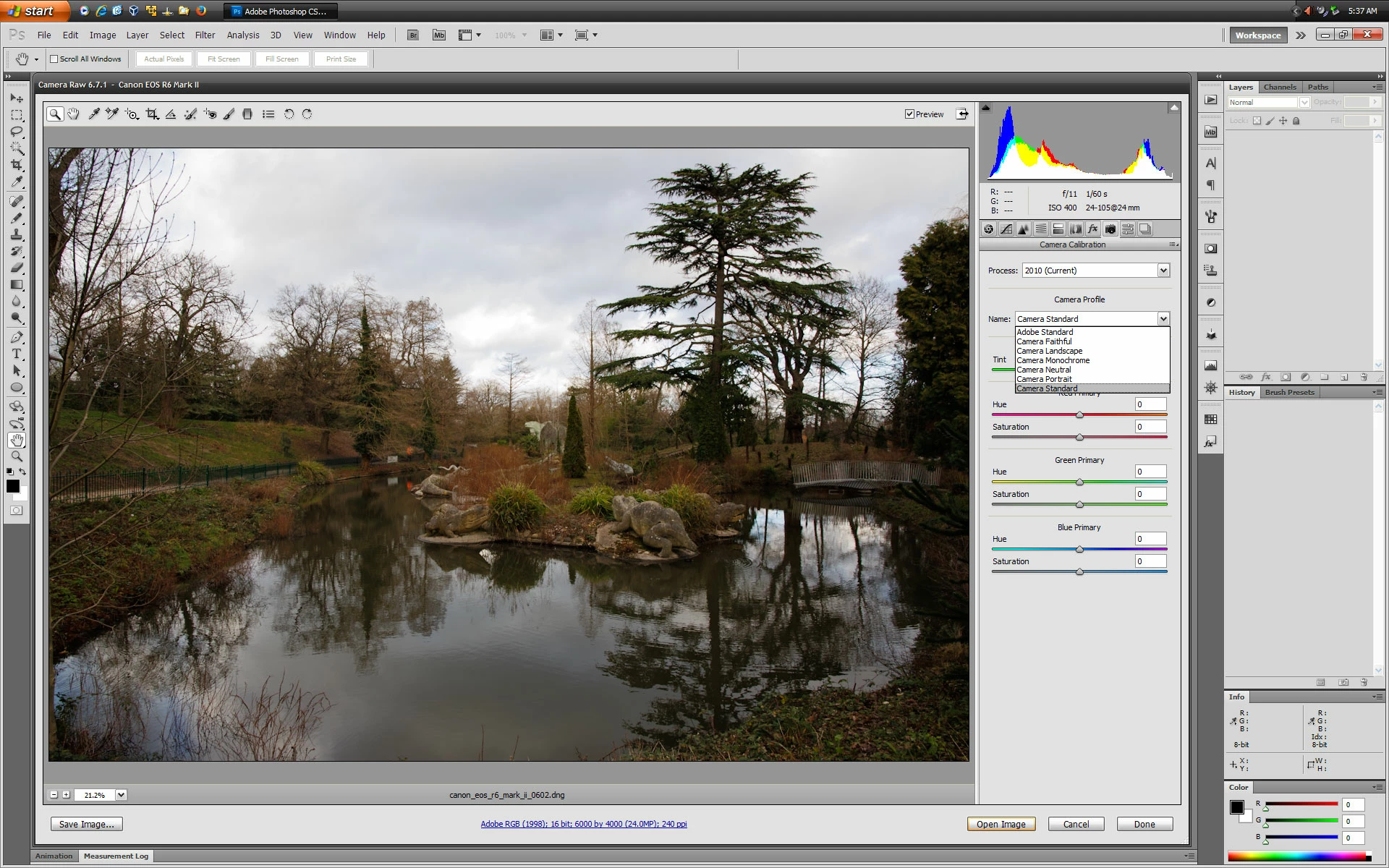
I converted my Raw files to DNG to use them in Photoshop CS 5, since CS 5 doesn't support my camera's Raw files. However, my Canon camera profile (Canon Standard) is lost when I open the DNG in CS 5. The only camera profile available is Adobe Standard, not even other Adobe profiles. (On the other hand, if I open a RAW file supported by CS 5, all camera and Adobe profiles are available.) My default RAW settings specify the Canon Standard profile ( both for the CS 5 Raw editor and the RAW editor on my 2024 Photoshop version). The DNG conversion was done directly from the Raw editor of 2024 Photoshop, and the DNG compatibility set at Raw 6.6 and below, which is the version of the CS 5 Raw editor. I even tried to load the xmp settings ( specifying only the Canon camera profile) after I opened the DNG in CS5, but the DNG is stuck at the Adobe Standard profile. Does anyone know what is going on here?
Thank you for your help!
Kind regards,
Christoph
[Actions and Scripting topic removed by moderator]
 AdChoices