Document View Unusable - overlaid with smaller document preview
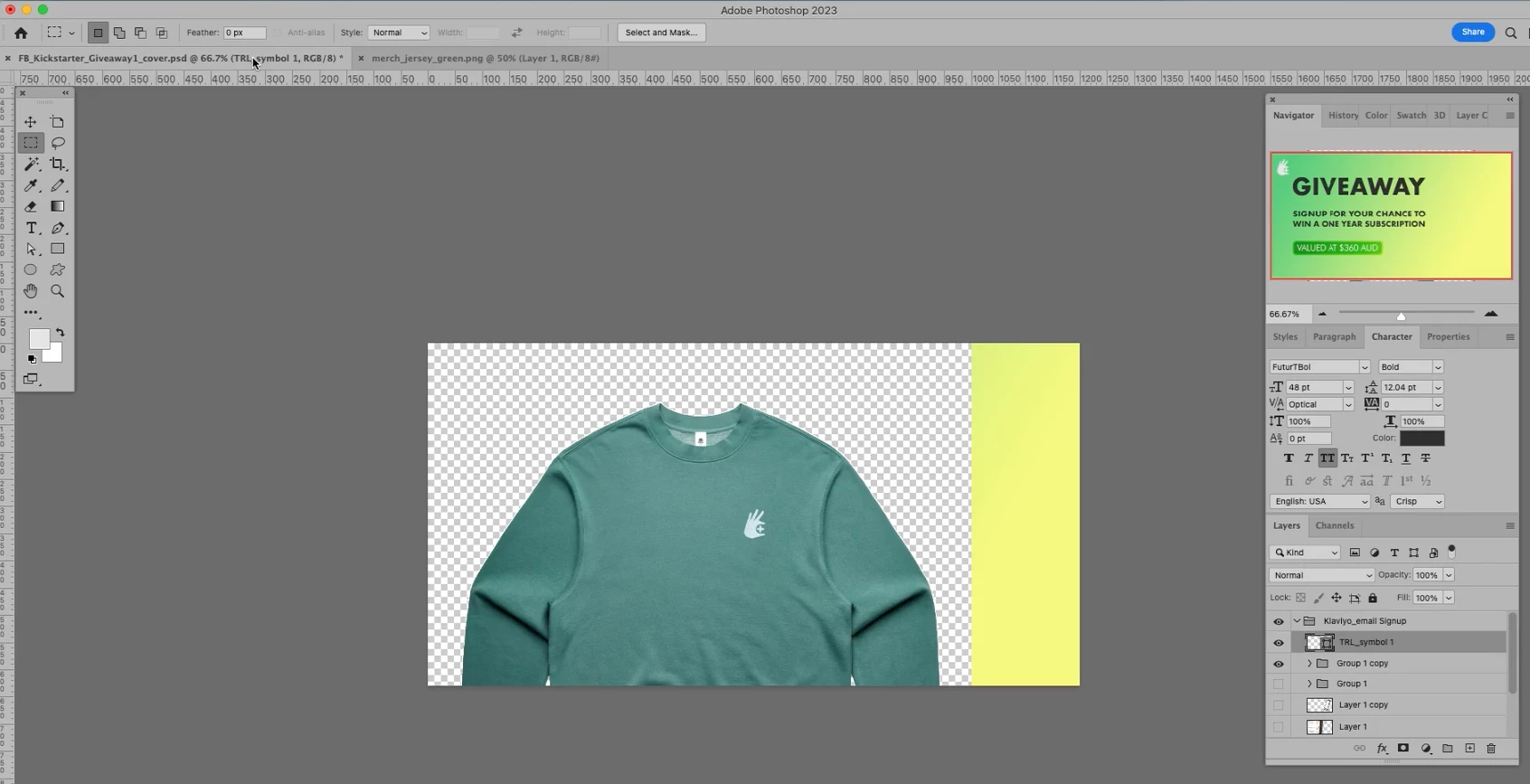
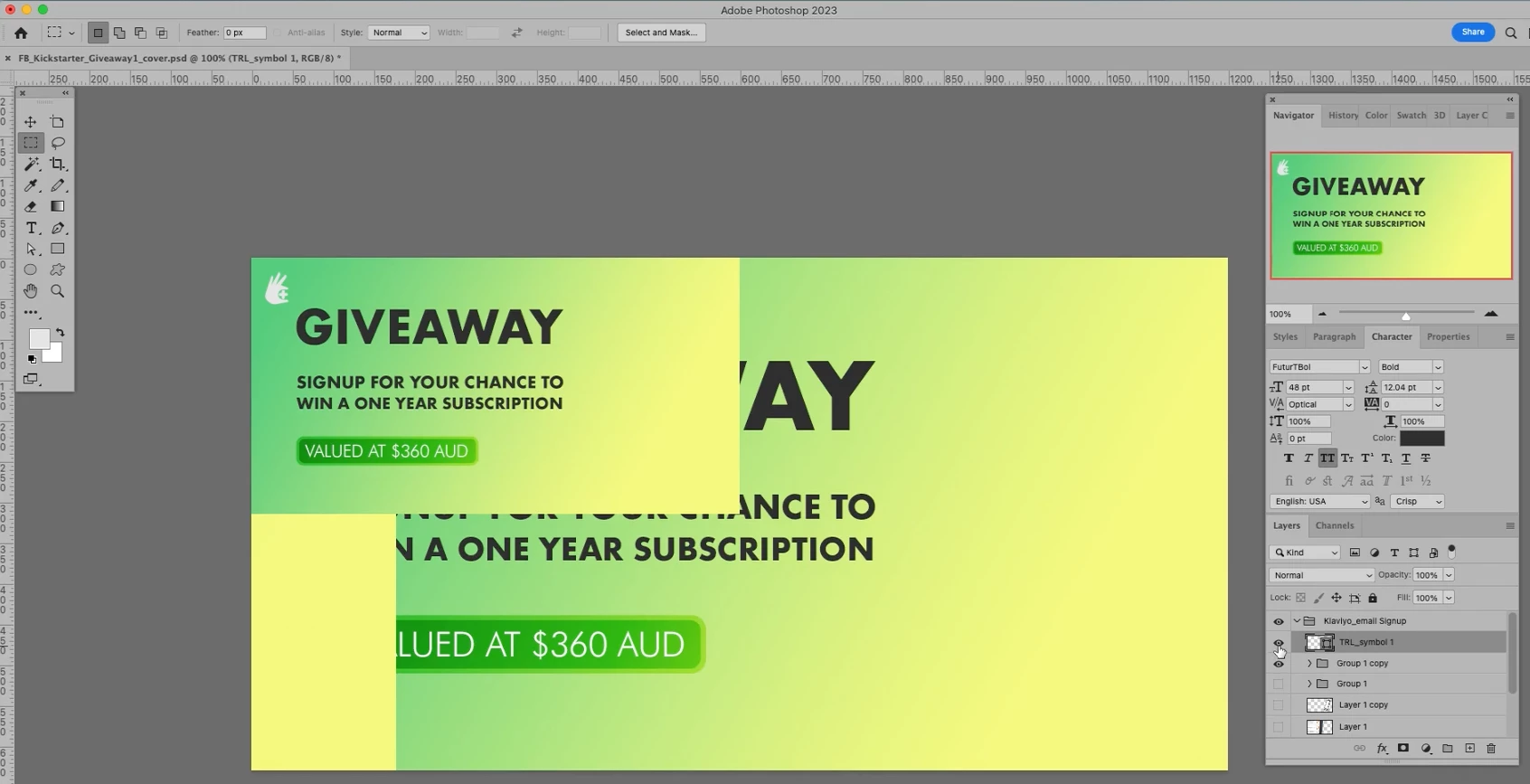
When I open photoshop and the document seems split into sections displaying the document in various zooms on the screen. You can see in the screen recordings the document is overlaid at approximately 40-50% zoom in the top-left corner of the window. You can see from the Navigator what I should be seeing.
The first screen recording (photoshop_bug_1.mp4) is using Photoshop v24.5. I thought perhaps upgrading to the latest version would fix it but it didn't. The 2nd screen recording (photoshop_bug_2.mp4) is Photoshop version 24.6. Same error applies.
Managed to somehow overcome it but when the window displays this bug, photoshop becomes completely unpractical to use. I have experienced a similar bug where the document I was previously working on appears when I create a new document. That bug had been happening for the past 12 months. I was able to fix that bug by hiding all layers then reshowing them. That would return to view to normal.
I managed to fix this bug by doing various things (see 2nd screen recording).
System: macOS Big Sur v 11.7 on MacBook Pro (Retina, 15-inch, Late 2013), 2.6 GHx, Quad-Core, Intel Core i7, 16GB 1660 MHz DDR3, NVIDIA GeForce GT 750M 2GB
Update: Adobe won't let me upload a video of the bug happening, so I'll attach 2 screen shots. I've bent over backwards to report this bug to help you improve your software and wasted an hour of my time with online chat and uploading screen shots and doing screen recording, so Adobe, if you want the videos of the bug happening and how it behaves, let me know 😉
 AdChoices