Answered
Does anybody know which filter is used here and where to find it to create this effect? (Photoshop filter or action needed)

Can someone tell me where I can find the actions or filter to create this color setting?
Can someone tell me where I can find the actions or filter to create this color setting?
Most of what you are looking at comes from the photograph as taken. There is little colour because it is so dark, but there is a hint of green.
If I start with this image as an example, it has no colour, but if it had, a B&W adjustment layer would remove it.
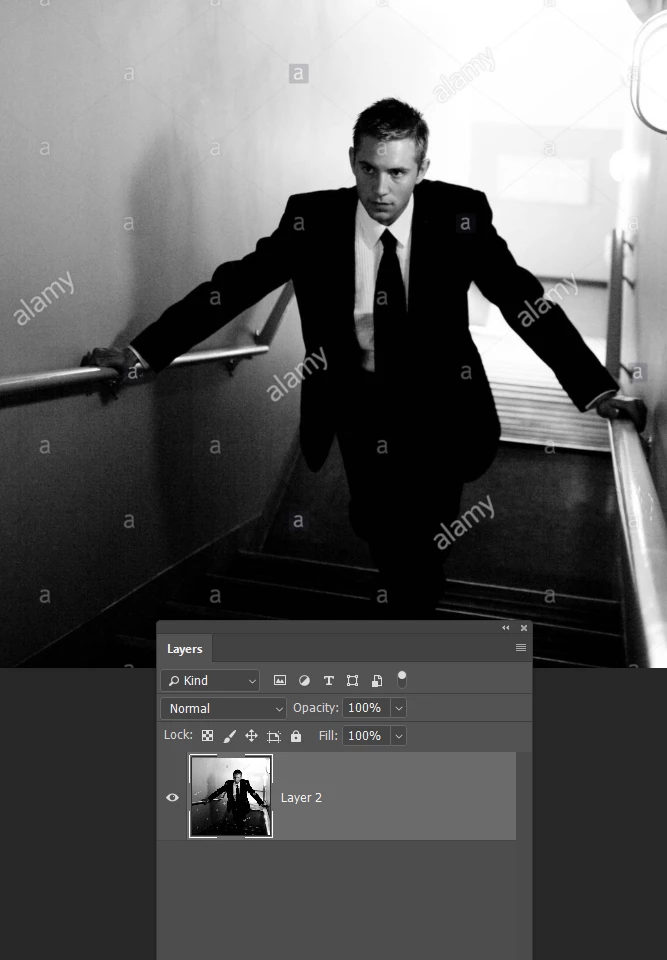
There are several ways to give it a wash of colour. You could fill a layer and set its blend mode to Color, or use a Hue/Saturation layer with Colorize checked, but in this case, you can kill two birds with one stone, as the other image has a gritty texture. There is free Extension from Adobe called Paper Texture Pro. Choosing the right texture will provide both a gritty look and some colour.
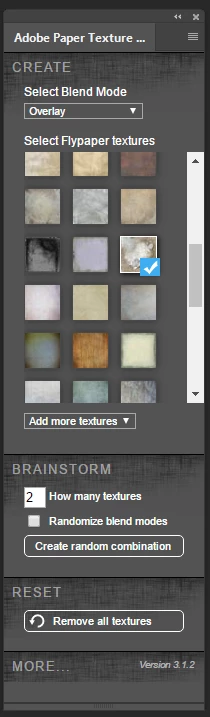
This gets us part way there. We have texture but not much colour.
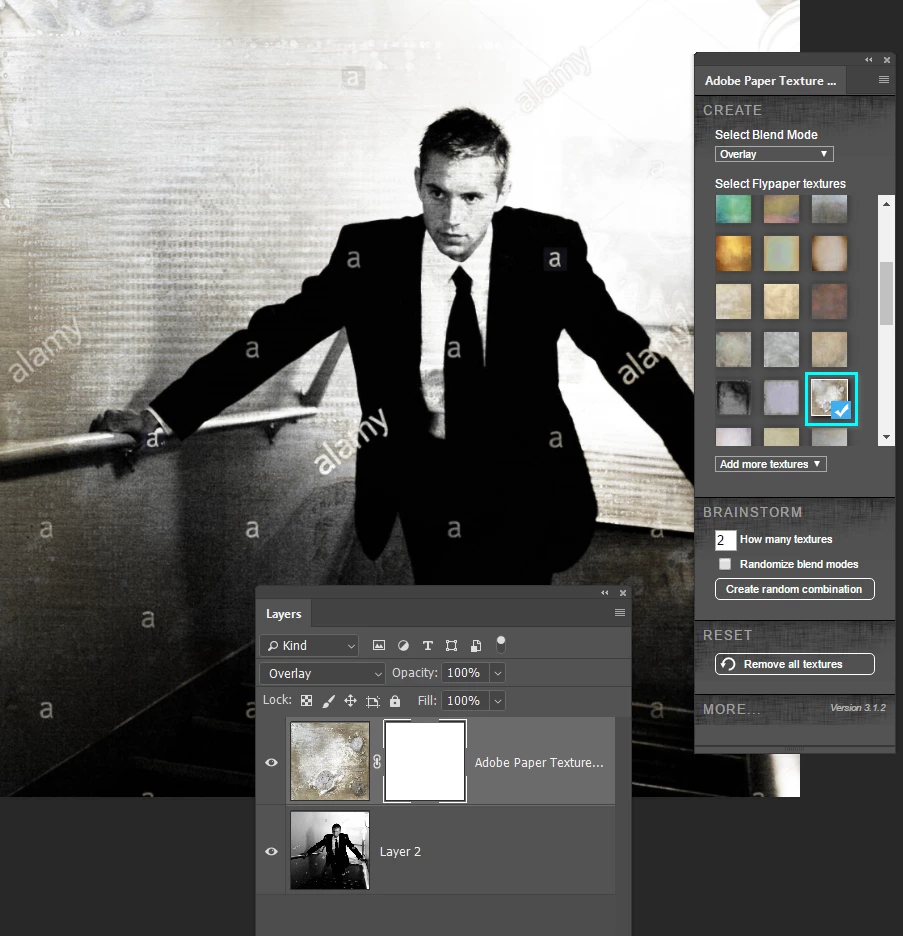
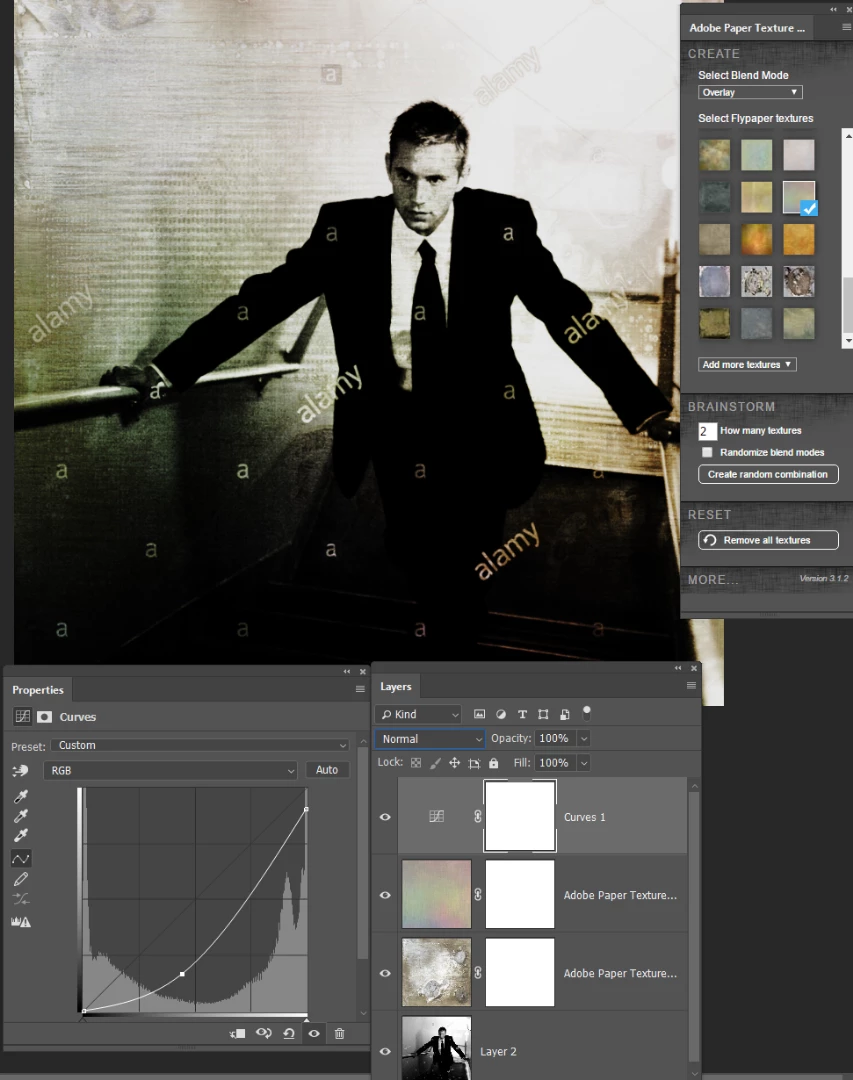
This one is a bit closer. The textures are set to either Overlay or Multiply. Multiply will darken the image as well.

We need to adjust the tonal values a touch (how dark it is) so Curves adjustment layer will do that.
If there had been more saturated colour then a curves layer would have also affected that. In that case set the curves layer blend mode to Luminosity. In this case we can leave it on Normal. Job done I'd say
Already have an account? Login
Enter your E-mail address. We'll send you an e-mail with instructions to reset your password.
 AdChoices