Britta_K
Participant
September 17, 2020
Answered

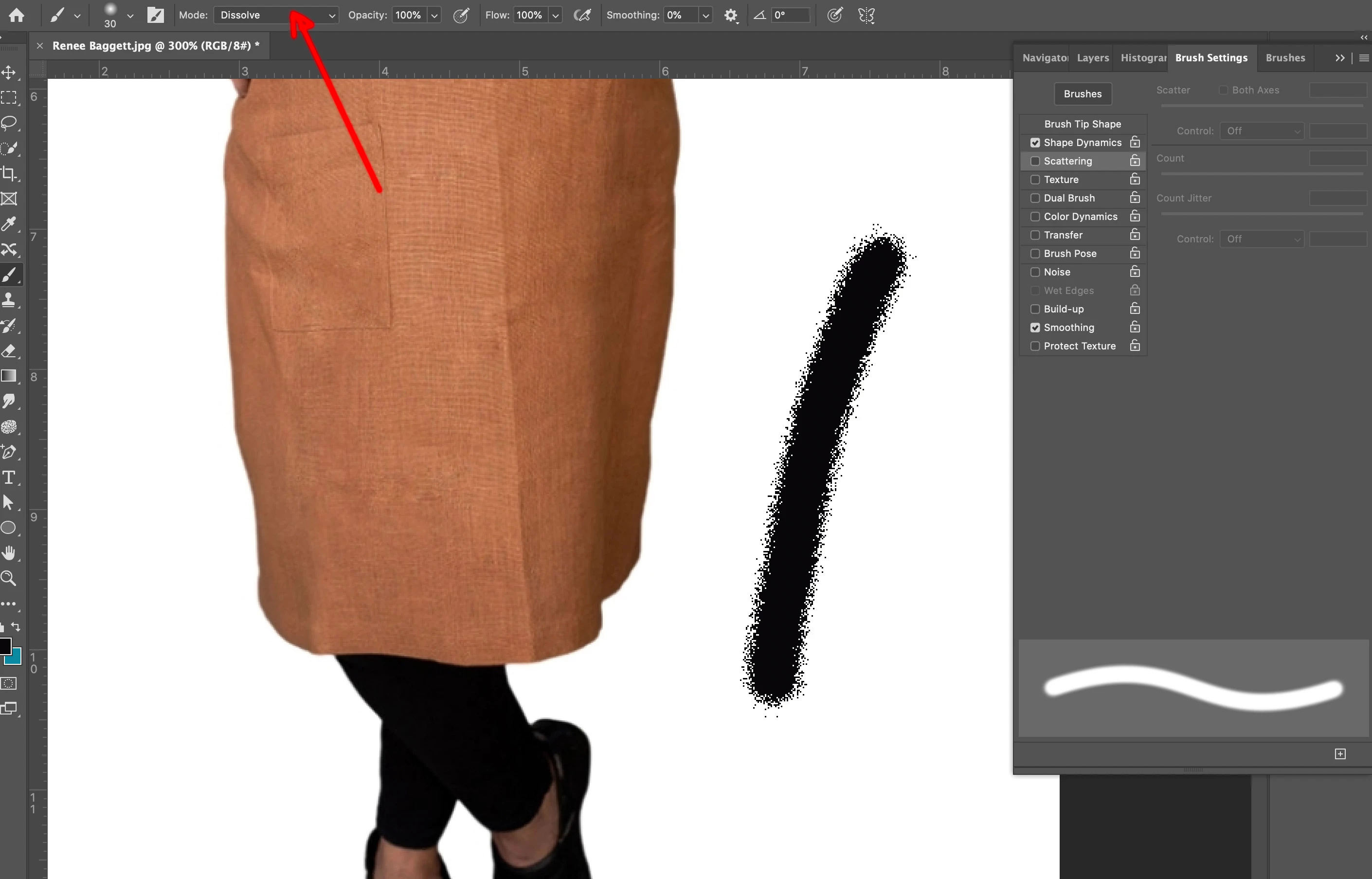
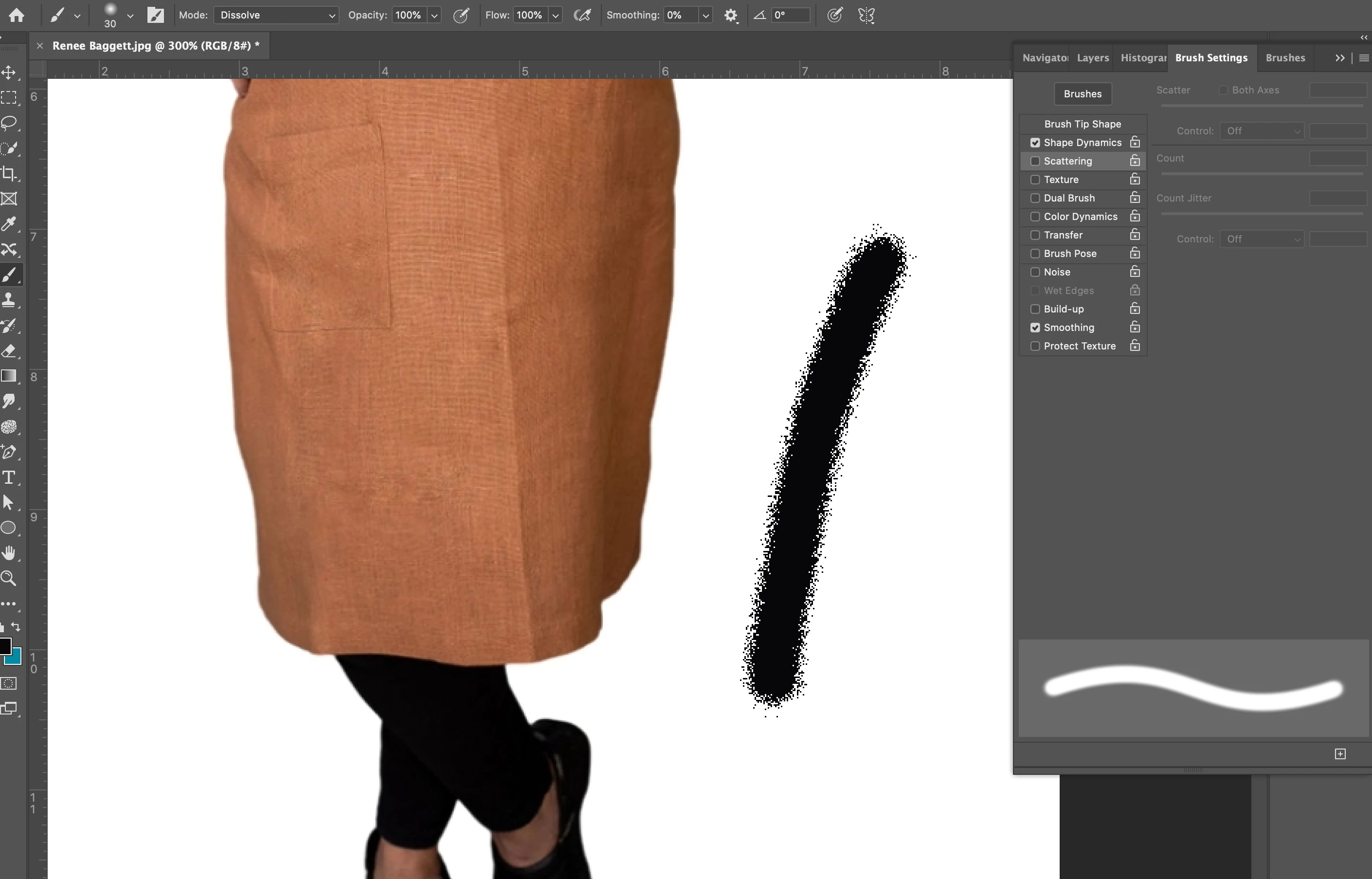
dotted brush tool
  • September 17, 2020
  • 2 replies
  • 664 views

Hi,


Does anyone know why this is happening (for the first time) when I use the brush tool in Photoshop? My spacing is set to zero and I reset the brush tool in the settings. Any help would be so greatly appreciated! 


Britta

    This topic has been closed for replies.
    Correct answer r-bin

    2 replies

    jane-e
    Community Expert
    Community Expert
    September 17, 2020

    Most likely you accidentally used the keyboard shortcuts of Shift - or Shift + to cycle through the blending modes when you were trying to do a different shortcut, or you may have hit Shift + Option + I to select Dissolve.


    ~ Jane

    Britta_K
    Britta_KAuthor
    Participant
    September 17, 2020

    Yes that's exactly what I think happened! Thank you so much! 

    jane-e
    Community Expert
    Community Expert
    September 17, 2020

    You're welcome, Britta. I'm happy to help.

    ~ Jane

    r-binCorrect answer
    Legend
    September 17, 2020

    Britta_K
    Britta_KAuthor
    Participant
    September 17, 2020

    Thank you so much!!! This was the reason! For others, I set it back to "normal" and now it works. 😉