Participant
December 30, 2023
Answered

Download issues of free Sky Packs

  • December 30, 2023
  • 2 replies
  • 991 views

Hello everyone, I have a macbook Apple M1 Pro.  I have tried downloading a free sky pack for Photoshop 2024, and it doesn't show anything to open in the download.  I'm not sure how to fix this, any suggestions?

Thank You so much!

This topic has been closed for replies.
Correct answer Jeff Arola

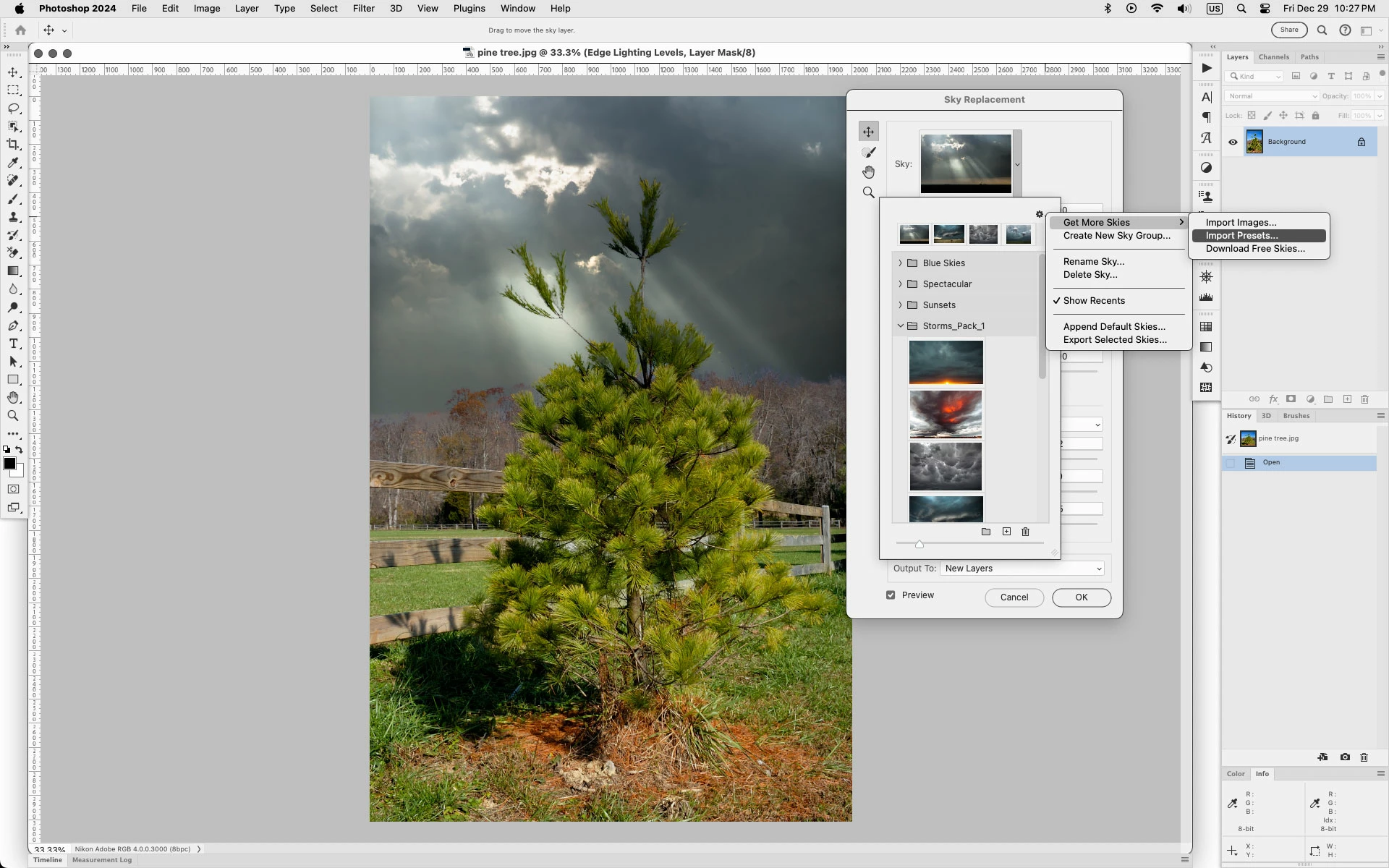
What i do is put the downloaded Storms_Pack_1.sky in

Macintosh HD/Users/UserName/Library/Application Support/Adobe/Adobe Photoshop 2024/Presets/Skies


then in Edit<Sky Replacement from the fly-out menu click Import Presets and select the Storms_Pack_1.sky


2 replies

Jeff Arola
Community Expert
Jeff ArolaCommunity ExpertCorrect answer
Community Expert
December 30, 2023

What i do is put the downloaded Storms_Pack_1.sky in

Macintosh HD/Users/UserName/Library/Application Support/Adobe/Adobe Photoshop 2024/Presets/Skies


then in Edit<Sky Replacement from the fly-out menu click Import Presets and select the Storms_Pack_1.sky


mglush
Community Expert
Community Expert
December 30, 2023

But, it sounds like the file did not download. Does it normally go into the downloads folder, or can it be found somewhere else?

Michelle

kglad
Community Expert
Community Expert
December 30, 2023

in the future, to find the best place to post your message, use the list here, https://community.adobe.com/

p.s. i don't think the adobe website, and forums in particular, are easy to navigate, so don't spend a lot of time searching that forum list. do your best and we'll move the post (like this one has already been moved) if it helps you get responses.


<"moved from enterprise & teams">
Participant
December 30, 2023

Thank You!