
Known Participant
December 13, 2024
Answered

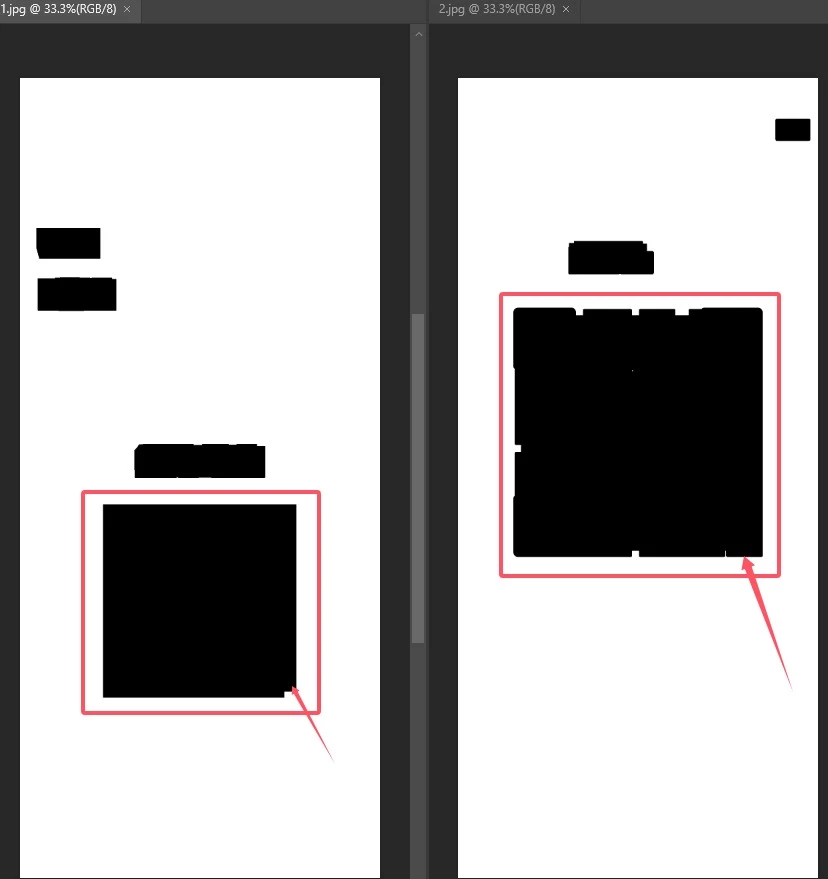
Draw a selection around the larger black area

  • December 13, 2024
  • 1 reply
  • 259 views

How to identify the largest black area in an image? Create a selection around the largest black area, as shown in the image: There are many black areas in the image, each varying in size and position. The goal is to identify the largest black area and create a selection around it. I'm confused and don't know how to achieve this. Thank you, everyone.
This topic has been closed for replies.

1 reply

Stephen Marsh
Community Expert
Community Expert
December 13, 2024

@w30290083o9nn 


For scripted automation, I believe that you would need to isolate each area to a separate layer or channel, then each individual area can be inspected via bounds or pixel count to determine which is the largest, then a selection can be loaded and expanded.


EDIT: Perhaps loading a selection for all areas and converting to an individual path for each would be another approach. Perhaps each path can then be determined as to which is larger.