
Drawing straight lines does not work!
Dear Reader,
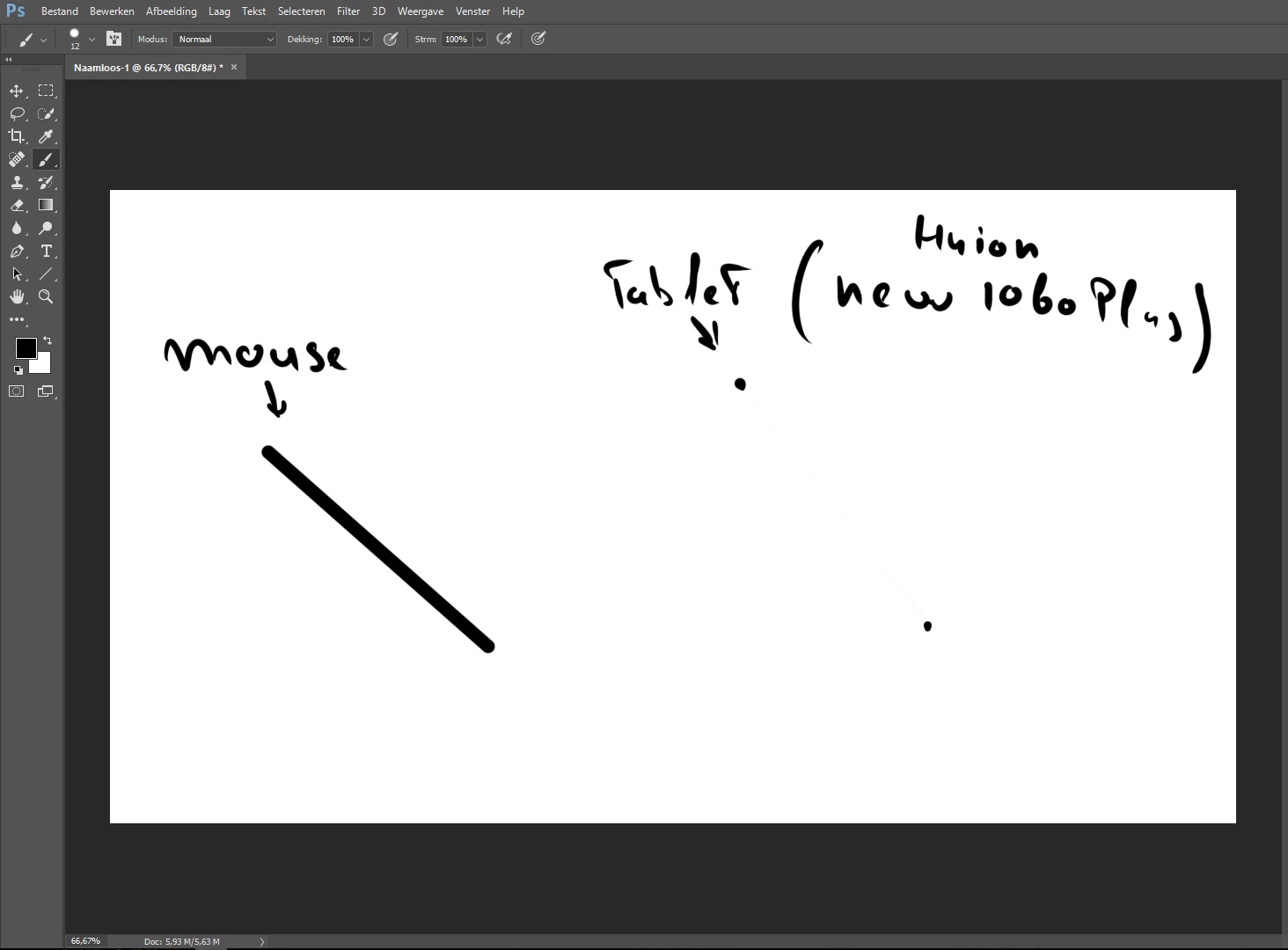
I just got a drawing tablet from my birthday: The huion new 1060 plus. It has worked very well upon till now. In photoshop when you want to draw straigh lines a lot of people recommend me doing the left-click shift-left-click method,.This does work nice on the mouse, but it does not work on the tablet.
When I use the quickaction it creates a very thin line in between the points I located. I haven't found anyone with this problem yet, so I have nothing to refer to with my problem. Can someone please help me?
Lastly I would like to note that I am new to photoshop, I am only using it around 2 weeks right now and have not changed any default settings or what so ever, that's also the reason why the screenshot is still dutch, so my apologies for that.
Regards,
Tom Lemmers
PS: here is an image of how it looks on my screen, the line is very thin you have to look really close to see it.
 AdChoices