
Question
Drop-down menus in wrong screen
Hi.
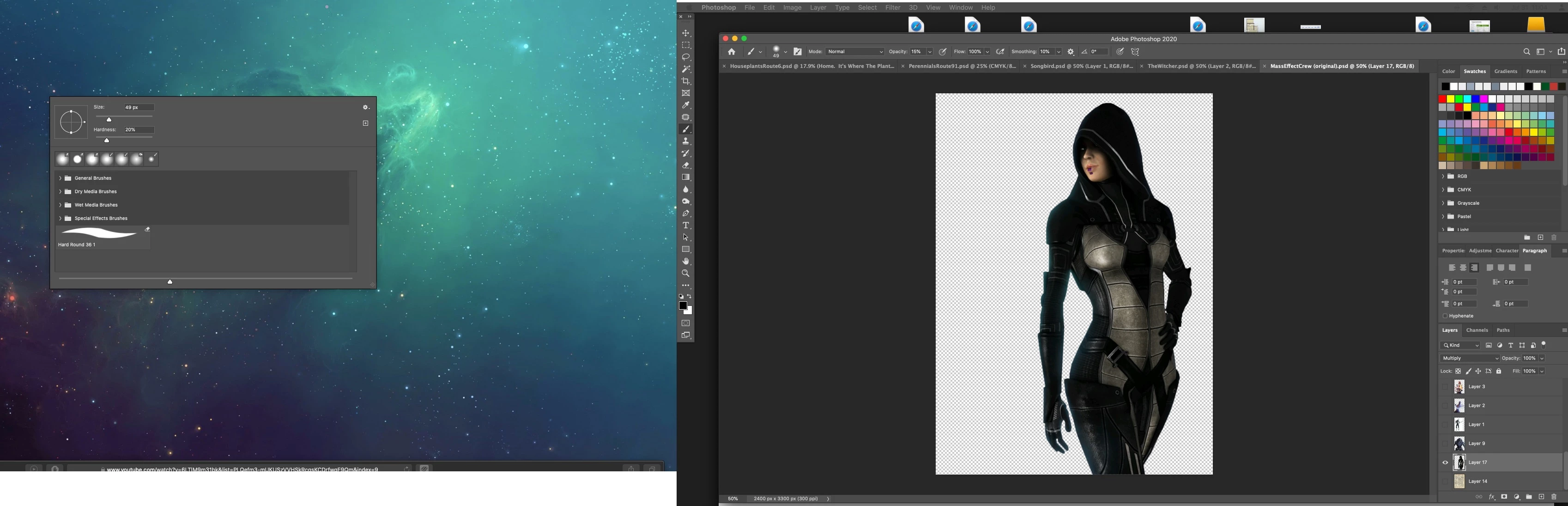
While using Photoshop, all menus, adjustment menus, drop-down menus, dialogs, file management windows open in the wrong monitor. I could not find a solution to this issue.
I am running Photoshop 2020 on a 21" iMac Intel 2016 (late) 4k retina on Catalina 10.15.5 with a 21" Samsung monitor.
Things I've tried: checking operating system monitor management in system preferences. Everything there seems correct, my iMac is set as the main monitor.
Resetting photoshop preferences.
Rearrange windows.
Rebooting, etc. Basic trouble shooting ideas. Screenshot below of the issue.
 AdChoices