
dennisulatowski
Participating Frequently
December 1, 2018
Question

Drop shadow rotating bug (CC 2019)

  • December 1, 2018
  • 5 replies
  • 1621 views

Hey,

it seems that there's a bug in Adobe Photoshop CC 2019 with rotating layers that have drop shadows on them. In the example below, I created a square with a drop shadow on it. After I rasterzied the layer, I rotated it and a weird stroke was showing up.

(I already enabled Legacy Compositing to fix the other common drop shadow bug)
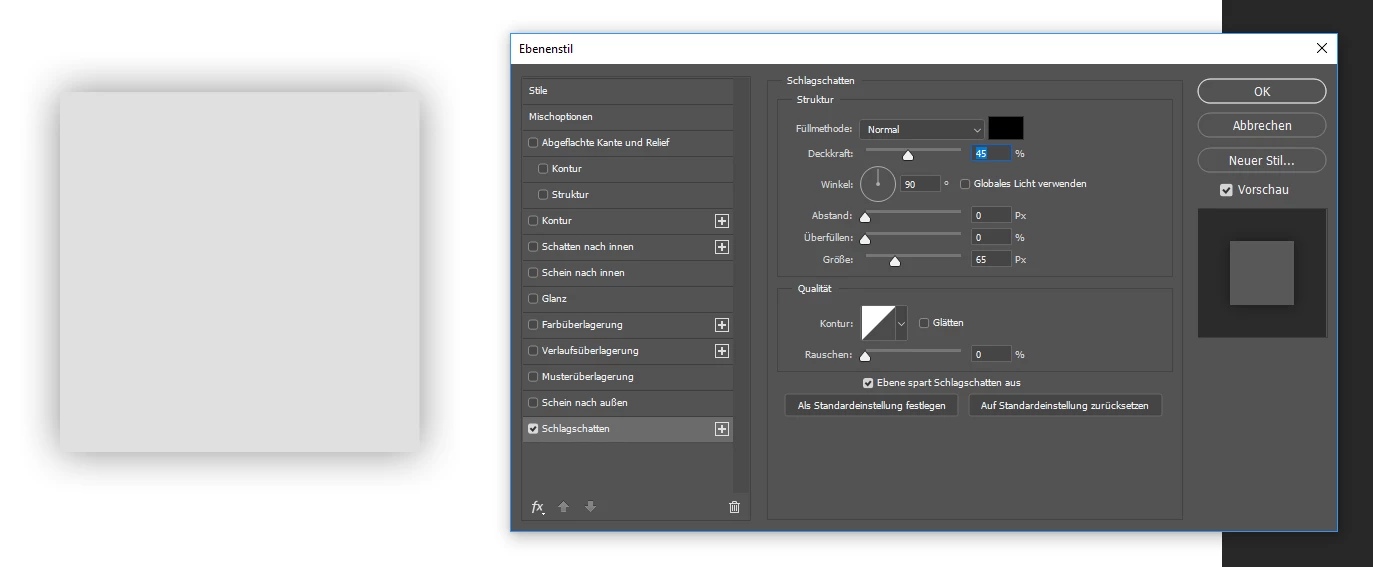
Is there any solution for this?

Greetings

This topic has been closed for replies.

5 replies

PECourtejoie
Community Expert
Community Expert
December 2, 2018

Hello, Did anyone report the bug on https://feedback.photoshop.com ? If so, please post the link here!

Jeff Arola
Community Expert
Community Expert
December 1, 2018

Try just Rasterize the Layer, rotate, then Rasterize the layer style or not if you want to keep the style editable.

dennisulatowski
Participating Frequently
December 1, 2018

It first happened when I merged a group of different layers, so there is no option in this case to rasterize anything to help it I guess.

Dennis

Jeff Arola
Community Expert
Community Expert
December 2, 2018

If that's a bug it's been in photoshop at least since photoshop 6 (2001) which i tested on an Mac OS 9 machine.

The best advice i know to give is do alll you rotating ,scaling, etc before rasterizing or flattening layers.

December 1, 2018

dennisulatowski  wrote

(I already enabled Legacy Compositing to fix the other common drop shadow bug)

Sorry missed that bit

Note to self, don't post when it's late and you're tired

Trevor.Dennis
Community Expert
Community Expert
December 1, 2018

I wondered if anti aliasing in the layer style would make a difference, but if anything, it made it worse.  So no solution, but a confirmation that I can duplicate it.

December 1, 2018

Hi

You need to go into preferences > performance and enable legacy compositing and restart PS to fix it

dennisulatowski
Participating Frequently
December 1, 2018

Hey,

as I mentioned above, I already did this and it didn't help at all.

Dennis