
Grand0
Participant
June 1, 2018
Answered

Drop shadow text; transparency issue

  • June 1, 2018
  • 1 reply
  • 7361 views

Hello, everyone

I'm currently using Photoshop to make some thumbnails, both for myself and for other clients. Everything is going quite well, except for one small thing.

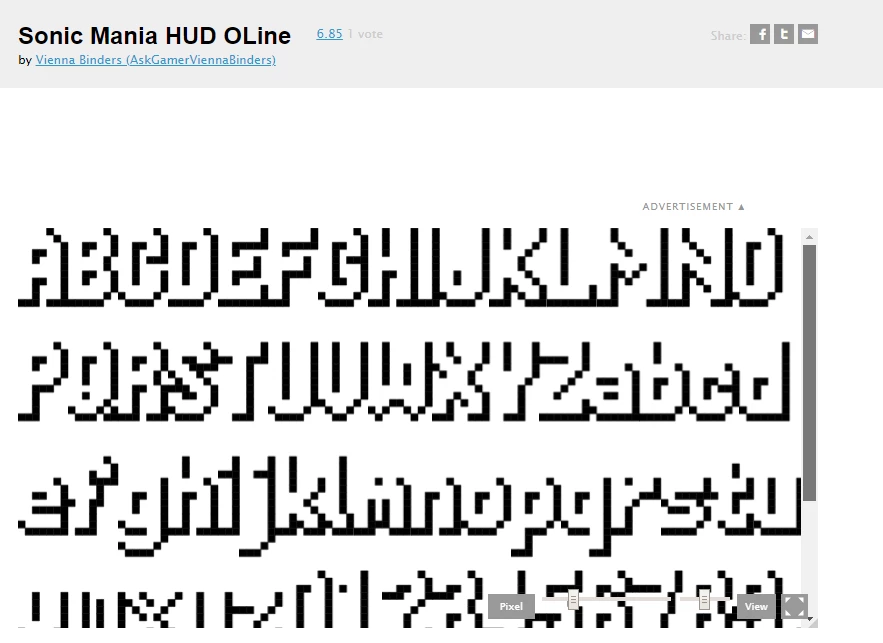
The font that I'm using for my thumbnails has a "white" layer and a black drop shadow as well. That would be fine, except for the fact that whenever I put text into the image, the white layer is transparent, and the color only changes for the drop shadow.

I'm wondering if there is a way to work around this and get the white layer only.

https://fontstruct.com/fontstructions/show/1417713/sonic-mania-hud-oline - Just to let you know what I'm addressing. Thanks!
This topic has been closed for replies.
Correct answer JJMack

I do not understand what you wrote the font your using has a white layer.  If your text layer is transparent all I can think of is somehow the layers fill has been set to 0. Like you added a layer style that added a drop shadow and set the layer fill to 0.  Check the text layer fill setting. or the pasted image layer containing the text fill setting. The text pixels should have a color and opacity and the layer has  opacity and fill settings.

However in this case

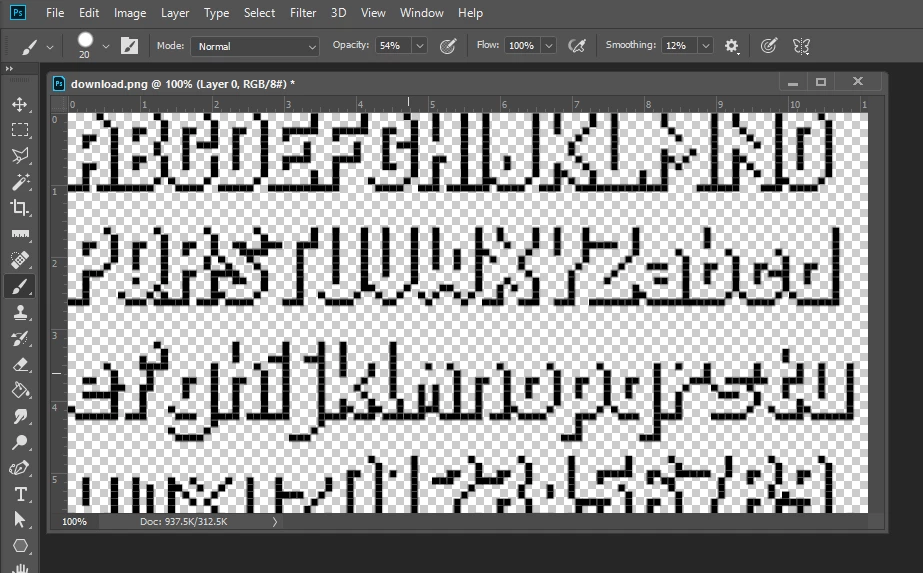
The font has no color it is transoarent and no drop shadow has been added that is the font as you can see in its png download I opened on Photoshop. the is no white the white you see is the document background or the web page background not the font the font looks like a drop shadow

1 reply

JJMack
Community Expert
JJMackCommunity ExpertCorrect answer
Community Expert
June 1, 2018

I do not understand what you wrote the font your using has a white layer.  If your text layer is transparent all I can think of is somehow the layers fill has been set to 0. Like you added a layer style that added a drop shadow and set the layer fill to 0.  Check the text layer fill setting. or the pasted image layer containing the text fill setting. The text pixels should have a color and opacity and the layer has  opacity and fill settings.

However in this case

The font has no color it is transoarent and no drop shadow has been added that is the font as you can see in its png download I opened on Photoshop. the is no white the white you see is the document background or the web page background not the font the font looks like a drop shadow

JJMack
Grand0
Grand0Author
Participant
June 1, 2018

Alright, sorry about the misunderstanding. Thank you!

Grand0
Grand0Author
Participant
June 1, 2018

One more question; if there is any way, how can I turn the said transparent part into white?