
Droplet errors if copied to a different mac
We use three basic Dropplets for converting image files for our needs, each works as expected on my own machine (Macbook Air M1) or if I manually create them on the Mac they'll be used for, no issues there.
However, if I attempt to send a dropplet to a user, they always see these two errors, regardless of any combination of options is chosen in either error message. Issue persists regardless of what Mac said Dropplets were made on, and always work fine when created manually using the same .atn saved actions.
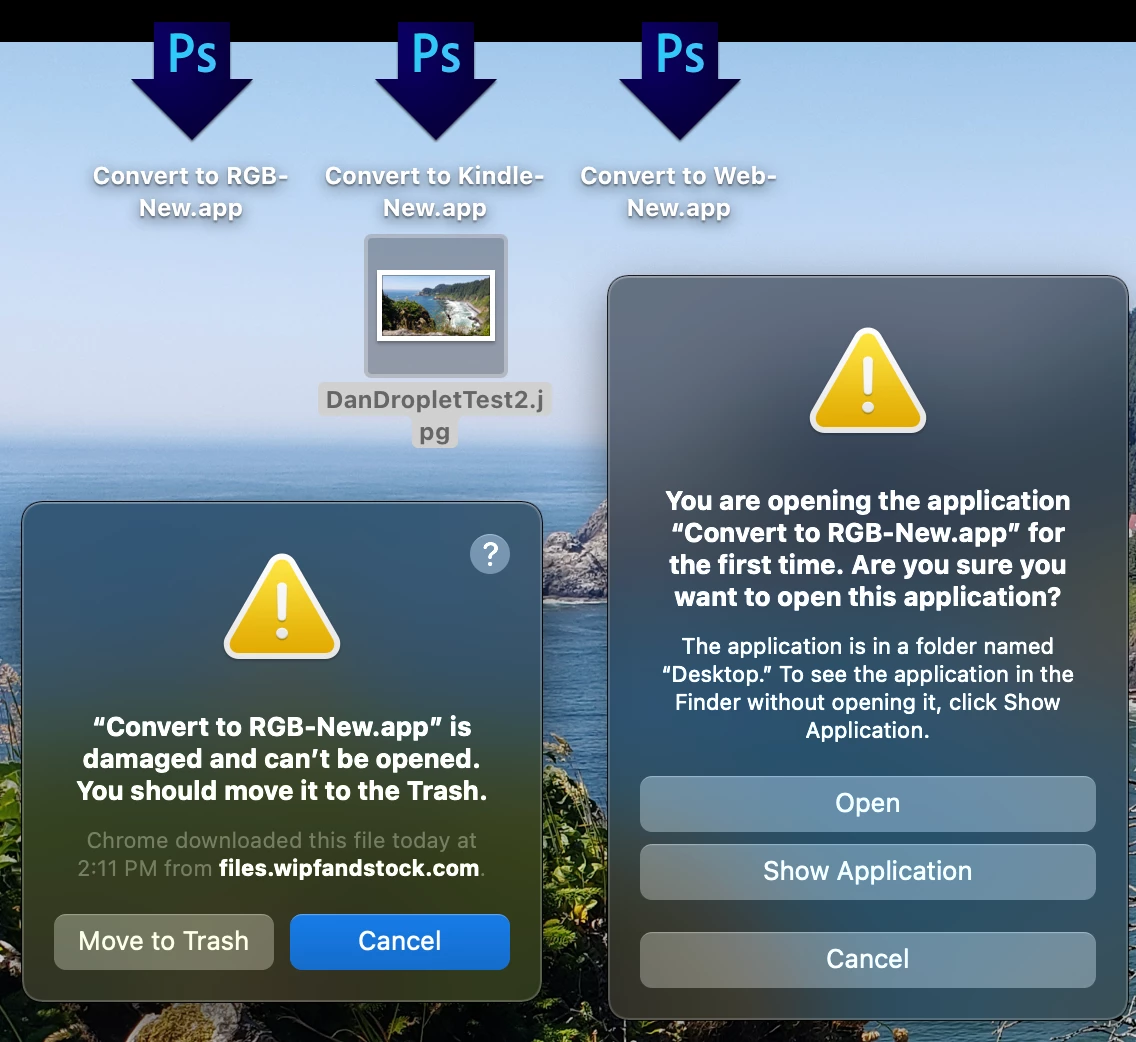
Any suggestions in our troubleshooting would be very welcome. Could this be intentional due to separate licenses/Adobe accounts for each user?
Issue also appears the same regardless of how the dropplets are sent, DMG, Zip, Cloud, or copied manually.
 AdChoices