
Participant
December 15, 2021
Question

Dull display in Photoshop

  • December 15, 2021
  • 1 reply
  • 269 views

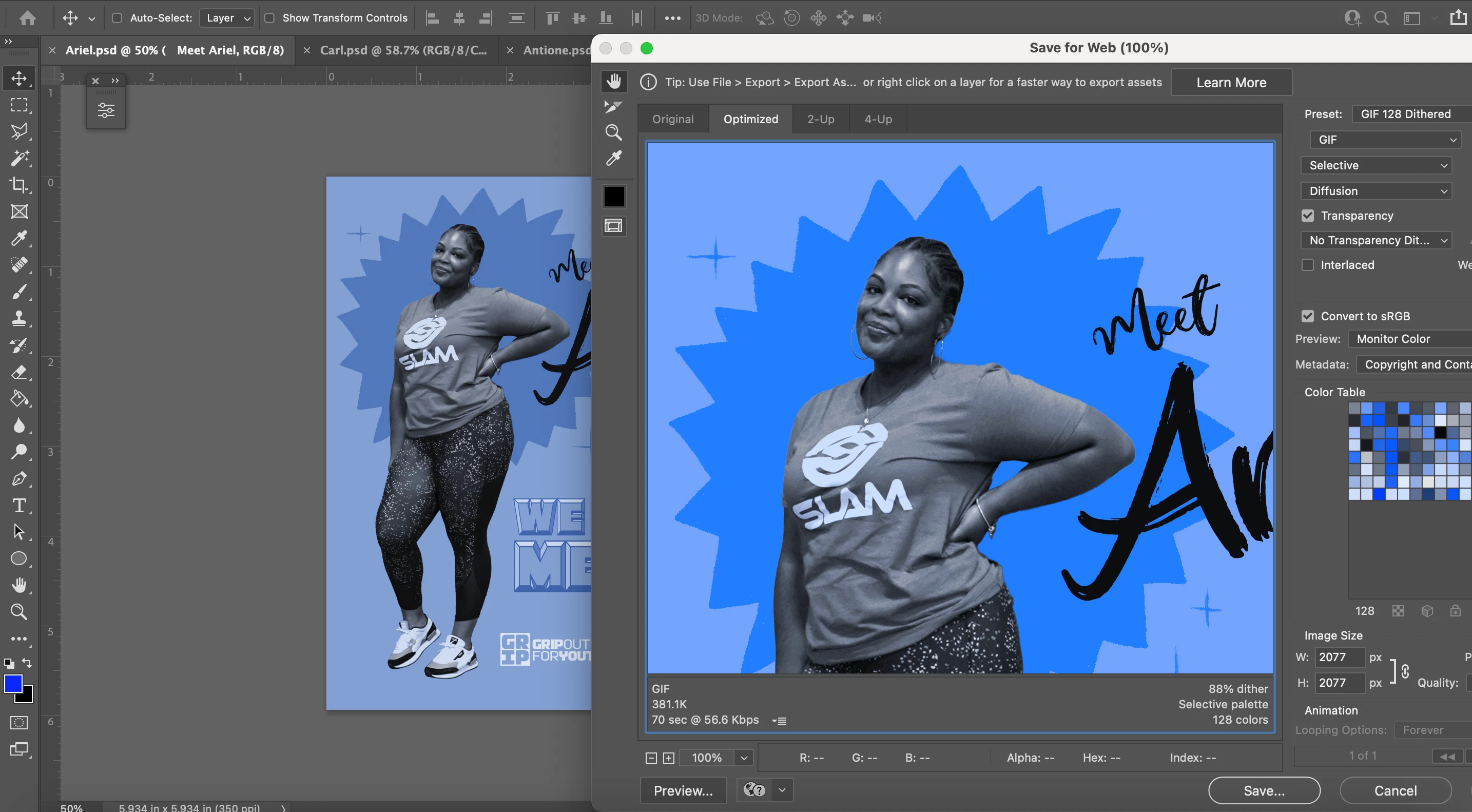
I am having an issue where my display on photoshop is showing the colors as dull on particular documents. I know it's got to just be a setting somewhere but I cant find it. In the navigator it is showing fine and when files are exported they are also bright as they should be. Anyone know where I can fix this?
 

This topic has been closed for replies.

1 reply

D Fosse
Community Expert
Community Expert
December 15, 2021

Your original document is apparently sRGB, but you're viewing it on a DCI-P3 display without any color management, hence the oversaturation.


Save For Web will match Photoshop (and display correctly) by setting Preview to "Use Document Profile" instead of "Monitor Color". The latter turns off display color management.


However, that may just push the problem one step further. The GIF file format doesn't support color management and icc profiles at all, so the exported file may display the same oversaturation in other applications. If it was PNG or jpeg the problem would be solved with the Preview setting.