
Question
Edit-->Transform function Perspective is greyed
I am trying to fit a small PNG image into a bigger JPG image.
To do it properly I need to distort PNG with the Perspective function so that it fits precicely into where I need it.
In my Adobe Photoshop CS3 Extended Version 10.0 I created a new file, drugged the JPG onto the existing layer.
Then added another layer and using File-->Place placed my PNG there.
However in Edit-->Transform function Perspective is greyed:
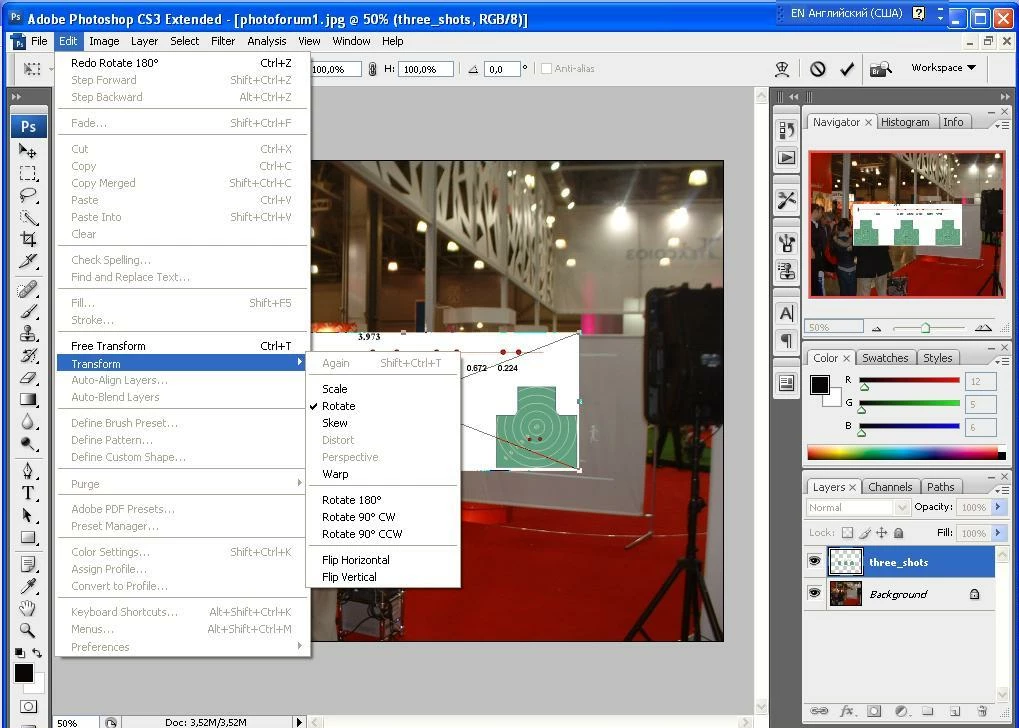
When I work just with a single layer with this same PNG in it, Perpective is available and works.
What am I doing wrong and how do I get round it?
 AdChoices