bellybuckle1
Inspiring
September 21, 2018
Answered

edit>transform pane not showing

  • September 21, 2018
  • 1 reply
  • 497 views

Hi gang.

I have a layer that I need to reduce in size, but for some reason, I can no longer get the Transform pane to show up under Edit>Tranform.


Rather, what happens is that I get the Free Tranform bounding box around the object. I need to reduce it by percentage and now I'm not sure how to get that.

I'm running the current version of Photoshop on El Capitan.

Thanks,

B.
This topic has been closed for replies.
Correct answer

Hi

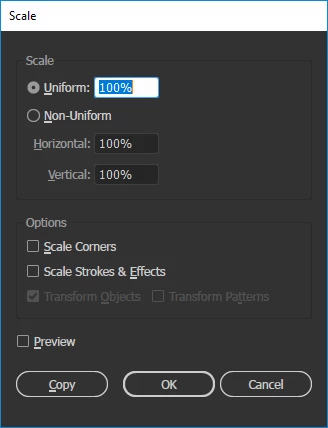
I think you maybe mistaken it with Illustrator

1 reply

September 21, 2018

Hi

Is this what you're looking for

bellybuckle1
Inspiring
September 21, 2018

Hi Ged. Thanks for responding.

No, actually it's this (see attached).

I used to be able to select one of the tranforms - scale in this case - and up would come a pane that gave me percentage options. Now when I select scale, the Free Transform bounding box surrounds my layer art.

Correct answer
September 21, 2018

Hi

I think you maybe mistaken it with Illustrator