Participant
June 13, 2017
Answered

Editing a predesigned PSD

  • June 13, 2017
  • 1 reply
  • 262 views

Hi everyone,

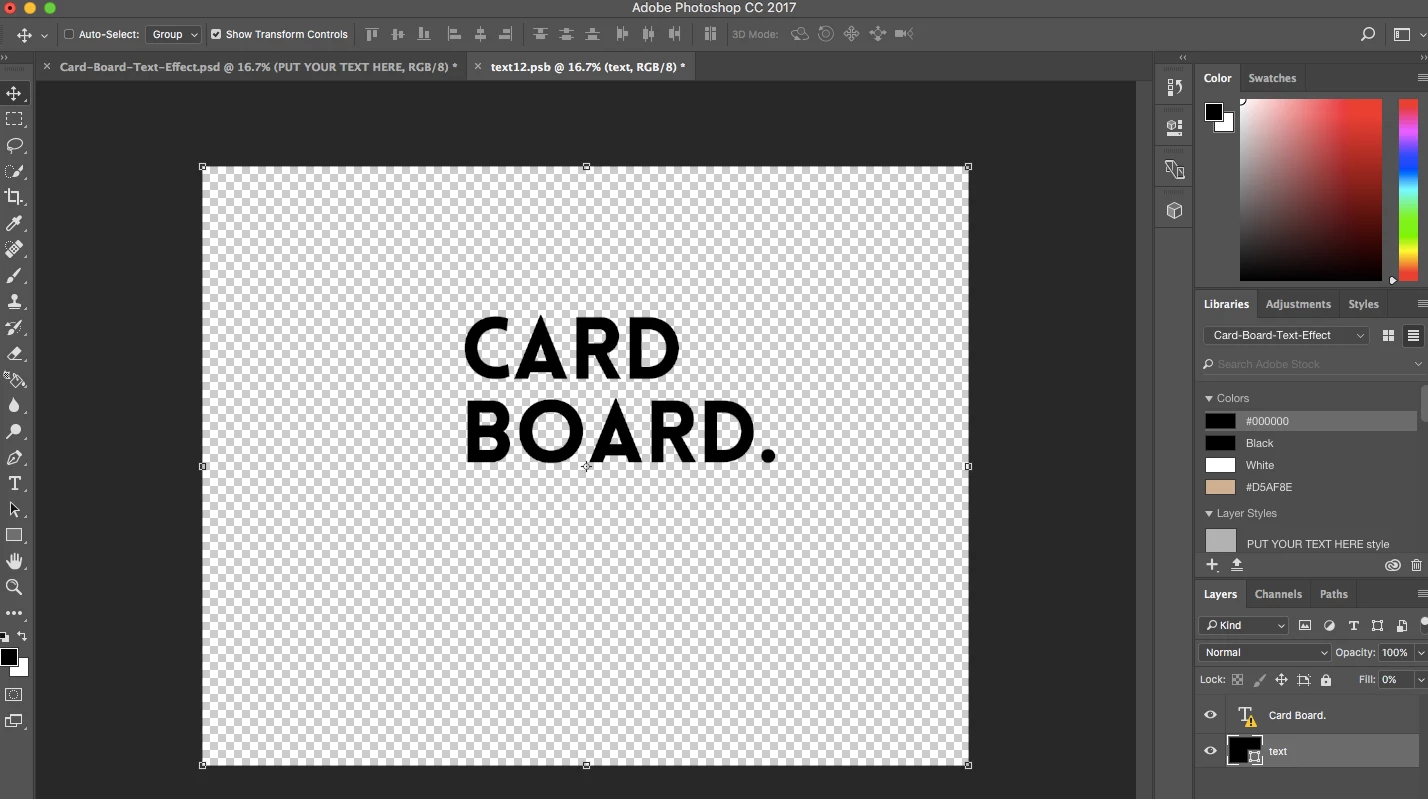
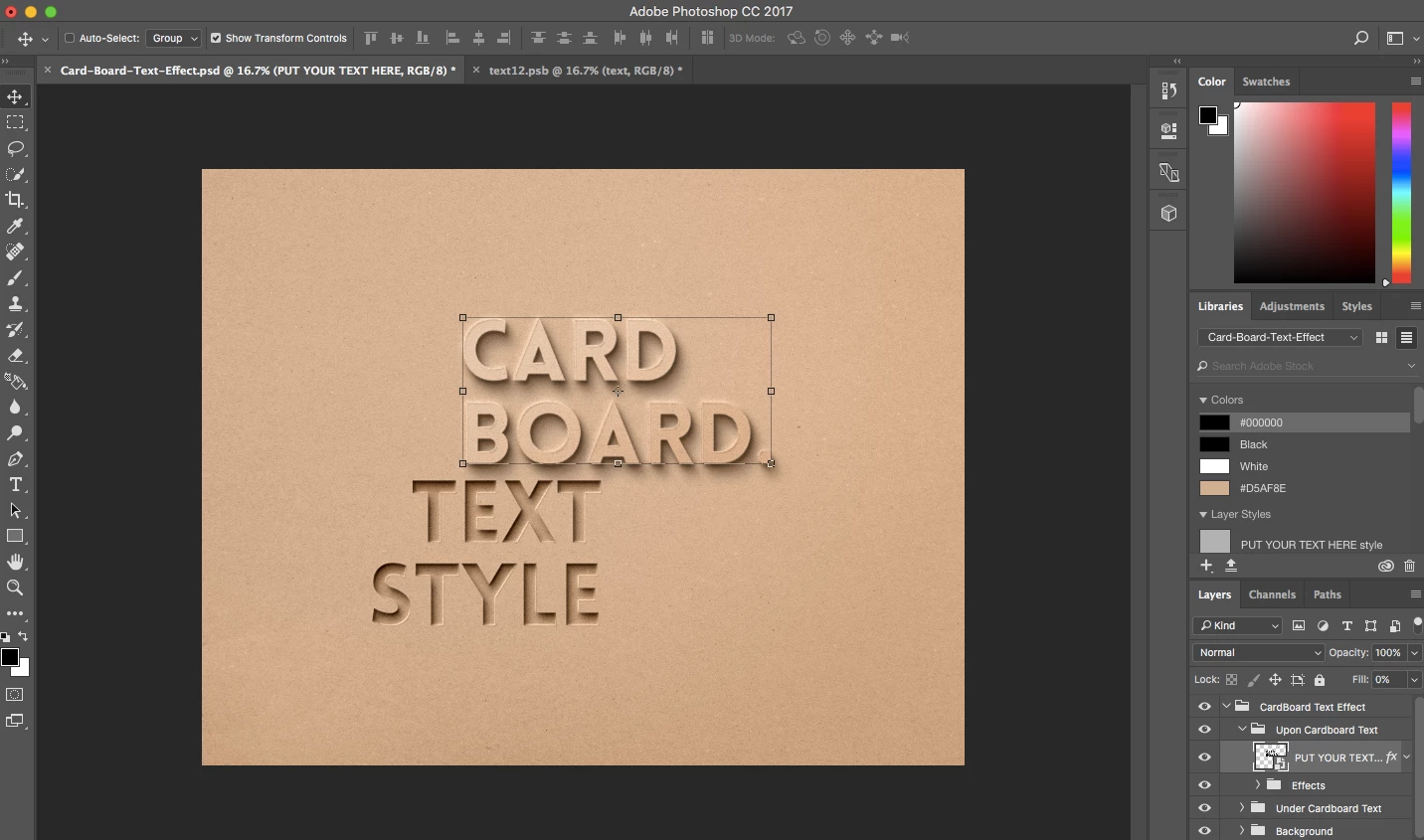
I have only just converted over to PS and am finding it a bit challenging to say the least. In simple terms I have downloaded a PSD for a particular font and its associated styles but when I go to edit the text it send me directly into a new .psb tab at the top of the window and I am trying to figure out how to get the desired effect on my own text. I have attached a screenshot to help.

Thanks in advance and apologies for being a noob to all of this.
This topic has been closed for replies.
Correct answer BlackheathGraphics

Many thanks, Nancy.

I have always used GIMP or PIXELMATOR as my go to graphics tool but wanted to try a few other ideas out and have set myself the challenge of learning some PS elements. Thanks for the advice.. I managed to solve the mystery late last night and it was a simple case of making the changes in the mask.psb and then saving the file to replace the original text in the .psd file.

Phil

1 reply

Nancy OShea
Community Expert
Community Expert
June 13, 2017

To be honest, downloading another person's PSD as a first project is not the ideal way to learn how to use Photoshop.  First, you need to learn the basic tools and terminology. 

  • Have you worked through any beginner tutorials yet? 
  • Which graphics apps have you been using up 'till now? 
  • Do you have the custom font in that PSD project already installed on your system?  If not, you won't be able to use that font.  You'll need to make a substitution with one you do have.

Nancy

Nancy O'Shea— Product User & Community Expert
BlackheathGraphicsAuthorCorrect answer
Participant
June 14, 2017

Many thanks, Nancy.

I have always used GIMP or PIXELMATOR as my go to graphics tool but wanted to try a few other ideas out and have set myself the challenge of learning some PS elements. Thanks for the advice.. I managed to solve the mystery late last night and it was a simple case of making the changes in the mask.psb and then saving the file to replace the original text in the .psd file.

Phil

Nancy OShea
Community Expert
Community Expert
June 14, 2017

I see.  Well PS Elements is NOT the same as Photoshop.  They are different apps with different features and aimed at different user levels.

PS Elements is the lite version, simple to use and aimed at consumers who like to take pictures with their mobile devices and upload to Flickr or Facebook (one example). 

OTOH, Photoshop is pro-level software with many, many bells & whistles that PS Elements does not have.  The learning curve in Photoshop can be quite steep.

While I haven't looked at GIMP in a dog's age, I think GIMP's potential is a bit closer to Photoshop than it is to PS Elements.

If you want to see what Photoshop can do, you can join the Creative Cloud for a 7-day free trial. 

Nancy

Nancy O'Shea— Product User & Community Expert