
Editing layer name in an undocked panel (on a primary monitor) randomly loses keyboard focus
Version: 25.0 (bug present in 24 and AFAIR 23 as well)
Platform and OS version: Windows, x64
Screen setup:
[1080p screen, 16:10. portrait orientation, 1200x1920] [4K screen, 16:9, landscape orientation, 3840x2160, 150% scaling]
1080p screen is set as the Main Display in Windows (I need this for some apps to scale good on the 4K screen)
Basic steps to reproduce the problem:
This issue might be independent from the monitor setup and resolution. I include those data for completeness.
1. Move all panels to the 1080p screen (Main Display), leave the main Photoshop window on the 4K display
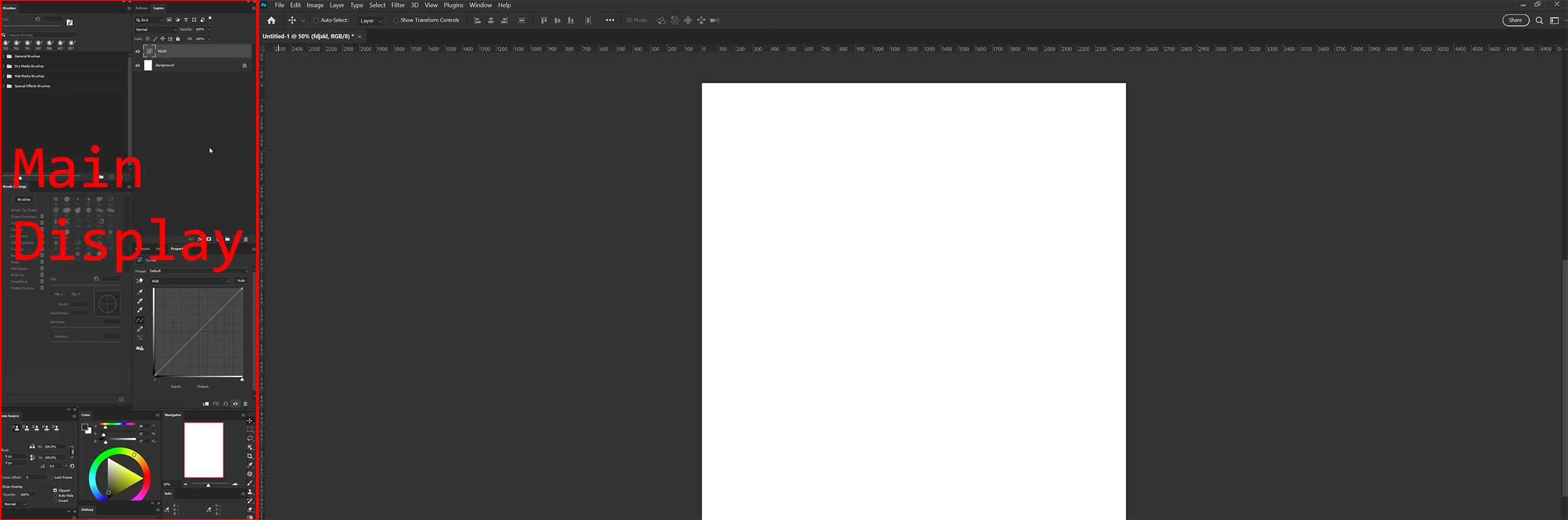
2. Create a curves layer.
3. Try to edit the layer name in the Layers panel, double click on the layer name
4. Try typing in anything, random letters. Sometimes after even a few characters the layer name loses focus and the subsequent characters activates various Photoshop shortcuts (changing tools, going Full screen, etc.). I usually have only about 1 or 2 seconds to edit the layer name!
5. When I press and hold a key (let say: 'f'), so that the character repeats, the edit mode stays engaged - I can hold key for several seconds.
6. When I move the Layer panel to the 4K screen, the problem still persists.
7. But if I dock the panel to an edge of the main Photoshop windows the problem vanishes - I can type in many characters to name a layer and the field stays editable until I press Enter.
This bug is nondeterministic and sometimes things just work fine even in an undocked panel.
Resetting preferences, doing clean install doesn't help. Restarting Photoshop sometimes helps for several minutes.
Has someone experience this behavior?
 AdChoices