andreyk86825382
Participant
February 5, 2017
Answered

Editing video frames

  • February 5, 2017
  • 1 reply
  • 275 views

Hello guys,

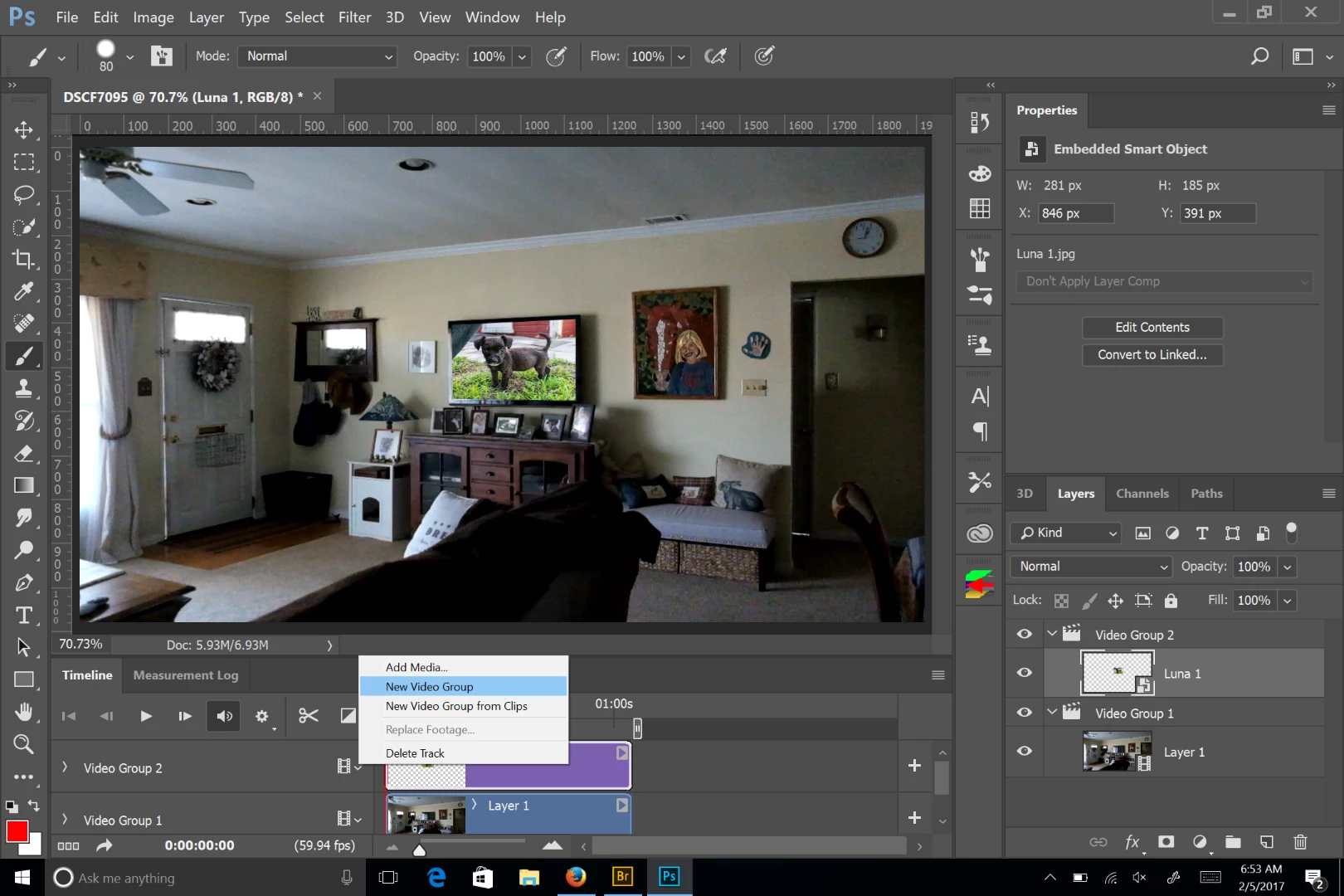
I've just discovered a problem and i can't find a solution to it. I have a cropped picture i want to paste to a video (i imported it in as video frames). However every time i paste it, it only gets applied to only first frame. How do i insert the image to all video frames with same position/settings and etc. Thanks in advance!
    This topic has been closed for replies.
    Correct answer Chuck Uebele

    Create a new video group. Then you can expand it's appearance on the timeline.

    1 reply

    Chuck Uebele
    Community Expert
    Chuck UebeleCommunity ExpertCorrect answer
    Community Expert
    February 5, 2017

    Create a new video group. Then you can expand it's appearance on the timeline.