
Answered
Elipse/Rectangle tool issue
When I use the ellipse or rectangle tool, it automatically puts a stroke border around the shape that look like train tracks. How do I stop this?

When I use the ellipse or rectangle tool, it automatically puts a stroke border around the shape that look like train tracks. How do I stop this?
it seems the stoke is turned on, see screenshot below.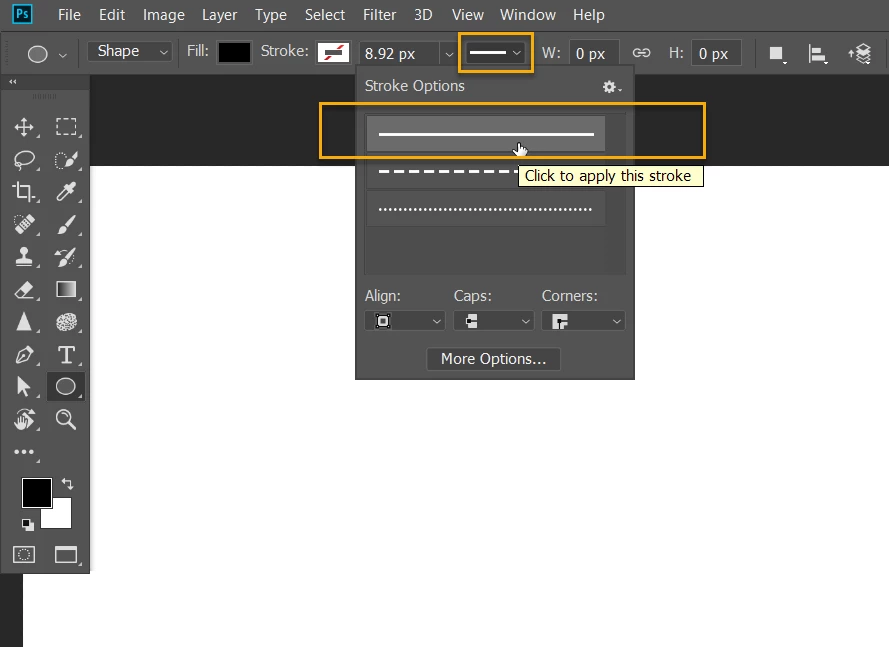
Already have an account? Login
Enter your E-mail address. We'll send you an e-mail with instructions to reset your password.
 AdChoices