
InvincbleShield
Participant
June 24, 2018
Answered

Eliptical Tool Help Please

  • June 24, 2018
  • 1 reply
  • 691 views

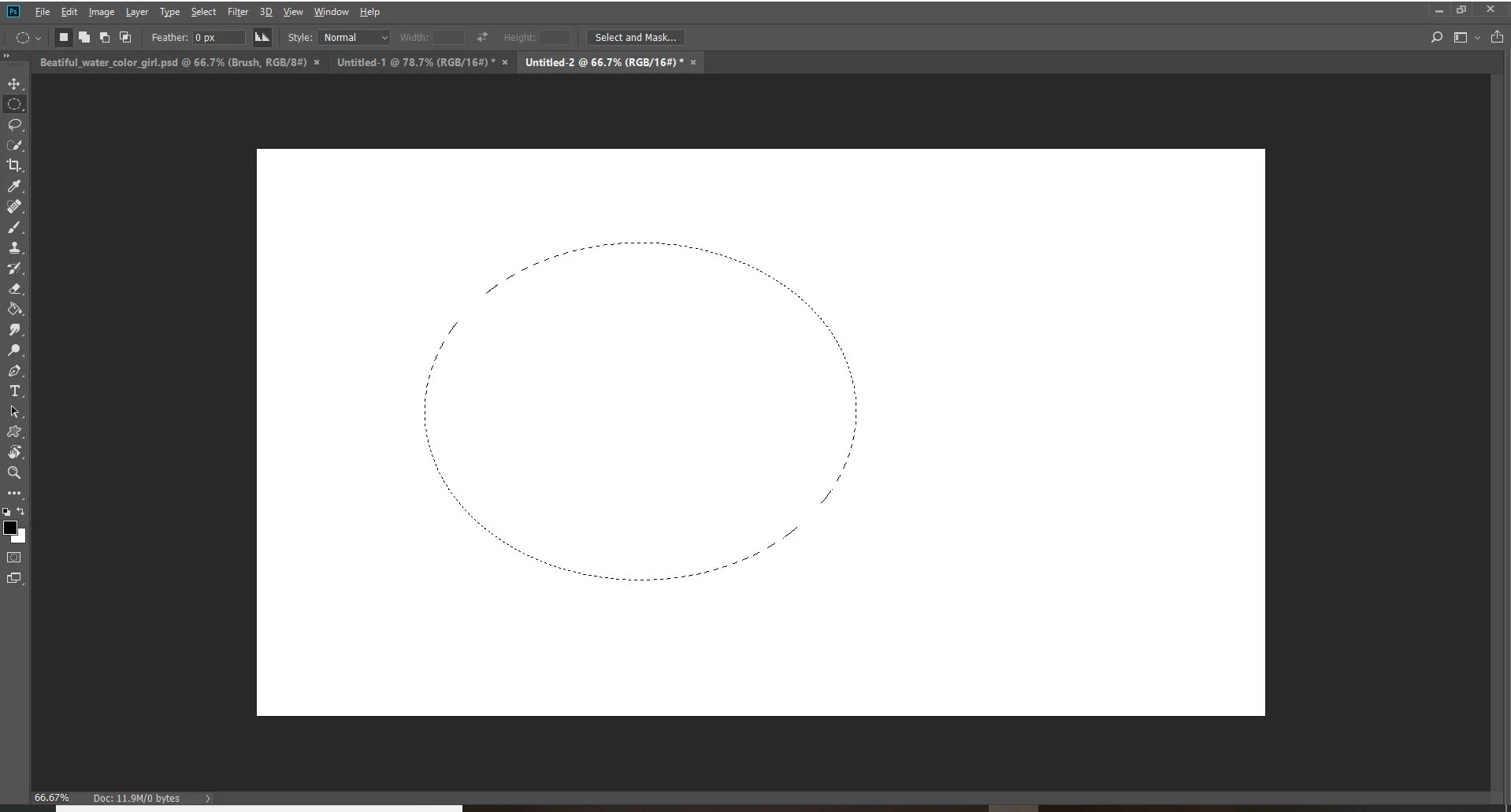
I am new to Photoshop and I am trying to make a circle with the eliptical marquee tool, however, every time I try to make a circle I cant confirm it to make a circle on its own and the circle keeps blinking or disappears every time I try to make a new circle? How do I just confirm my circle? I tried the ENTER key but nothing. Thank you. Below is an image.
This topic has been closed for replies.
Correct answer John Waller

Marquee tools are used for making temporary, specifically-shaped selections (the blinking or "marching ants" show the shape you've made) on an image so you can make adjustments or apply effects within the marquee area.

To draw a circle, use the Ellipse Tool. Not the Ellipse Marquee Tool.

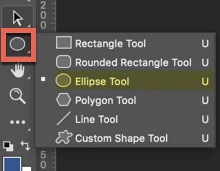
Click the button shown (above the Hand tool) and hold the mouse button down to reveal the flyout menu and select the Ellipse Tool. Then draw your circle. Hold Shift as you draw to draw a perfect circle. Without Shift you'll get an ellipse.

1 reply

John Waller
Community Expert
John WallerCommunity ExpertCorrect answer
Community Expert
June 24, 2018

Marquee tools are used for making temporary, specifically-shaped selections (the blinking or "marching ants" show the shape you've made) on an image so you can make adjustments or apply effects within the marquee area.

To draw a circle, use the Ellipse Tool. Not the Ellipse Marquee Tool.

Click the button shown (above the Hand tool) and hold the mouse button down to reveal the flyout menu and select the Ellipse Tool. Then draw your circle. Hold Shift as you draw to draw a perfect circle. Without Shift you'll get an ellipse.

InvincbleShield
Participant
June 25, 2018

Thank you!