
mariahr20959143
Participant
May 23, 2018
Question

ellipse tool is acting strangely

  • May 23, 2018
  • 3 replies
  • 668 views

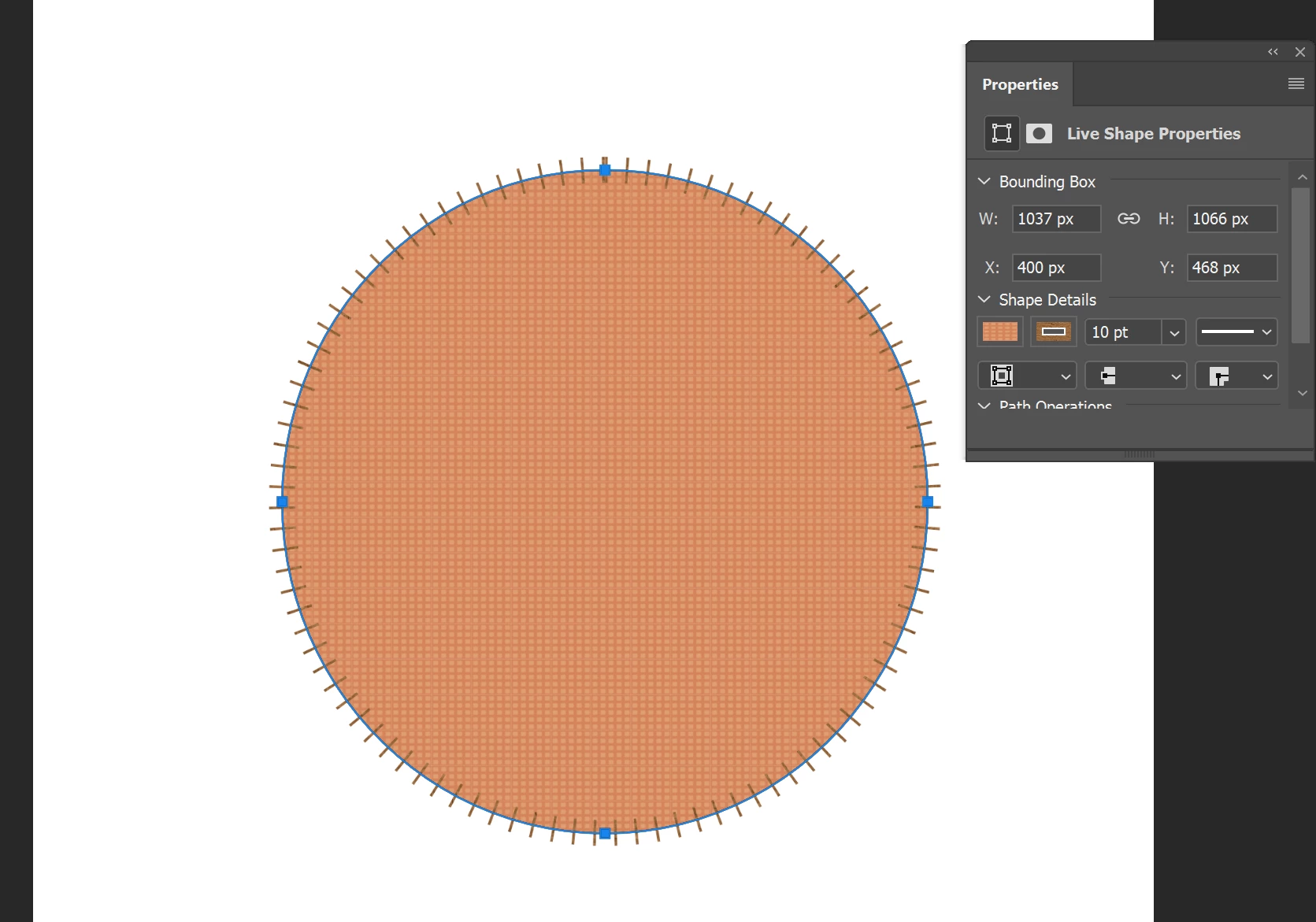
It is kind of hard to explain but when I use the ellipse tool it automatically is filled with this orange yellow pattern and has triangles sticking out of it. I can't find a setting to fix this and if I change the fill and stroke under shape details it just stays the same.
This topic has been closed for replies.

3 replies

JJMack
Community Expert
Community Expert
May 24, 2018

Play with the settings and make sure they get set and are not reset.

JJMack
Chuck Uebele
Community Expert
Community Expert
May 23, 2018

It looks like you have a pattern fill for your shape and have the stroke set for a dashed line. Check your fill and stroke options.

mariahr20959143
Participant
May 24, 2018

Yes as I said it shows that I have those options selected but there is not way to change them. When I turn off the stroke pattern there just isnt a stroke and every other option available is a different variation of the same issue.

Chuck Uebele
Community Expert
Community Expert
May 24, 2018

In my screen shot it shows a check of to make the stroke a dashed line. Uncheck that. For the pattern in the fill,  lock in the fill color box in the menu bar, and select the solid color fill rather than the pattern fill.

JJMack
Community Expert
Community Expert
May 23, 2018

I do not see any triangles I see what looks to be a custome stroke on the shape path though

JJMack