Participant
March 19, 2020
Answered

'Enable Onion Skins' not working in Photoshop CC 2020

  • March 19, 2020
  • 1 reply
  • 5290 views

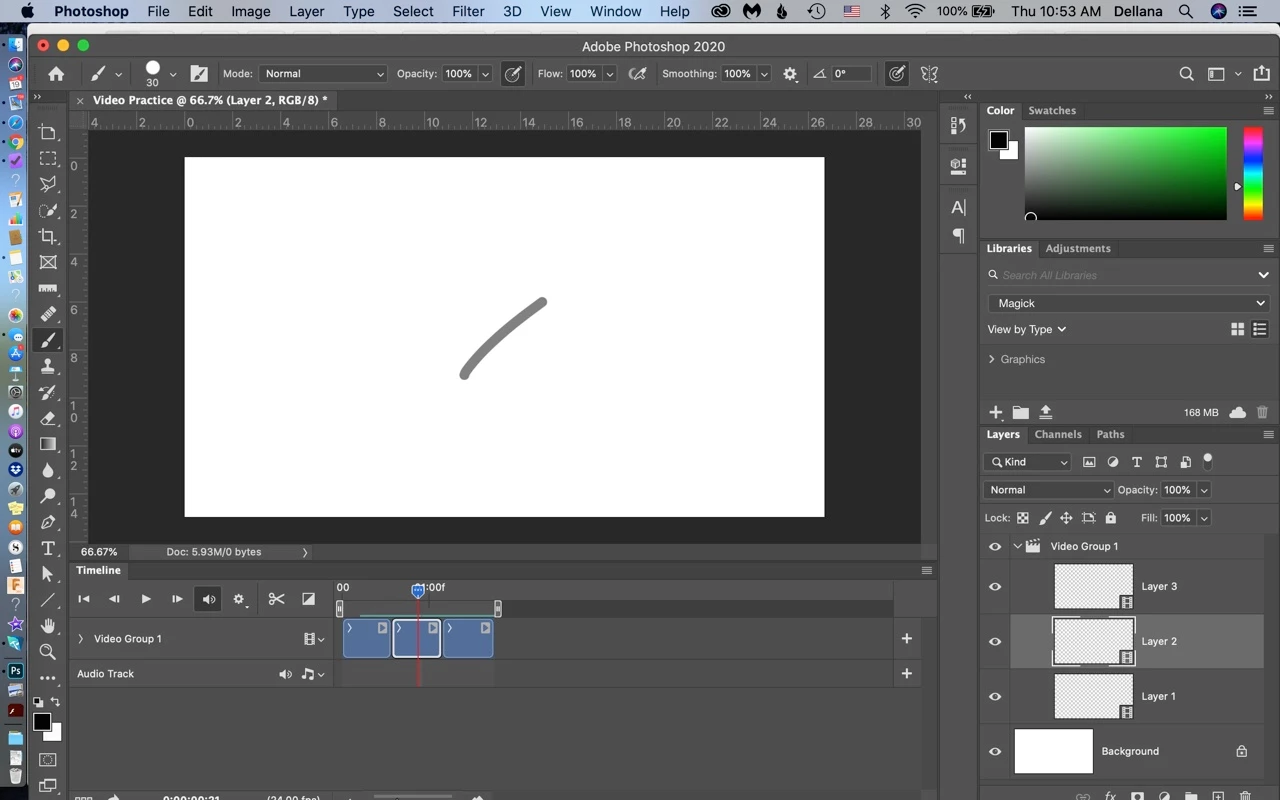
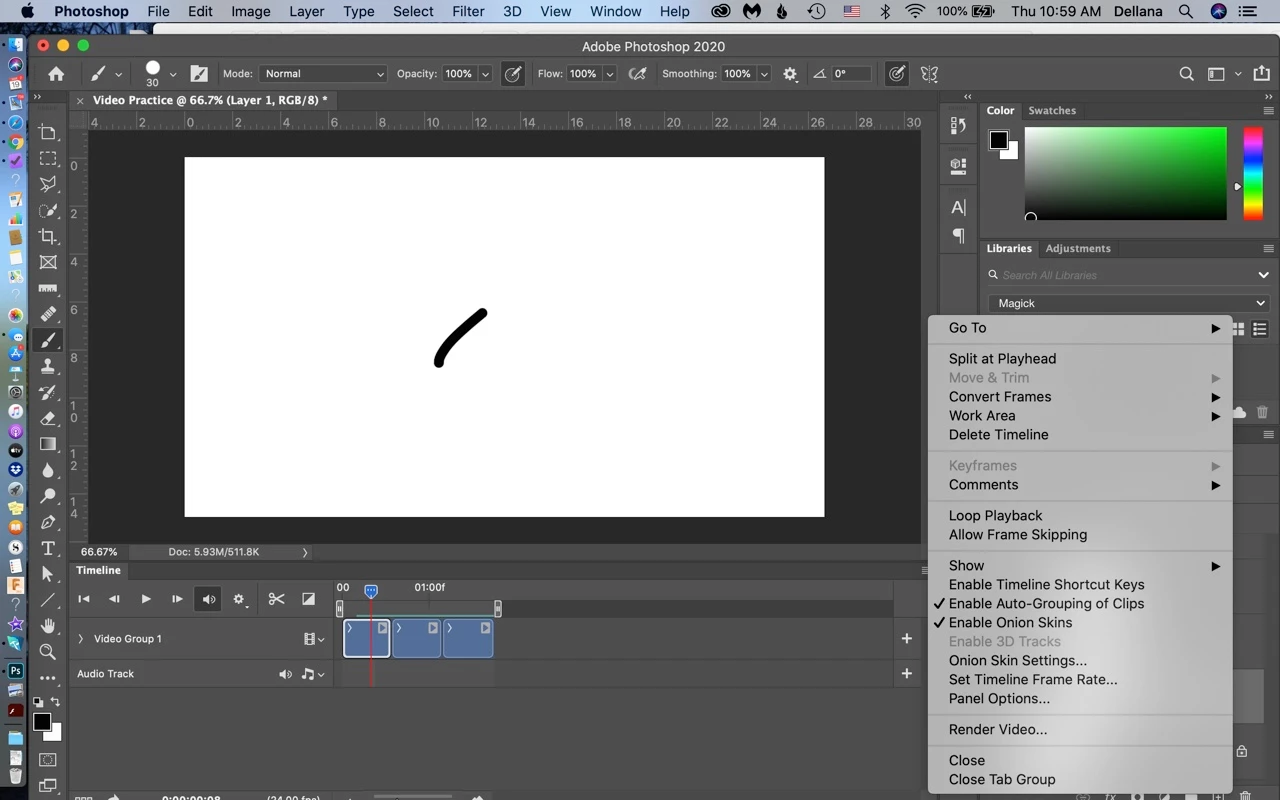
'Enable Onion Skins' is not working for me in Photoshop CC 2020.  I have the Onion Skins Settings set as in the photo, 'Enable Onion Skins' is checked, but there is no other layer showing at all.   I have watched videos, read the documenation and I have found no info to fix this.

\
 

I hope someone can help me!  


Thank you in advance!

This topic has been closed for replies.
Correct answer dellanaw92597936

Thanks Jane!


I appreciate you answering me.  I bumbled around and discovered that the issue was that I didn't have the time slider in the correct place to actually see the onion skins before I saw your answer.  That should be printed in BOLD RED somewhere in the instructions.  Lol!  Just kidding.  


Thank you again!

- Dellana

1 reply

jane-e
Community Expert
Community Expert
March 19, 2020

Can you show your dialog for "Onion Skin Settings..." ?


Here is Adobe Help:

https://helpx.adobe.com/photoshop/using/creating-timeline-animations.html > "Specify Onion Skin Settings"


~ Jane


dellanaw92597936AuthorCorrect answer
Participant
March 26, 2020

Thanks Jane!


I appreciate you answering me.  I bumbled around and discovered that the issue was that I didn't have the time slider in the correct place to actually see the onion skins before I saw your answer.  That should be printed in BOLD RED somewhere in the instructions.  Lol!  Just kidding.  


Thank you again!

- Dellana

jane-e
Community Expert
Community Expert
March 26, 2020

Hahaha, Dellana! I'm glad it's working for you now.

~ Jane