preditorj40153117
Inspiring
January 9, 2019
Answered

ERASER TOOL - Nobody Wants This Behavior !!!!

  • January 9, 2019
  • 5 replies
  • 1709 views

I was in another thread about this but I just want to know .....

DOES ANYONE HAVE A REASON THEY WOULD WANT THE ERASER TOOL TO LOSE OPACITY AS YOU USE IT ???!!

Its been a problem for the last 4 versions. Its starts off correct and you choose the E tool it 100% erases what you wanted to erase. Over 30-40 projects you lose the erasers opacity. There is no real reset for it.

Again I cannot think of 1 single reason that anyone would request such a feature as a default.

How can I stop it or reset it back to erasing 100% of what i am trying to erase?

As of now, it takes 9-12 strokes to erase an anything.

    This topic has been closed for replies.
    Correct answer Trevor.Dennis

    I don't know where you are at with this by now, but you do realise that you can use any brush preset with the eraser?

    When I hit the E key I see I have a semi hard pressure/size preset
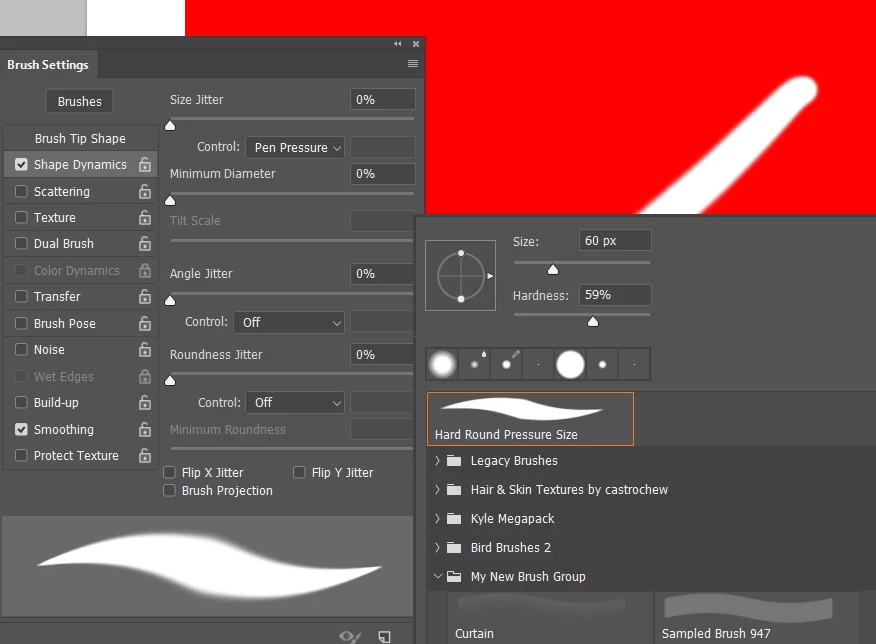
    I wasn't sure whether resetting the Eraser would affect the preset, but apparently it does.  Resetting also returns a low opacity preset to 100%
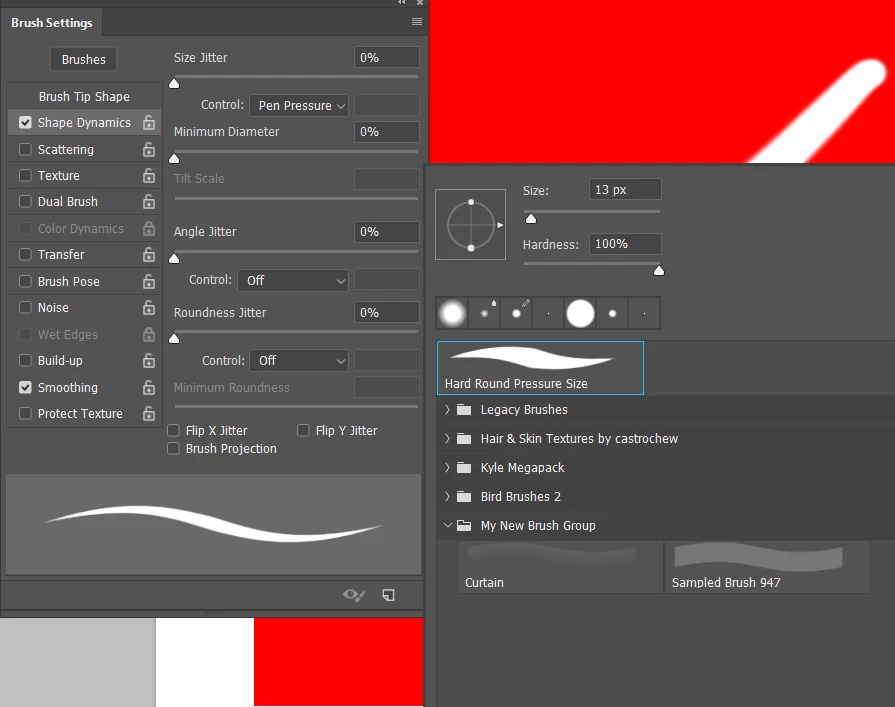
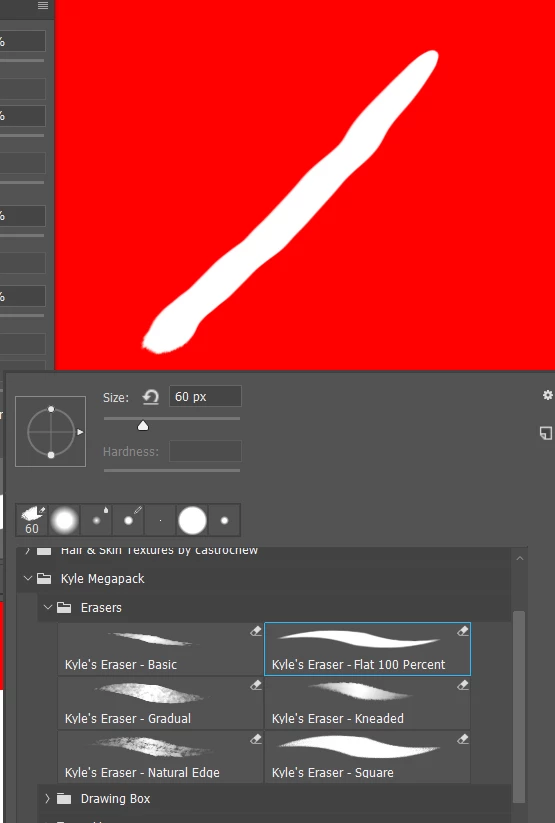
    The Kyle Webster Mega Pack has some eraser specific presets
    What I would do in your case, where this an ongoing issue, is to make an Action that returns everything to defaults, and give it a shortcut.  This forum's regular posters will be mightily sick of hearing about my gaming keyboard and mouse, but I can not over emphasis how much I love being about change the workspace, or toggle Lazy Nezumi, or run a wee sharpening action, or even paste often used URLs into this forum with a single keystroke.  In fact the workspace changes (and reset) I do with Function keys.  F6 and F7, for instance, default to toggling panels on and off, but that function becomes redundant if resetting the entire workspace, so I 'borrow' them.  I do keep F5 to toggle the Brush panels, because I often work with them on my main screen, and like to temporarily hide them.

    [EDIT]  I'm thinking that a person who writes about disruptions to their workflow on this forum, is someone who likes to work quickly, and gets frustrated when the UI slows them down.  This is exactly the sort of person who would benefit from the sort of Actions I described above.   I have a Logitech G910 keyboard, and G602 mouse.  I also have a Razer Orbweaver keyboard.  The Orbweaver has a lot of programmable keys, but the Logitech Gaming Software is better in my experience and opinion.  For instance, the long URLs can be pasted as strings into a Logitech G key function.  Razer's Synapse software can not do that.  Synapse does score in that it has much better app context sensitivity.  With Logitech I have to tell it it is in Chrome mode now.  Synapse senses and changes automatically.

    5 replies

    Trevor.Dennis
    Community Expert
    Trevor.DennisCommunity ExpertCorrect answer
    Community Expert
    January 9, 2019

    I don't know where you are at with this by now, but you do realise that you can use any brush preset with the eraser?

    When I hit the E key I see I have a semi hard pressure/size preset

    I wasn't sure whether resetting the Eraser would affect the preset, but apparently it does.  Resetting also returns a low opacity preset to 100%

    The Kyle Webster Mega Pack has some eraser specific presets

    What I would do in your case, where this an ongoing issue, is to make an Action that returns everything to defaults, and give it a shortcut.  This forum's regular posters will be mightily sick of hearing about my gaming keyboard and mouse, but I can not over emphasis how much I love being about change the workspace, or toggle Lazy Nezumi, or run a wee sharpening action, or even paste often used URLs into this forum with a single keystroke.  In fact the workspace changes (and reset) I do with Function keys.  F6 and F7, for instance, default to toggling panels on and off, but that function becomes redundant if resetting the entire workspace, so I 'borrow' them.  I do keep F5 to toggle the Brush panels, because I often work with them on my main screen, and like to temporarily hide them.

    [EDIT]  I'm thinking that a person who writes about disruptions to their workflow on this forum, is someone who likes to work quickly, and gets frustrated when the UI slows them down.  This is exactly the sort of person who would benefit from the sort of Actions I described above.   I have a Logitech G910 keyboard, and G602 mouse.  I also have a Razer Orbweaver keyboard.  The Orbweaver has a lot of programmable keys, but the Logitech Gaming Software is better in my experience and opinion.  For instance, the long URLs can be pasted as strings into a Logitech G key function.  Razer's Synapse software can not do that.  Synapse does score in that it has much better app context sensitivity.  With Logitech I have to tell it it is in Chrome mode now.  Synapse senses and changes automatically.

    preditorj40153117
    Inspiring
    January 10, 2019

    I will explore these settings. The process i used was the Multiply image on the image and then mask with the pen tool. I still had to use the eraser tool to clean up the edges.

    I am exploring those settings you mentioned now. I have actually only seen those settings maybe twice in 3 years. LOL

    I will look into the auto actions i have quite a few already.

    THANKS

    Norman Sanders
    Legend
    January 9, 2019

    Slightly off topic: I urge you to use a Mask rather than the Eraser tool wherever possible. It is non-destructive and offers the option of endless editing now and at a future time. I recognize this does not solve your immediate problem with the tool, but does present an efficient workaround.

    jane-e
    Community Expert
    Community Expert
    January 9, 2019

    +1 with norman.sanders​ on the mask

    ScooterD76
    Legend
    January 9, 2019

    preditorj40153117  wrote

    I was in another thread about this but I just want to know .....

    DOES ANYONE HAVE A REASON THEY WOULD WANT THE ERASER TOOL TO LOSE OPACITY AS YOU USE IT ???!!

    I do all the time. When I am coloring comic art, to make small adjustments in paint and shading. I commonly adjust opacity on all of the tools

    jane-e
    Community Expert
    Community Expert
    January 9, 2019

    Hi,

    Go to the drop down menu for the Eraser tool and select Reset Tool. The default Opacity is 100%.

    preditorj40153117
    Inspiring
    January 9, 2019

    preditorj40153117
    Inspiring
    January 9, 2019

    it also has feathered edges by default last 2 versions