Participant
July 4, 2024
Question

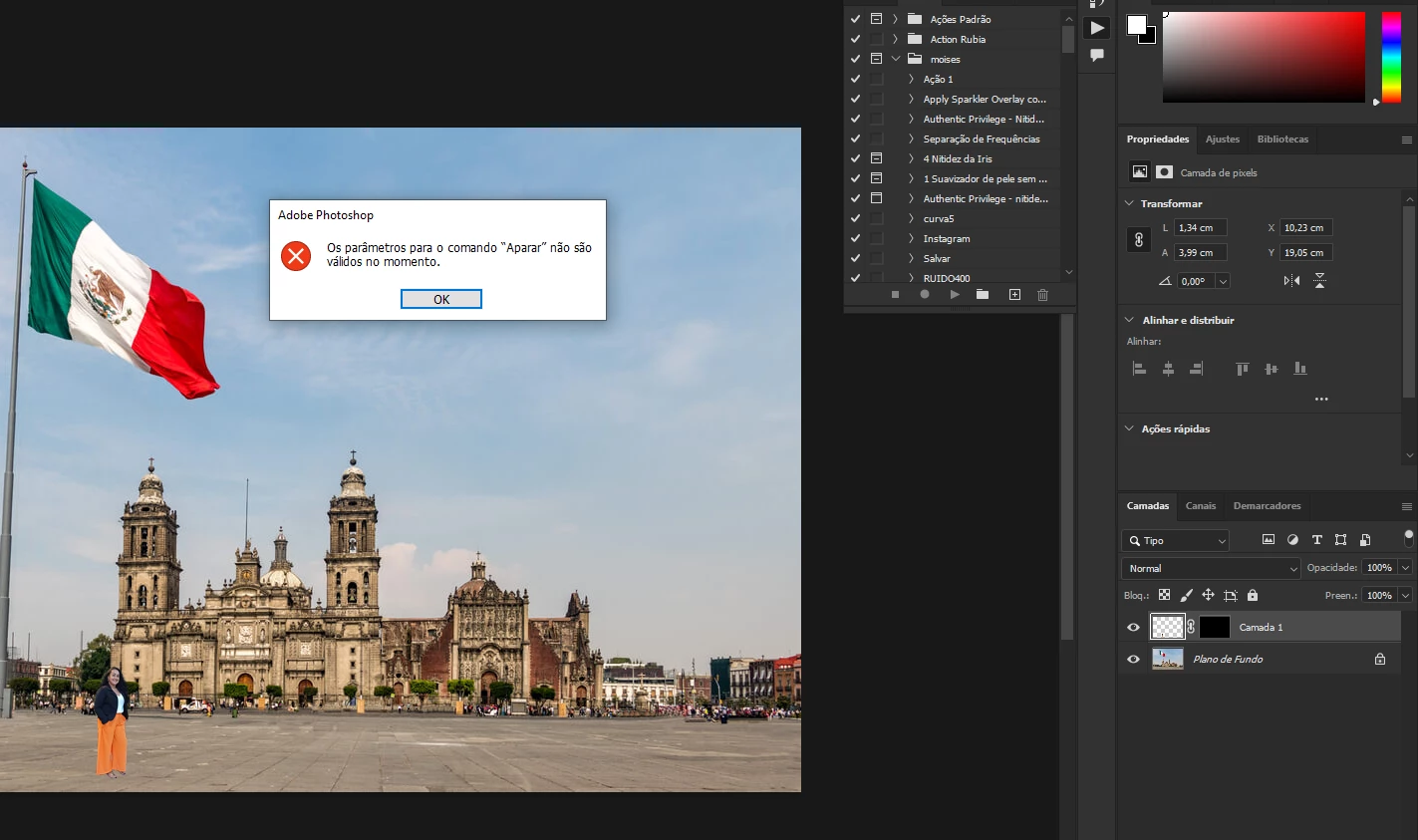
Erro ao mesclar camadas automaticamente

  • July 4, 2024
  • 1 reply
  • 361 views

vocÇes já tiveram esse erro ao mesclar camadas automaticamente

This topic has been closed for replies.

1 reply

kglad
Community Expert
Community Expert
July 4, 2024

in the future, to find the best place to post your message, use the list here, https://community.adobe.com/

p.s. i don't think the adobe website, and forums in particular, are easy to navigate, so don't spend a lot of time searching that forum list. do your best and we'll move the post (like this one has already been moved) if it helps you get responses.


<"moved from cc desktop bugs">
Participant
July 4, 2024

ok, but there is no answer to the problem in that place, I had done the search

Sameer K
Community Manager
Community Manager
July 23, 2024

Hey, @moisesbfotografia. Welcome to the Photoshop Community. I'll move this to discussions for now. I'll need more info to help you figure this out. 


Does this happen when you use Trim command though an Action? Actions are custom workflow, and it'll help if you export and share the action file for us to test this.


If this does not help, ensure there are no stale preferences in your Photoshop. Go to the location of the preference folder below and rename it to backup.

  • Windows 10/11: Users/[user name]/AppData/Roaming/Adobe/Adobe Photoshop [version]/Adobe Photoshop [version] Settings
  • You can press Press the Windows key > Enter 'Run' > Enter %APPDATA%\Adobe
  • Rename the Adobe Photoshop folder by adding a .old at the end. (Adobe Photoshop 2024 > Rename > Adobe Photoshop 2024. old), you can later restore these preferences if needed.(https://adobe.ly/4860qM9)
  • Restart the computer.

These changes will give a fresh start to Photoshop as a fresh install. Let me know how it goes.

Thanks!
Sameer K

(Use '@mention' to tag me when you reply)