Participant
July 27, 2018
Question

Erro Photoshop CC 2018 - Este arquivo usa um modo de mesclagem não suportado

  • July 27, 2018
  • 2 replies
  • 2623 views

Pessoal, boa tarde.

Venho a algum tempo tendo um problema com meus trabalhos no photoshop (versão CC 2018).

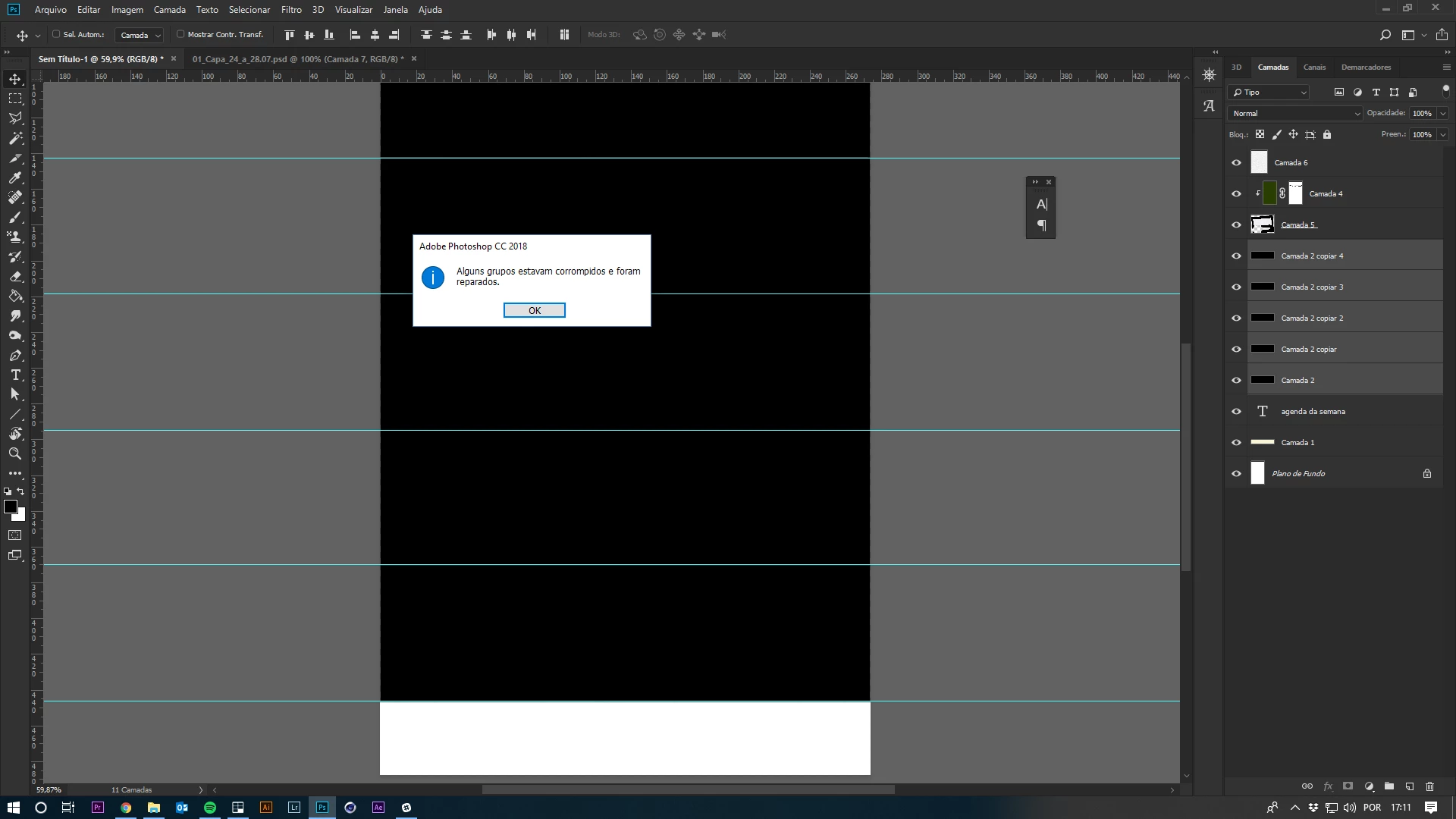
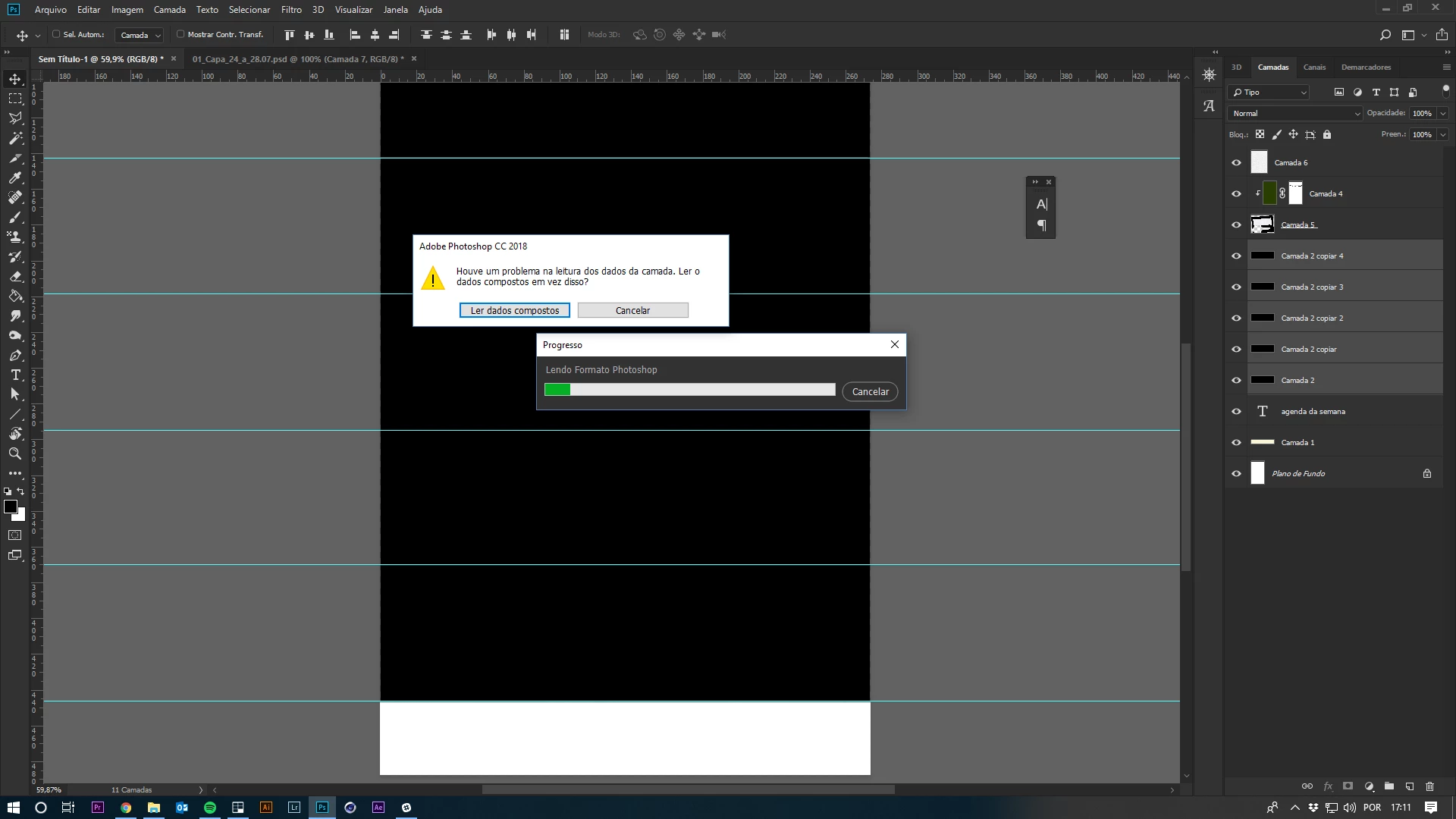
Assim que abro um arquivo no qual já trabalhei a mensagem "Este arquivo usa um modo de mesclagem não suportado. Substituir pelo modo normal?" aparece com opções "sim" e "não". Para seguir em frente clico em SIM e em seguida a isso aparece a seguinte mensagem de erro "Alguns grupos estavam corrompidos e foram reparados" com uma única opção de "Ok". Quando clico em OK aparece uma terceira mensagem de erro "Houve um problema na leitura dos dados da camada. Ler o dados compostos em vez disso?", com as opções "Ler dados compostos" e "cancelar", sempre seleciono a opção LER DADOS COMPOSTOS e o problema acontece aí com todas as camadas da minha prancheta sendo achatados/mesclados em uma única camada, o que faz com que eu perca todo o meu trabalho.
Não acontece sempre o problema, mas sempre ocorre em momentos extremamente inoportunos.

Em anexo fotos das mensagens de erro.
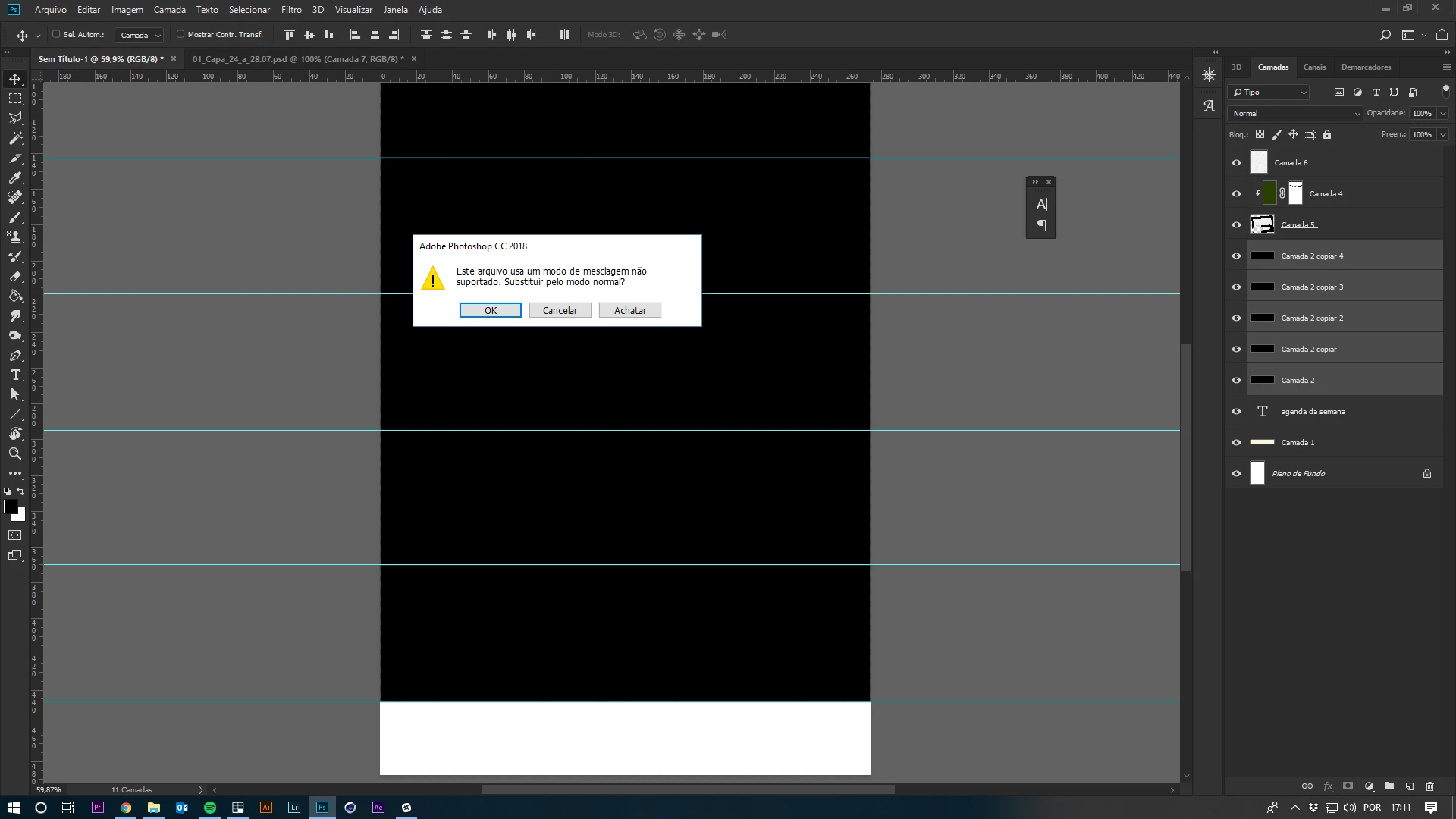

Gostaria de um apoio de vocês para solucionar este problema.

Abcs,

Igor Emim.

This topic has been closed for replies.

2 replies

c.pfaffenbichler
Community Expert
Community Expert
August 1, 2018

I found a pretty old thread on what seems to be the same/a similar issue.

Unfortunately it seems that the likely cause is file corruption in connection with a faulty disk. 

Photoshop: Error: "This file uses an unsupported blending mode. Substitute normal mode?" | Photoshop Family Customer Com…

c.pfaffenbichler
Community Expert
Community Expert
July 28, 2018

Guys, good afternoon.

I some time having a problem with my work in photoshop (version CC 2018).

As soon as I open a file in which I have ever worked with the message "This file uses an unsupported blend mode. Substitute the normal mode? "pops up with options" Yes "and" no ". To move on I click on YES and then it pops up the following error message "some groups were corrupt and were repaired" with a single "Ok" option. When I click OK it pops up a third error message "there was a problem reading the layer data. Read the composite data instead? ", with the options" read data "and" Cancel "compounds, always select the option READ DATA and the problem happens with all the layers of my Clipboard being flattened/merged into a single layer, which makes me lose all my work.
Doesn't happen often, but the problem always occurs in extremely inopportune moments.

What file formats are affected?

What are the images’ Color Modes and bit depths?

Do you work locally or across a network?

Can you think of any peculiarity of the affected files?

What have you done for trouble-shooting so far?

Restoring Preferences after making sure all customized presets like Actions, Patterns, Brushes etc. have been saved might be a good starting point:

https://helpx.adobe.com/photoshop/kb/basic-trouble-shooting-steps.html

igoremimAuthor
Participant
July 30, 2018

What file formats are affected?

-Only psd files are affected

What are the images’ Color Modes and bit depths?

-The color mode is set to RGB in a few and cmyk in a few others, and the depth is always 8

Do you work locally or across a network?

-I work through a network. The local files still don't suffer from this problem

Can you think of any peculiarity of the affected files?

-At first i thought it could be related to my files being in a clipboard, what make me go through the process of exporting the clipboard, but a few other files also broke after a while without being in a clipboard

What have you done for trouble-shooting so far?

-Tried to avoid clipboards and clipboard exporting. Tried to copy paste the files to my computer instead the network. Nothing seens to help for now.

Thank you!

c.pfaffenbichler
Community Expert
Community Expert
July 31, 2018

Please also try restoring preferences.

It may not help in this case but it is the go-to for unexplainable Photoshop issues.

-At first i thought it could be related to my files being in a clipboard,

Sorry, I don’t understand – the files’ contents must be in the files themselves (except linked Smart Objects), what does the clipboard have to do with them?