
gdwd
Known Participant
June 20, 2019
Question

Error 8800 after Photoshop update

  • June 20, 2019
  • 1 reply
  • 1761 views

Following the recent Photoshop update to 20.0.5, I'm getting an "error 8800" when I try to use a script.

Error 8800: General Photoshop error occurred. This functionality may not be available in this version of Photoshop.

- <no additional information available>

Line: 12

-> var sze = layer.textItem.size;
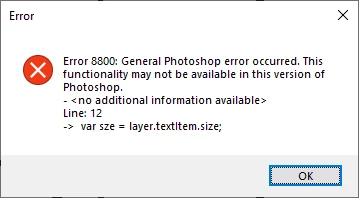
This script has been working for several years until now. How do I fix this error?

This topic has been closed for replies.

1 reply

Sahil.Chawla
Adobe Employee
Adobe Employee
June 20, 2019

Hi there,

That does not seem right. Longshot but could you try check the correct answer on this thread and see if it helps? Error 8800 when trying to save as PNG

Also, closing and reopening Photoshop might make the script work again.

Regards,
Sahil

gdwd
gdwdAuthor
Known Participant
June 20, 2019

That thread doesn't seem very useful because my script never targets a folder.

Restarting Photoshop didn't help.