

Answered
Error al exporta/guardar una imagen al formato JPG
Buenas tardes:
Al exportar o guardar una imagen en jpg, el resultado es una imagen sobrexpuesta que nada tiene que ver con la imagen revelada en photoshop.
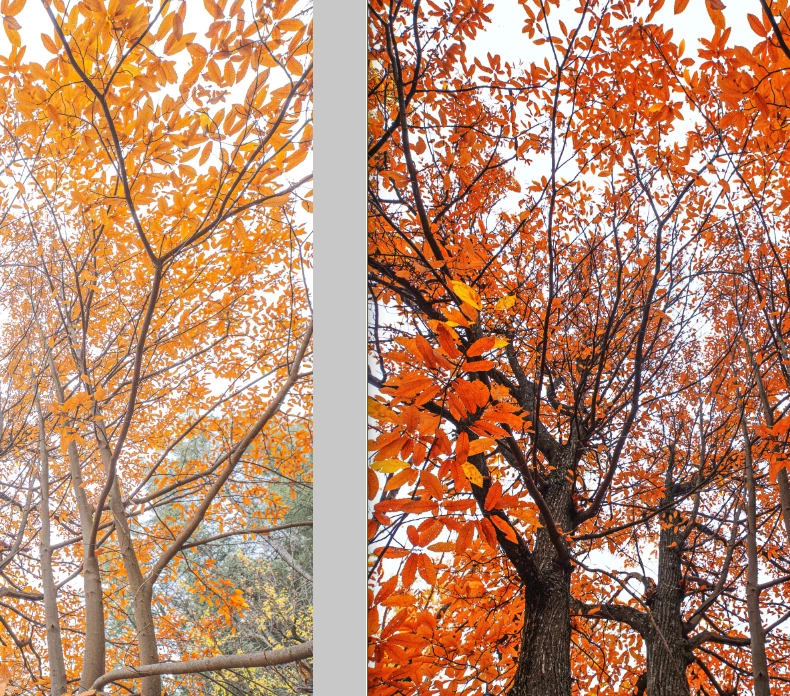
En la parte izquierda está la imagen en jpg y a la derecha es cómo aparece en el revelado photoshop.
El mismo problema se repite si exporto desde lightroom.
Si el fichero jpg se abre en photoshop, el aspecto es el que aparece a la derecha.
Saludos


 AdChoices