daniels53544769
Participant
May 18, 2020
Question

Error de visualización Photoshop 2020

  • May 18, 2020
  • 2 replies
  • 1047 views

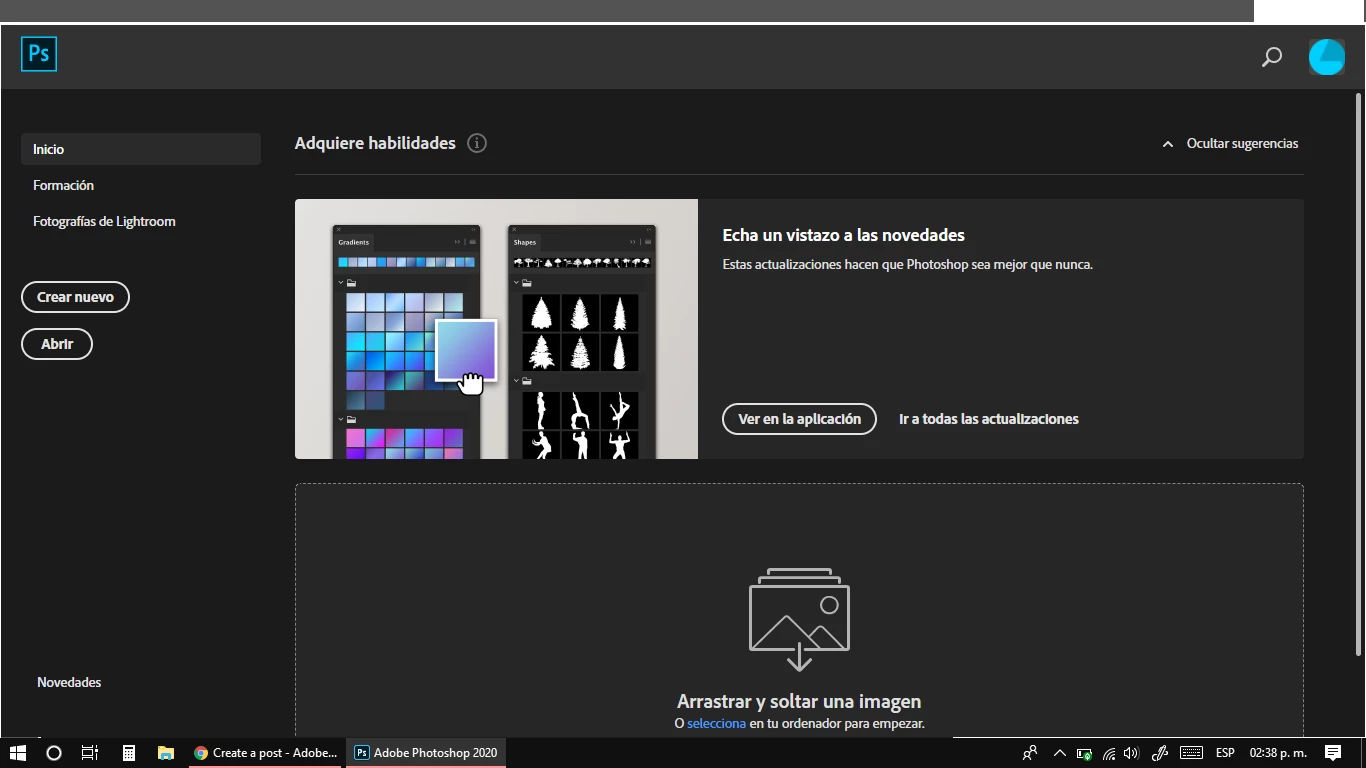
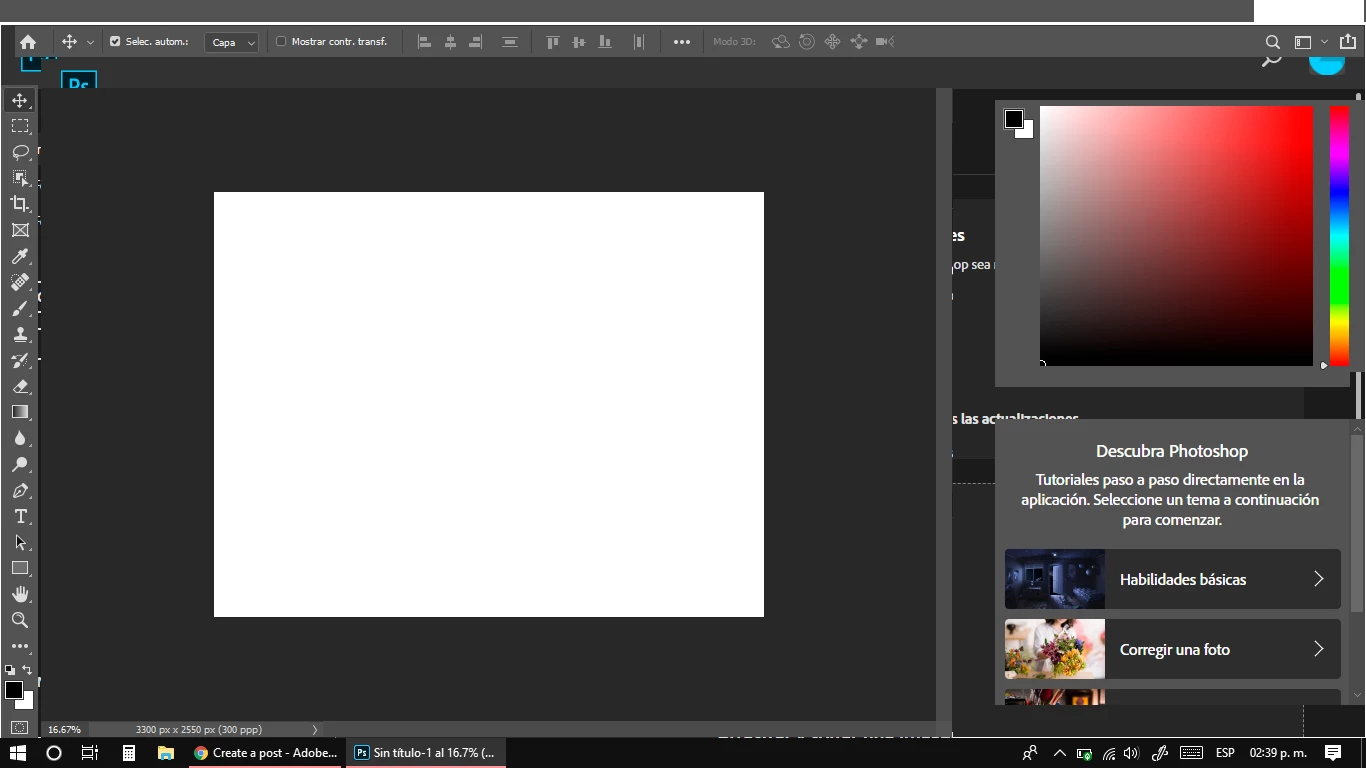
Tengo este problema con el Photoshop 2020 y es que no se visualiza bien. El programa no está trabado, presiono diferentes botones y me responde bien, lo que pasa es que por algún motivo no se visualiza correctamente. Antes me funcionaba bien, de repente simplemente metió esta falla. Saben a qué se deba y cómo pueda arreglarlo?
 

{Thread renamed by moderator}


This topic has been closed for replies.

2 replies

lucestellaes
Participant
April 2, 2021

Hola ya has podido solucionar este problema? yo tengo el mismo y le he hecho de todo pero nada lo he reinstalado unas mil veces y no logro configurarlo bien. 


happie_97
Community Expert
Community Expert
April 2, 2021

Did you try the suggestions mentioned above?


If you did and it didn't help. Try completely uninstalling Photoshop and its preferences. Doing a hard restart and then reinstalling a fresh copy of Photoshop?

Sahil.Chawla
Adobe Employee
Adobe Employee
May 18, 2020

Hi there,

Sorry to hear about the display issue, could you please try deselecting "Use Graphics Processor" located in Photoshop's Preferences > Performance, then relaunch Photoshop and let us know if it helps?

You may also try some steps mentioned here and see how it goes: https://helpx.adobe.com/photoshop/kb/troubleshoot-gpu-graphics-card.html


Regards,
Sahil