
Ricardo Nakazawa
Inspiring
March 16, 2022
Resuelto

Error exporting Artboard - User Cancelled The Operation on MacOS 12.3

  • March 16, 2022
  • 4 respuestas
  • 2780 visualizaciones

Problem: Can´t export artboards, it returns an error 
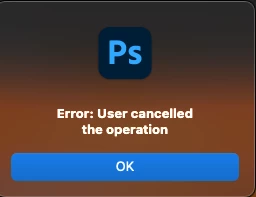
 

Os: MacOS 12.3
Photoshop Version: 23.2.2

 

Mejor respuesta de Ricardo Nakazawa

I might have found the issue, when i uncheck "Include Background in Export" it works perfectly at least exporting as PNG. I hope it helps.

4 respuestas

Ricardo Nakazawa
Ricardo NakazawaAutorRespuesta
Inspiring
March 28, 2022

I might have found the issue, when i uncheck "Include Background in Export" it works perfectly at least exporting as PNG. I hope it helps.

Participant
March 10, 2023

Unchecking that box worked for me as well but I'm saving as JPG so I have no idea why this box matters.

Legend
March 17, 2022

You can zip up the folder and share a link to download the file using Dropbox or CC Files. Feel free to DM me.

Ricardo Nakazawa
Inspiring
March 17, 2022

Hi Jeffrey, I tried to export to PNG all my artboards using EXPORT ARTBOARD TO FILES as soon I´ve reinstalled photoshop it works perfectly on 22.5.6 with same settings, but it return the error on 23.2.2. Editing linked files from ILLUSTRATOR also returns error, but I see that Adobe is already looking into it. How may I send you my settings folder? and for witch version would you need ?

Legend
March 17, 2022

Are you using "Export As," or one of the "Export Artboard to (Files, PDF)" commands?


Let's make sure we're in a default state and there are no stale setting somewhere:
Restore your preferences using this manual method:
https://helpx.adobe.com/photoshop/using/preferences.html#Manually
Does it work correctly?
If that doesn't solve it, you can quit Photoshop and put the Settings folder back.
If it does solve the problem, I would like to get the folder of settings to try and figure out what is bad with them.