
Participant
May 21, 2017
Answered

Error in Adobe Stock ( Purchasing Error ! Sorry, something ... )

  • May 21, 2017
  • 1 reply
  • 5085 views

Hello Adobe Community,

I have a problem. I am starting Adobe Photoshop CC version 2017.1.1. (Windows 32 bit operating system ) I attach a new document. File -> New -> Print. I choose a template. The template is marked as a free template.
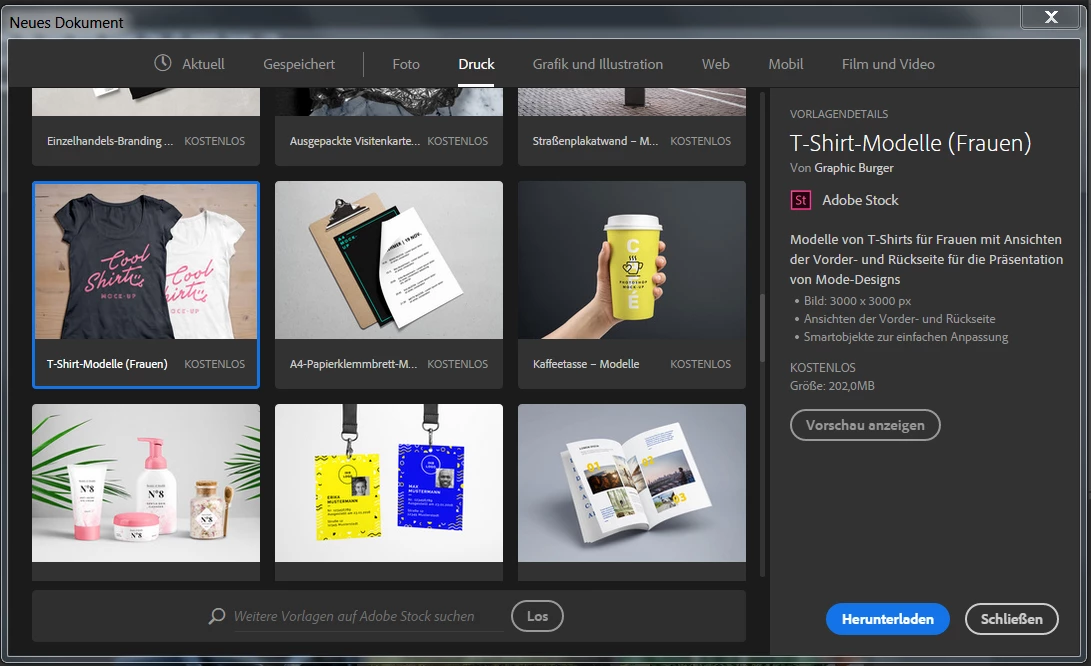
I'm trying to download the template. I get an error message. (Purchasing Error ! Sorry, something went wrong while trying to license the template. Please try again.)
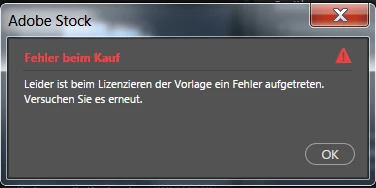
I have already tried a login and logout. (Help / Logout / Login) But I always get this error message. What can I do ?

Thanks for your help.

best regards,

Sven 🙂

This topic has been closed for replies.
Correct answer cmgap

Just confirming that you logged completely out of CC Manager and then back in? Try going into Task Manager and ensure that you are completely logged out of all Adobe apps. Restart computer and then sign back in to CC Manager.

Have you tried to download other free templates from within any other apps?

Have you tried logging in to Adobe Stock at stock.adobe.com to see if you can sign in and download the free template from there?

1 reply

cmgap
Community Expert
cmgapCommunity ExpertCorrect answer
Community Expert
May 21, 2017

Just confirming that you logged completely out of CC Manager and then back in? Try going into Task Manager and ensure that you are completely logged out of all Adobe apps. Restart computer and then sign back in to CC Manager.

Have you tried to download other free templates from within any other apps?

Have you tried logging in to Adobe Stock at stock.adobe.com to see if you can sign in and download the free template from there?

Participant
June 10, 2017

Hello "cmgap",

thank you for your reply. The problem was solved with logout and re-registration.

Excuse me for my late reply.

Have a nice Weekend

best regards,

Sven

cmgap
Community Expert
Community Expert
June 10, 2017

You too - And thanks for letting us know Sven!