
Error with colorizing neural filter
Hi Adobe. I'm having some issues with the colorizing neural filter. It's downlowded and does the coloring, but when I try to recolor a specific area inside the filter it gives me back an error and doesn't recolor the picture with the color selected.
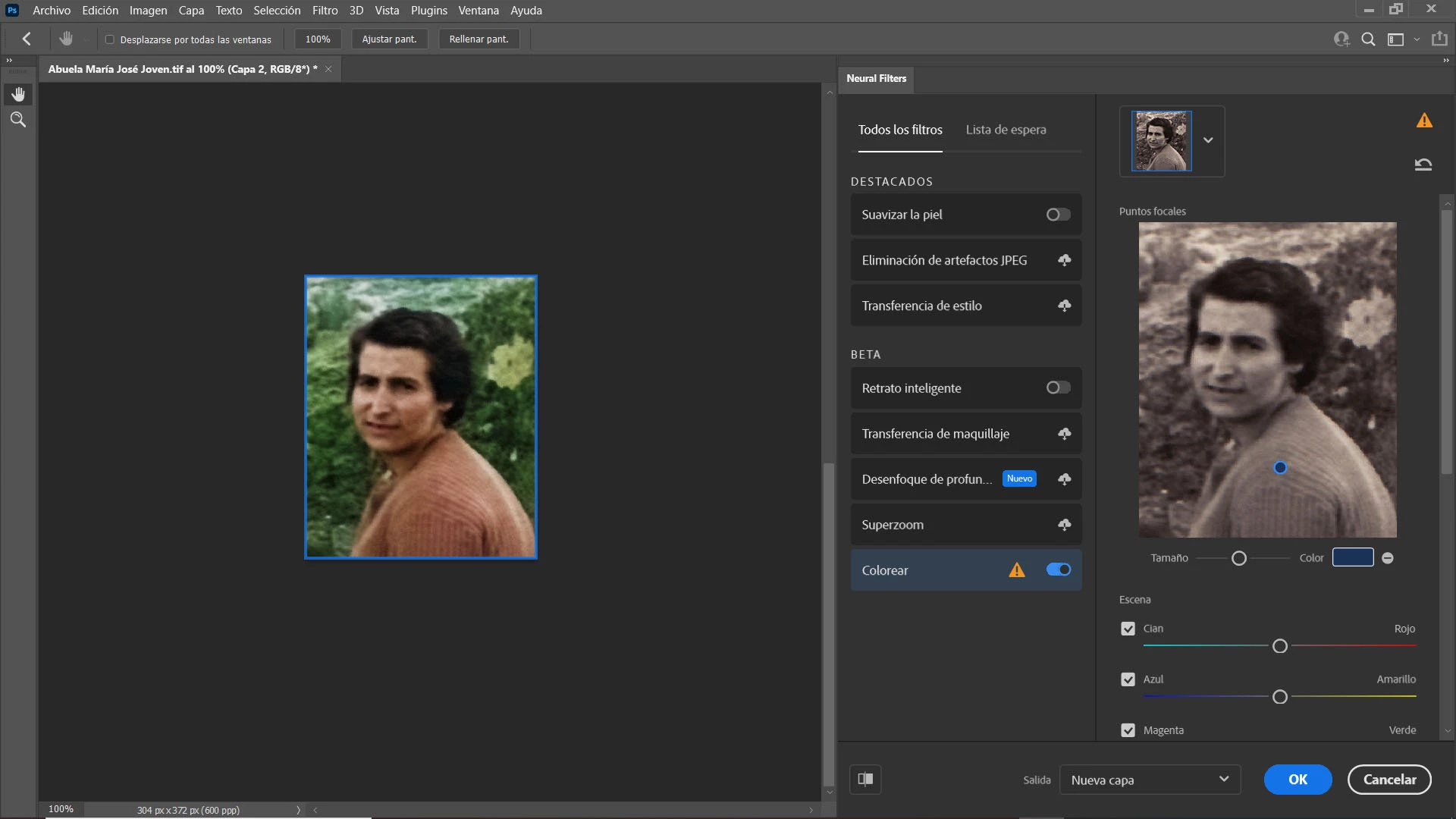
This is my system info:
Versión de Adobe Photoshop: 22.4.3 20210708.r.317 bb896cc x64
Sistema operativo: Windows 10 64 bits
Versión: 10 o posterior 10.0.19041.1023
Arquitectura del sistema: Intel Familia CPU:6, Modelo:12, Versión:1 con MMX, Número entero SSE, SSE FP, SSE2, SSE3, SSE4.1, SSE4.2, AVX, AVX2, HyperThreading
Cantidad de procesadores físicos: 4
Cantidad de procesadores lógicos: 8
Vel. del procesador: 2419 MHz
Memoria incorporada: 16150 MB
Memoria libre: 10342 MB
Memoria disponible para Photoshop: 11896 MB
Memoria usada por Photoshop: 70 %
SAM SDK Version: 2.0.0-main.480
Estado local de ACP:
- Versión de SDK: 1.45.1
- Estado de Core Sync: Accesible y compatible
- Ejecución de Core Sync: 4.14.0.17
- Valor mínimo de Core Sync necesario: 4.3.28.24
Configuración de caché de ACPL:
- Duración: 5184000 segundos
- Tamaño máximo: 20480 MB
- Porcentaje de purga: 50 %
- Porcentaje de umbral: 85 %
- Intervalo de purga: 300 segundos
Versión de SDK de cliente de edición en directo: 3.80.01
Lienzo Manta: Habilitado.
Capas de alias: Deshabilitado.
Paleta de teclas modificadoras: Habilitado.
Highbeam: Habilitado.
HUION Wintab 1.1
Spec Version 1.1
Impl Version 1.0
Num Devices 1
Tamaño de azulejos de la imagen: 1024K
Niveles de caché de imagen: 4
Vista previa de fuentes: Medio
TextComposer: Latino
------- GPU
API nativa estable: Verdadero
API OpenGL estable: Verdadero
API OpenCL estable: Verdadero
GPUDeny: 0
GPUForce: 0
useGPU: 1
useOpenCL: 1
isGPUCapable: 1
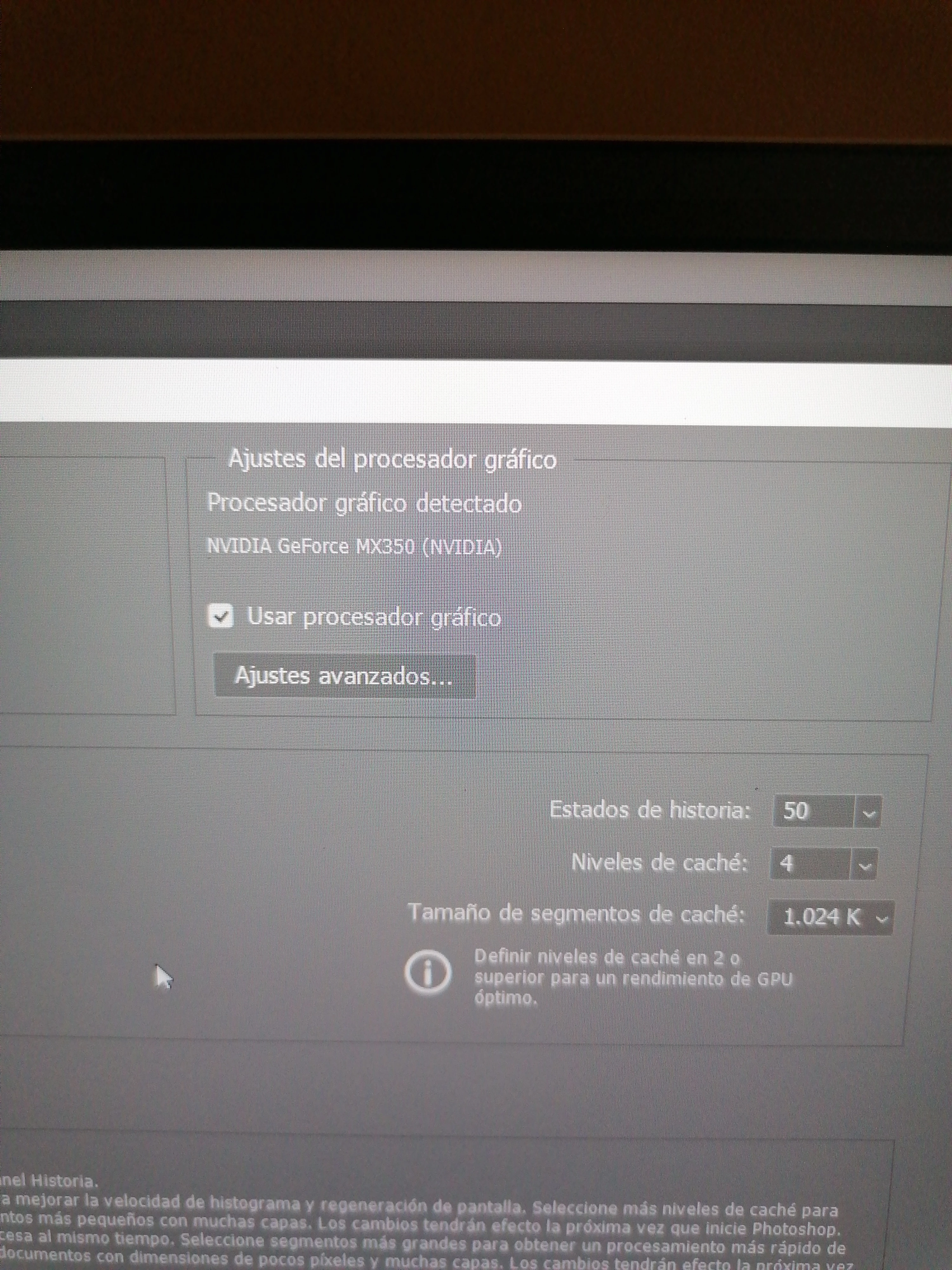
GPUName: NVIDIA GeForce MX350
GPUVendor: NVIDIA
IsNativeGPUCapable: 1
IsOpenGLGPUCapable: 1
IsOpenCLGPUCapable: 1
HasSufficientRAM: 1
VRAM: 2,075 MB
Required VRAM: 1,500 MB
UseGraphicsProcessorChecked: 1
UseOpenCLChecked: 1
Windows remote desktop: 0
Modo normal admitido en GPU: Verdadero
Modo avanzado admitido en GPU: Verdadero
Modo de dibujo de GPU: Avanzado
Pantalla: 1
Mostrar límites: superior= 0, izquierdo= 0, inferior= 1080, derecho= 1920
# Photoshop Version: Adobe Photoshop 22.4.3 20210708.r.317 bb896cc x64
Start sniffer 2021-07-29 18:15:11
C:\Program Files\Adobe\Adobe Photoshop 2021\sniffer.exe -comment=Photoshop Version: Adobe Photoshop 22.4.3 20210708.r.317 bb896cc x64
0 ms
Start platform native
# displays: 1
Display 0
Display: \\.\DISPLAY1
Main: TRUE
Built in: FALSE
Stereo: FALSE
Bounds: ((0 0) -> (1,536 864), w=1,536, h=864)
Dimensions: (1,536 864)
Physical size: (0 0)
Pixel size: (0 0)
Dynamic range: (0 1)
Potential dynamic range: (0 1)
Reference dynamic range: (0 0)
Attached Device: (DeviceID name=NVIDIA GeForce MX350 index=0 preferred=1)
# devices: 2
Device 0
Name: NVIDIA GeForce MX350
Preferred: TRUE
Power Envelope: UNKNOWN
Attachment: UNKNOWN
# attached displays: 1
\\.\DISPLAY1
GPU accessible RAM: 2,075 MB
VRAM: 2,075 MB
Dedicated System RAM: 0 MB
Shared System RAM: 8,467 MB
API version: 12.0 (12.0)
Device version: 12.0 (12.0)
Vendor name: NVIDIA
Driver: C:\WINDOWS\System32\DriverStore\FileRepository\nvhm.inf_amd64_6f7f22b0a5610d99\nvldumdx.dll
Driver date: 2021-06-09 000000.000000-000
Driver age: 1 month
Driver version: 27.21.14.6280
Supports UMA: 0
D3D-ID: 7316
Device 1
Name: Intel(R) Iris(R) Xe Graphics
Preferred: FALSE
Power Envelope: UNKNOWN
Attachment: UNKNOWN
# attached displays: 0
GPU accessible RAM: 8,601 MB
VRAM: 134 MB
Dedicated System RAM: 0 MB
Shared System RAM: 8,467 MB
API version: 12.0 (12.0)
Device version: 12.0 (12.0)
Vendor name: INTEL
Driver:
C:\WINDOWS\System32\DriverStore\FileRepository\iigd_dch.inf_amd64_2b4c761226f0506b\igd10iumd64.dll
C:\WINDOWS\System32\DriverStore\FileRepository\iigd_dch.inf_amd64_2b4c761226f0506b\igd12umd64.dll
C:\WINDOWS\System32\DriverStore\FileRepository\iigd_dch.inf_amd64_2b4c761226f0506b\igdumdim64.dll
Driver date: 2020-10-28 000000.000000-000
Driver age: 9 months
Driver version: 27.20.100.8935
Supports UMA: 1
D3D-ID: 39497
End platform native
926 ms
926 ms
Start platform OpenGL
# displays: 1
Display 0
Display: \\.\DISPLAY1
Main: TRUE
Built in: FALSE
Stereo: FALSE
Bounds: ((0 0) -> (1,536 864), w=1,536, h=864)
Dimensions: (1,536 864)
Physical size: (0 0)
Pixel size: (0 0)
Dynamic range: (0 1)
Potential dynamic range: (0 1)
Reference dynamic range: (0 0)
Attached Device: (DeviceID name=GeForce MX350/PCIe/SSE2 index=0 preferred=1)
# devices: 1
Device 0
Name: GeForce MX350/PCIe/SSE2
Preferred: TRUE
Power Envelope: INTEGRATED
Attachment: UNKNOWN
# attached displays: 1
\\.\DISPLAY1
GPU accessible RAM: 2,075 MB
VRAM: 2,075 MB
Dedicated System RAM: 0 MB
Shared System RAM: 8,467 MB
API version: 2.1 (2.1.2 NVIDIA 462.80)
Device version: 2.1 (2.1.2 NVIDIA 462.80)
Vendor name: NVIDIA
Driver: C:\WINDOWS\System32\DriverStore\FileRepository\nvhm.inf_amd64_6f7f22b0a5610d99\nvldumdx.dll
Driver date: 2021-06-09 000000.000000-000
Driver age: 1 month
Driver version: 27.21.14.6280
GLSL version: 1.20 (1.20 NVIDIA via Cg compiler)
End platform OpenGL
1011 ms
1011 ms
Start platform OpenCL
# displays: 0
# devices: 2
Device 0
Name: GeForce MX350
Preferred: TRUE
Power Envelope: DISCRETE
Attachment: UNKNOWN
# attached displays: 0
GPU accessible RAM: 2,147 MB
VRAM: 2,147 MB
Dedicated System RAM: 0 MB
Shared System RAM: 0 MB
API version: 1.2 (OpenCL 1.2 CUDA)
Device version: 1.2 (OpenCL 1.2 CUDA)
Vendor name: NVIDIA
Driver: UNKNOWN
Driver date: UNKNOWN
Driver age: UNKNOWN
Driver version: UNKNOWN
Bandwidth: 48 GB / s
Compute score: 706.822
Device name string: GeForce MX350
Device vendor string: NVIDIA Corporation
Platform name string: NVIDIA CUDA
Platform vendor string: NVIDIA Corporation
Device 1
Name: Intel(R) Iris(R) Xe Graphics
Preferred: FALSE
Power Envelope: INTEGRATED
Attachment: UNKNOWN
# attached displays: 0
GPU accessible RAM: 6,773 MB
VRAM: 6,773 MB
Dedicated System RAM: 0 MB
Shared System RAM: 0 MB
API version: 3.0 (OpenCL 3.0 )
Device version: 3.0 (OpenCL 3.0 NEO )
Vendor name: INTEL
Driver: UNKNOWN
Driver date: UNKNOWN
Driver age: UNKNOWN
Driver version: UNKNOWN
Bandwidth: 16 GB / s
Compute score: 633.102
Device name string: Intel(R) Iris(R) Xe Graphics
Device vendor string: Intel(R) Corporation
Platform name string: Intel(R) OpenCL HD Graphics
Platform vendor string: Intel(R) Corporation
End platform OpenCL
1634 ms
End sniffer 2021-07-29 18:15:12
Exit code kExitNormal
Exit code : kExitNormal
Status : kStatusNormal
------- GPU
Tipo de licencia: Suscripción
GUIDBucket:Composite Core (enable_composite_core): onComposite Core GPU (comp_core_gpu): offComposite Core Threads (comp_core_threads): offComposite Core UI (comp_core_ui): offDocument Graph (enable_doc_graph): off
Carpeta de la aplicación: C:\Program Files\Adobe\Adobe Photoshop 2021\
Ruta de archivo temporal: C:\Users\danie\AppData\Local\Temp\
Memoria virtual de Photoshop con E/S asíncrona habilitada
Volúmenes de memoria virtual:
De arranque, 476,1 G , 281,4 G libre
Carpeta de plugins obligatorios: C:\Program Files\Adobe\Adobe Photoshop 2021\Required\Plug-ins\
Carpeta principal de plugins: C:\Program Files\Adobe\Adobe Photoshop 2021\Plug-ins\
 AdChoices