
Inspiring
March 25, 2018
Answered

Every tool acts like Move Tool, and latency: Intuos Pro

  • March 25, 2018
  • 14 replies
  • 25856 views

Critical tablet interface issue, possibly related to Windows 10 update: 3/22/2018—KB4089848.

     Windows 10, HP Phoenix 850qe, Intel i7-4790K

     Photoshop CC + Intuos Pro

1.  EVERY TOOL acts like the Move Tool...at first.  Tools can be “coaxed” into functioning correctly, but only AFTER they have moved the entire layer.  Additionally, the Hand Tool shortcut <spacebar + click/touch> constrains movement to 90 degree axes (left/right/up/down), before ““releasing” and dragging freely.

Example: With Brush Tool selected, touching the pen to the tablet and dragging it will not draw.  Rather, it drags the layer on a 90 degree axis (i.e., up/down/left/right) before “releasing” and dragging freely in any direction.  Then, tapping the pen rapidly while dragging slightly will sometimes force the tool to function correctly...only until the pen lifts.

2.  Simultaneously, Intuos Pro latency is greatly increased -- slow even when wired, too slow for Bluetooth.  This, after a cold boot and only Photoshop running.

Remedies tried...in various sequences, repeated without success:

•  deleted & re-paired Bluetooth connections.

•  reset to Default Preferences: Photoshop CC & Wacom Intuos Pro.

•  rolled back Windows 10 update: 3/22/2018—KB4089848.

•  reinstalled Wacom driver 3/15/2018 - 6.3.29-4.

•  rolled back Wacom driver to 2/22/2018  - 6.3.28-3.

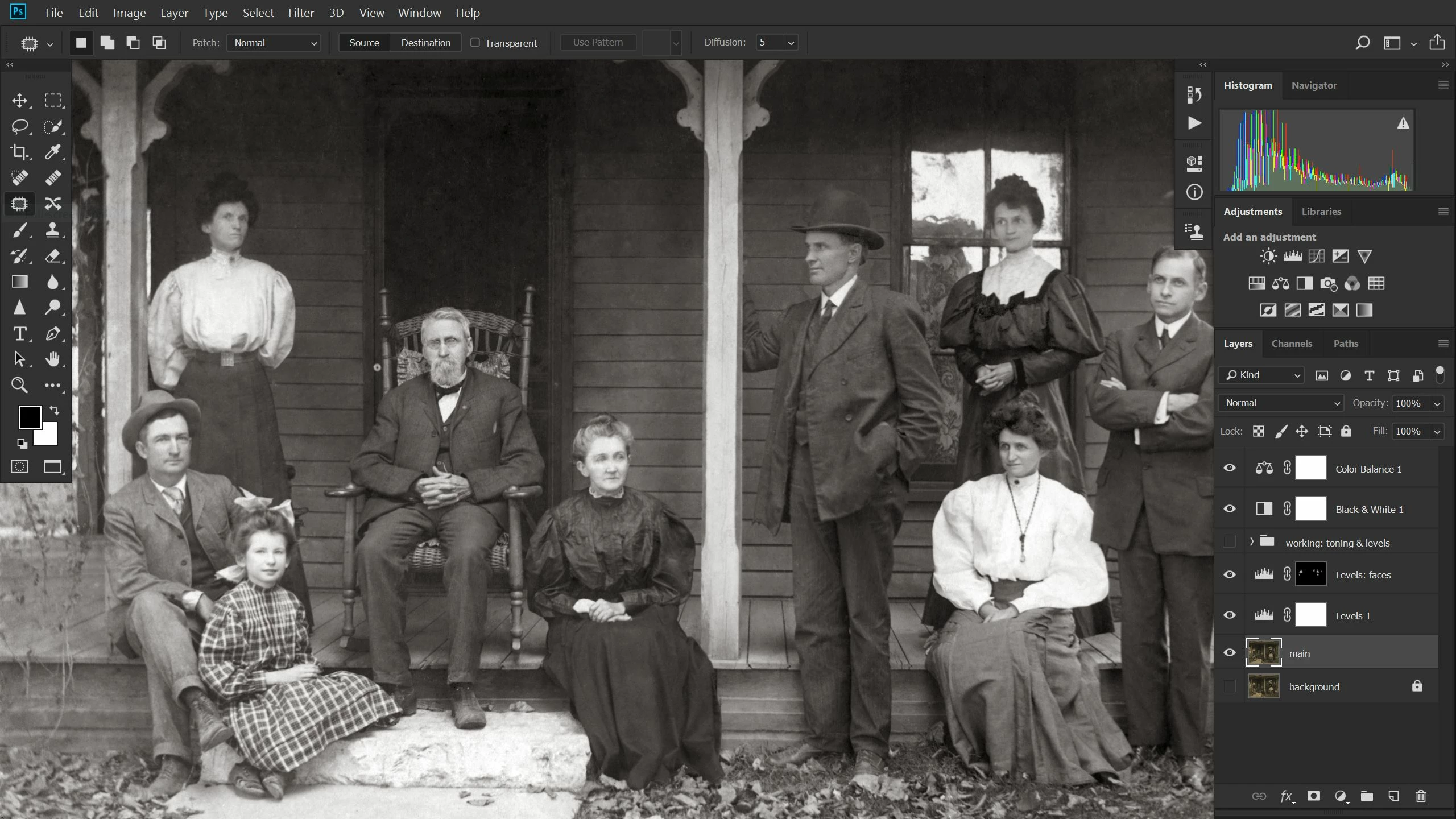
No clues in this typical screenshot.  Here the Patch Tool is selected, but this “Move Tool” anomaly affects all tools.  I’m completely adrift and work has stopped.
This topic has been closed for replies.
Correct answer PECourtejoie

Hello, better than a workaround, here is the Microsoft update that cures the scroll issue: Cannot paint with stylus when zoomed in on image | Windows 10

14 replies

alexc81274917
Participant
January 25, 2019

This resolved my issue for now. I expect it could corrupt again.

https://blog.darkwark.com/moveToolBug/  This was published in 2015!

It appears to be a bug in the Wacom driver. Something I would have thought WACOM would have resolved by now.

I run the current MacOS 10.14.2 on a 2015 2.8ghz i7 MBP 15" so it certainly isn’t a PC Windows issue.

How to fix this (OS X)

And in case you ever encounter the same thing here's how to fix this:

  1. Quit Photoshop and open Activity Monitor.app and shut down WacomTabletDriver process
  2. Relaunch Wacom Tablet Driver, it is just regular *.app file stored in /Library/Application Support/Tablet/
  3. Launch your Photoshop, everything should work fine now

https://blog.darkwark.com/moveToolBug/#YepYep

Way to go Wacom!

arbak_m
Participant
August 28, 2018

Hi all,

Any solutions for Mac? Nothing found here in the forums seems to work.

Using latest version of High Sierra and Photoshop CC.

PECourtejoie
Community Expert
PECourtejoieCommunity ExpertCorrect answer
Community Expert
April 27, 2018

Hello, better than a workaround, here is the Microsoft update that cures the scroll issue: Cannot paint with stylus when zoomed in on image | Windows 10

JoyAnne1960
Participant
April 20, 2018

Windows has created a workaround:

https://support.microsoft.com/en-us/help/4093112/windows-10-update-kb4093112

fter applying KB4093112, some users may experience unexpected panning or scrolling in certain apps while using the pen.

You can resolve this issue using the following steps:

  1. From Start, search for cmd
  2. Right-click Command Prompt in the search results, and choose Run as administrator
  3. At the command prompt, type or copy/paste:
    reg add HKEY_CURRENT_USER\Software\Microsoft\Windows\CurrentVersion\Pen /v LegacyPenInteractionModel /t REG_DWORD /d 1 /f
  4. Press Enter

After the command executes, the issue with panning and scrolling should be resolved.

Microsoft is working on a resolution and will provide an update in an upcoming release.

ConstantOne
Participating Frequently
April 12, 2018

These fixes aren't working for me. After I (automatically) installed the Creator's Update, everything went wonky. Here's a screenshot of my current update history, which does *not* list KB4089848 as a removable update. However, I know know it's installed because my computer literally rebooted a week ago and said "here's what's new in your Creator's Update".

April 12, 2018

Hi

There's another fix supplied by the people that broke it namely Microsoft, it involves added a registry key

More info

https://www.reddit.com/r/Windowsink/comments/8508fi/controlling_pen_behavior_in_windows_10 /

You need to add the following in an elevated command prompt

reg add HKEY_CURRENT_USER\Software\Microsoft\Windows\CurrentVersion\Pen /v LegacyPenInteractionModel /t REG_DWORD /d 1 /f

Participant
April 12, 2018

Thank you!

Problem fixed.

Windows 10 64-bit, Wacom Cintiq 24HD touch, driver 6.3.29-6. Windows Ink checked.

THEHatchy
Participant
April 11, 2018

Yeah, last night I got the WIN10 update and woke up this morning to this issue. Looks like it is the Windows Ink as I can use my tablet now without issue.

Since I've updated to WIN10, Photoshop and my Wacom haven't worked properly. Every update now something critical happens! The Pen tool will crash PS if I have a browser open... that feature is super awesome...its not like I don't use that tool like every day or anything...

Anyway, yes. Windows Ink is conflicting with the tablet. Thanks for the help!

Thanks Microsoft! Only lost an hour of work today!

Participant
April 6, 2018

there is a bit less insecure and painful way for this work around - you can disable this particular update KB4089848 and keep receiving all following updates.

To do this you can go to corresponding article on the Microsoft website and download a troubleshooter package, search on the page for "Show or hide updates" to get the download link. Open the downloaded troubleshooter, click Next, choose 'Hide' after that, pick KB4089848 in the list, and click Next. Done. You can re-enable the update later with this tool, select "Show hidden updates" instead of "Hide" for that.

Inspiring
April 7, 2018

Thank you very much.  I was completely unaware of this Microsoft article.  It certainly looks like the solution until a new update supercedes Windows 10 update 3/22/2018—KB4089848.  I will try it as soon as I'm able.  Again, thanks very much!

Participant
April 2, 2018

I found a work around that allows you to use Windows Ink and Pen Pressure while in photoshop.  If you hold down the either of the buttons on the stylus while using the tool then the tool acts normally.  If you don't hold down the button before using the tool then the image will just drag.  You have to hold and release the button each time you move the pen from the tablet.  It is a pain but it works at this time.

Will MICROSOFT and Adobe please work together and get this stuff right.  I am tired of the work arounds!

JJMack
Community Expert
Community Expert
April 2, 2018

I have posted all my Windows 10, Photoshop, and Wacom settings many times they are not a secret. I do use WinTab API on My Wotstation with Photoshop for I have old versions of Photoshop installed that only Support Pen via WinTap APIs.  and Photoshop However I use Microshof INF for all other Applications.  One my Surfice Pro 3 I use Microsoft INK with Photoshop with my Wacom Tablet Pen and with my Surface Pro 3 Pen.  I do not have Old versions of Photoshop that only support Wintab API installed on my Surface Pro 3.  Windows Updated KB4089848 is instaled on my Workstation and one my Surface Pro 3.

JJMack
martinl78027992
Participating Frequently
April 2, 2018

Go into windows settings

devices-->pen and windows ink:

turn all options off

works for me with no windows updates uninstalled or blocked with windows ink checked in wacom tablet properties