
Chris Legacy
Participant
February 10, 2022
Answered

Everything in Photoshop showing up small

  • February 10, 2022
  • 1 reply
  • 553 views

Everything is showing up small in my Photoshop. All the tools, text, everything. I attached a screenshot below. Does anyone have a solution to this issue?
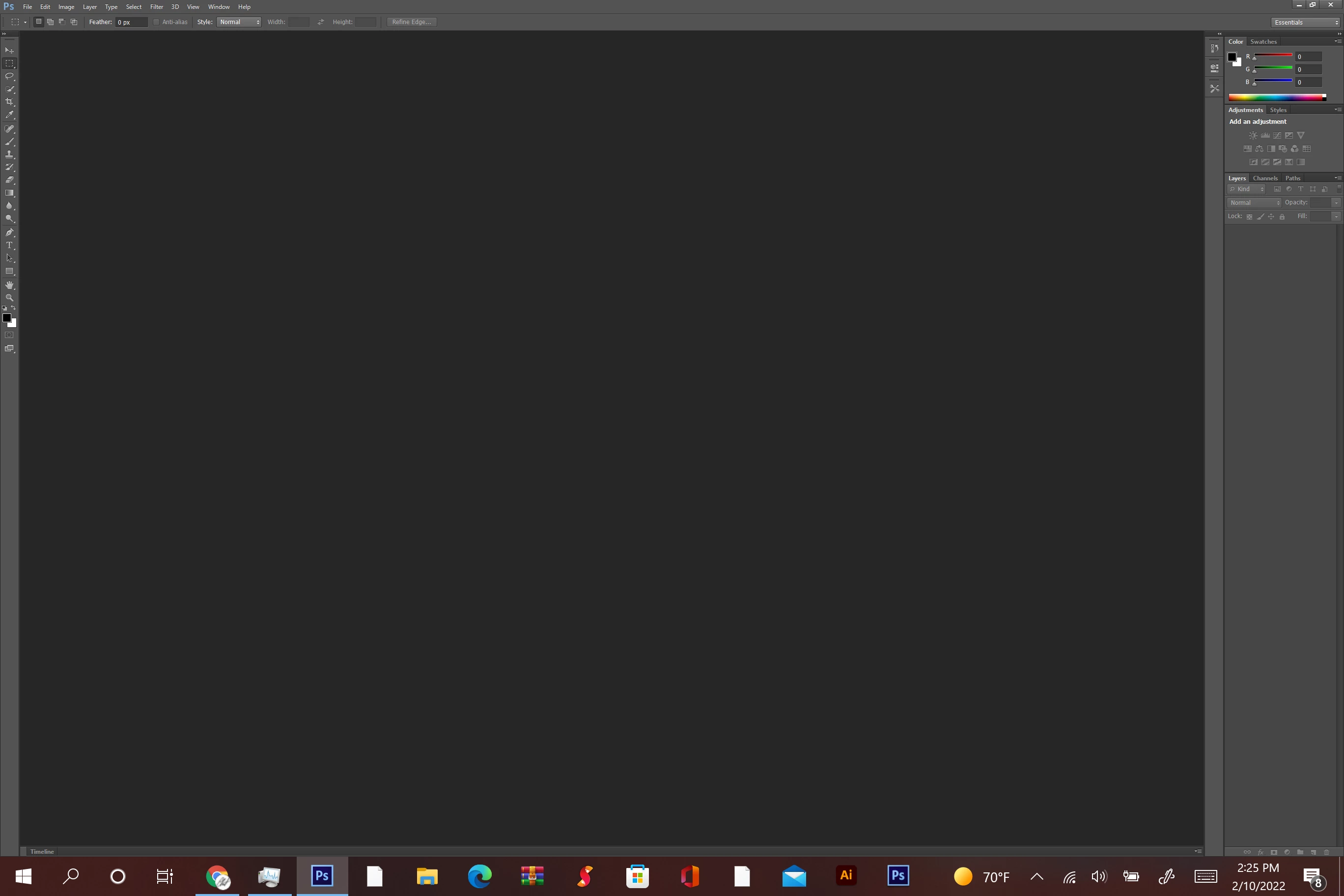



This topic has been closed for replies.
Correct answer davescm

In your operating system (Windows) go to Settings >System > Display > Scale and Layout   what is the scaling, is it at the "recommended" setting and is it picking up your monitor pixel size correctly?


Dave

1 reply

davescm
Community Expert
davescmCommunity ExpertCorrect answer
Community Expert
February 10, 2022

In your operating system (Windows) go to Settings >System > Display > Scale and Layout   what is the scaling, is it at the "recommended" setting and is it picking up your monitor pixel size correctly?


Dave

Chris Legacy
Participant
February 10, 2022

It is at the "recommended" setting. What you suggested worked, but I guess I'm going to have to change it everytime I use Photoshop. Thank you!

D Fosse
Community Expert
Community Expert
February 11, 2022

Photoshop should pick up the system setting automatically, and you shouldn't have to do it every time (actually you shouldn't have to do it at all).


It's probably just a one-time glitch, but if this continues, something's wrong. Then you might start by resetting PS preferences, and possibly look at your Windows user account to check permissions.