Participant
January 19, 2023
Question

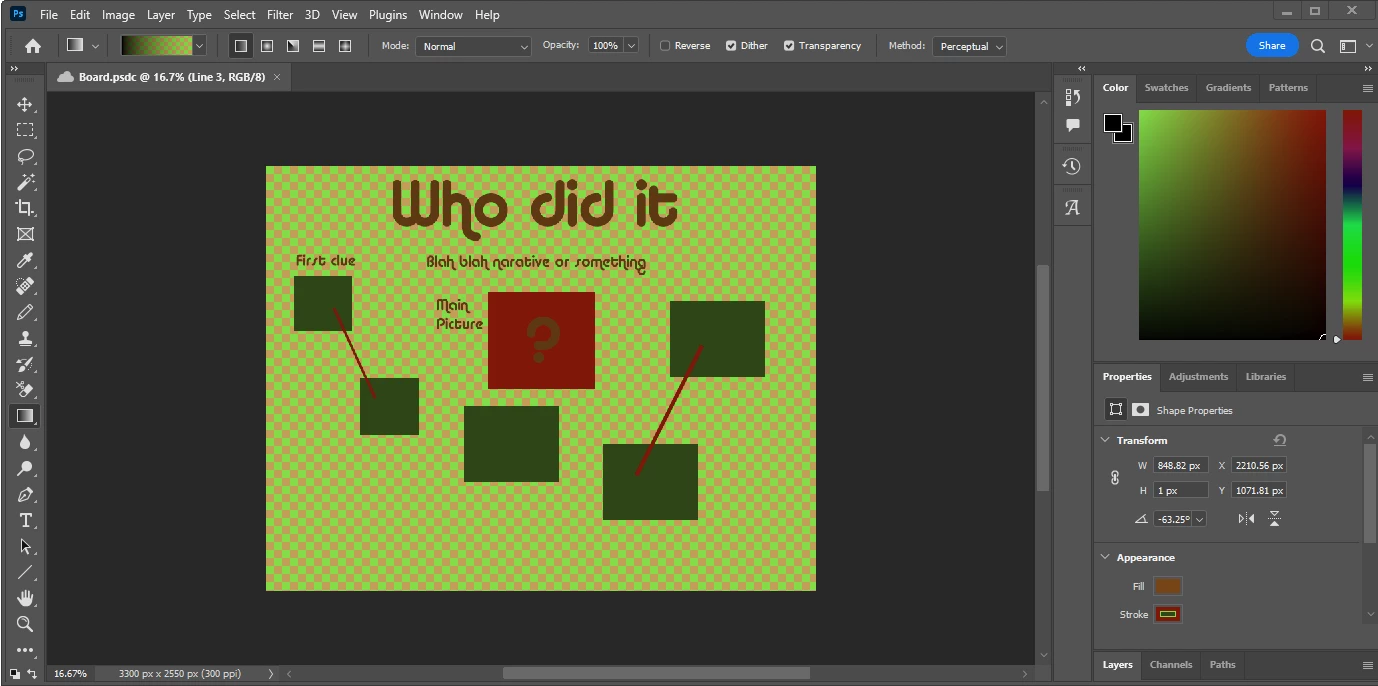
Everything is green, no soloutions have worked for me
  • January 19, 2023
  • 5 replies
  • 214 views

Disabled X enabled Y, nothing has worked at all, its a curse on this program and i hate it

This topic has been closed for replies.

5 replies

Participant
January 19, 2023

i enabled this with hdr on

Per Berntsen
Community Expert
Community Expert
January 19, 2023

I don't know what this setting does, but I have a feeling that it sweeps the problem under the carpet.

I suggest that you uncheck Use legacy display ICC color management, and disable HDR in Windows display settings. Photoshop does not support HDR.

Then follow the advice given by @davescm above, and set the monitor profile to sRGB.


Per Berntsen
Community Expert
Community Expert
January 19, 2023

What exactly did you disable and enable?

Did you try to disable HDR in Windows display settings?

Did you try setting the monitor profile to sRGB?

Kevin Stohlmeyer
Community Expert
Community Expert
January 19, 2023

I would agree with @davescm  - check your monitor profile first.

If that doesnt work try going to Photoshop Preferences/Technology Preview and activate "Disable Native Canvas".

Participant
January 19, 2023

Hey Thanks for the reply,

So i ended up switching an icc setting on the exe itself and now everything works. Using HDR was my issue but with the click of a button it works as intended.

davescm
Community Expert
Community Expert
January 19, 2023

That looks like a corrupt monitor profile.


Try this -

1. Close Photoshop

2. In the Windows search box - type color management. Set the ICC profile for your monitor to sRGB IEC61966-2.1 (you may need to click on 'Add' to see it.

3. Set that profile as the default and close the colour management dialogue

4. Open Photoshop


Does that get rid of the green?


If so, you had a broken monitor profile and you need to make a new one using a calibration & profile device


If not, repeat the previous steps but restore the original monitor profile and come back to this thread.


Dave

Participant
November 27, 2024

Change your name to Dumbledave, because you are a frickin' wizard.

I've been close to chucking my whole pc out the window with this problem.