Explanations/help/suggestions
Hello kind Photoshop community
A kinda' naive but incredibly inquisitive question I'd like to ask.
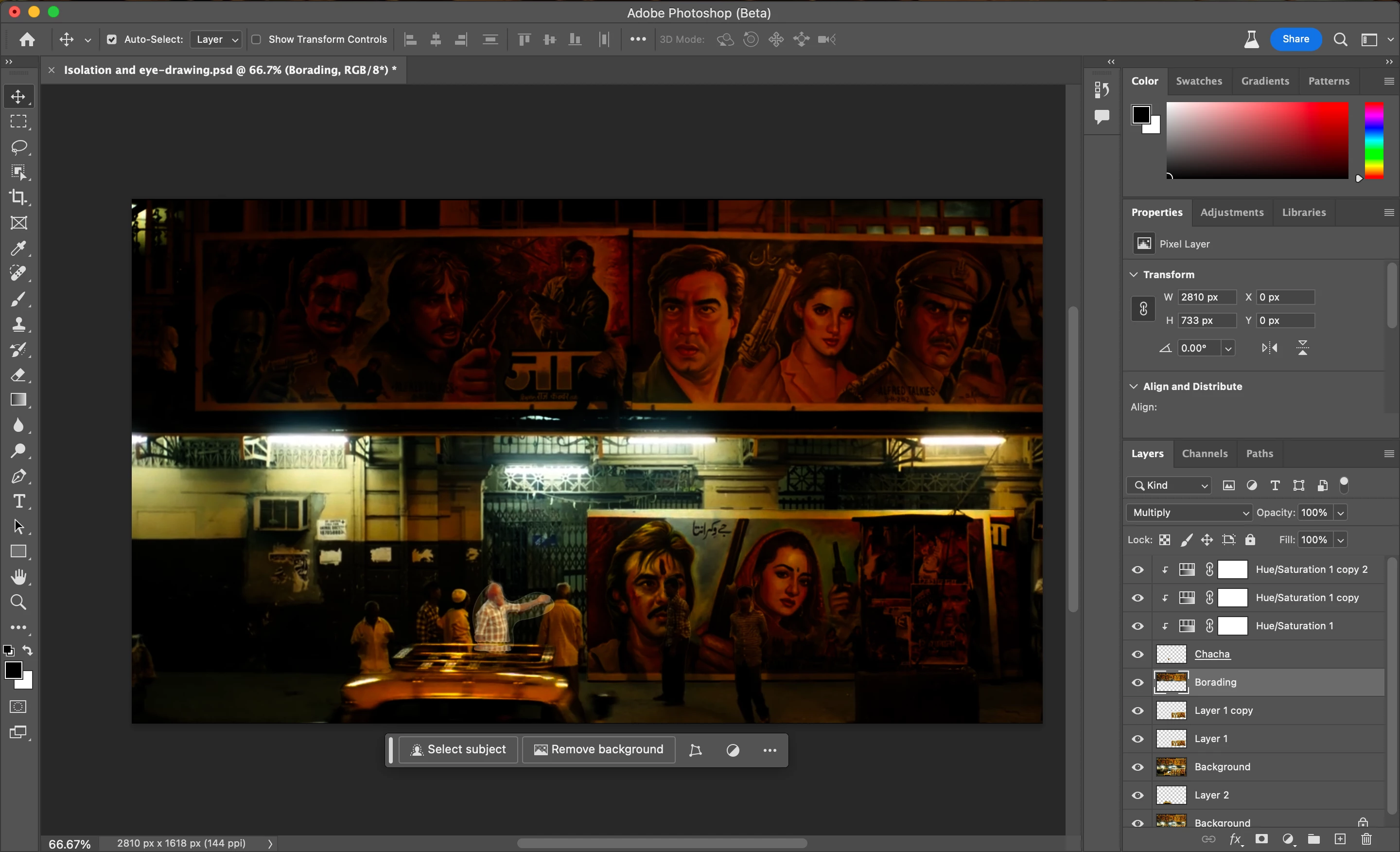
I intend to draw attention to the figure of the man in the screenshot. I think I devised a long, winding route by separating multiple layers of the image and using the Multiply blend mode to darken each separate component. Then to make the figure brighter I used hue/sat slider and clipped it to the figure below.
I wanted to know if there's an easier, simpler method to achieve this result wherein the selected subject is brighter than its surroundings and the other areas a bit dark?
Secondly, the pen tool I used to chart the path for the selection has left behind the lines of the selection. How do I remove it and blend the layer perfectly with the surroundings?
I'd appreciate help/explanations.
(I want to understand this software as best as possible)
Please help
Thanks!
 AdChoices