

Participant
June 10, 2022
Question

Export Artboards to PDF in Photoshop (macOS)

  • June 10, 2022
  • 1 reply
  • 193 views

A opção exportar prancheta para pdf não fica visível oq eu faço?
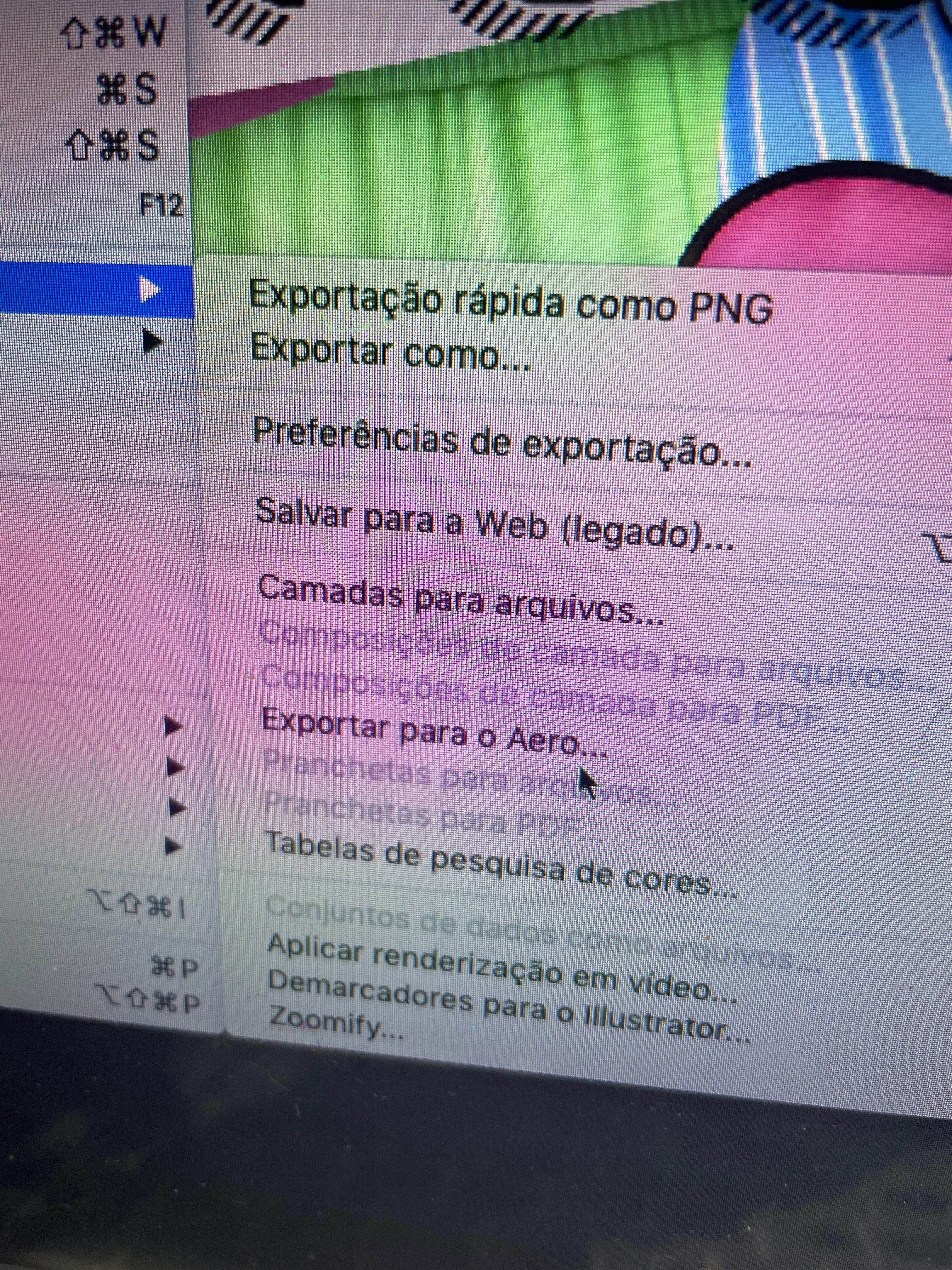


{Title edited by Moderator}

This topic has been closed for replies.

1 reply

Ranjisha Sengupta
Legend
June 10, 2022

Hi there,


Thanks for reaching out; we're here to help.

Which version of Photoshop and macOS are you using? How are you trying to export? Is the Artboard that you want to export selected? Were you able to export them earlier?


You can export artboards as PDF documents. Follow these steps:

  1. In Photoshop, select File > Export > Artboards To PDF.
  2. In the Artboards To PDF dialog, do the following:
    • Choose the destination/location where you want to save the generated PDF documents.
    • Specify a file name prefix for the generated PDF documents. For example, Campaign_insurance.
    • Specify whether you want to export only content on the artboards or the content in areas overlapping the artboards.
    • Specify whether you want to export all artboards or only the ones currently selected.
    • Specify whether you also want to export artboard backgrounds along with the artboards.
    • Specify whether you want to generate a single PDF for all the artboards in the current document or generate one PDF document per Artboard. If you create multiple PDF documents, all of those documents take the file name prefix you specified earlier.
    • Specify an encoding for the exported PDF documents: ZIP or JPEG. If you chose JPEG, specify a Quality setting (0-12).
    • Specify whether you want to include the International Color Consortium (ICC) Profile in the exported PDF documents. An ICC profile comprises data that characterizes a color input or output device.
    • Specify whether you want to also export the artboard names and the exported artboards. While selecting this setting, you can specify a custom font, font size, font color, and canvas extension color.
  3. Click Run. Photoshop generates the PDF document.

You can also check this article: https://helpx.adobe.com/photoshop/using/export-artboards-layers.html#export-artboards-as-pdf.


Let us know how it goes.


Thanks.

Ranjisha