

MylerTyler
Participant
October 12, 2022
Question

EXPORT AS Broke after recent update!

  • October 12, 2022
  • 6 replies
  • 597 views

Following a recent update to 23.5.1, the EXPORT AS would only show a 'Select Folder' dialog, not allowing me to name the exported file. I fixed this by going into:


Preferences>Exports> and checking the USE LEGACY "EXPORT AS" option.
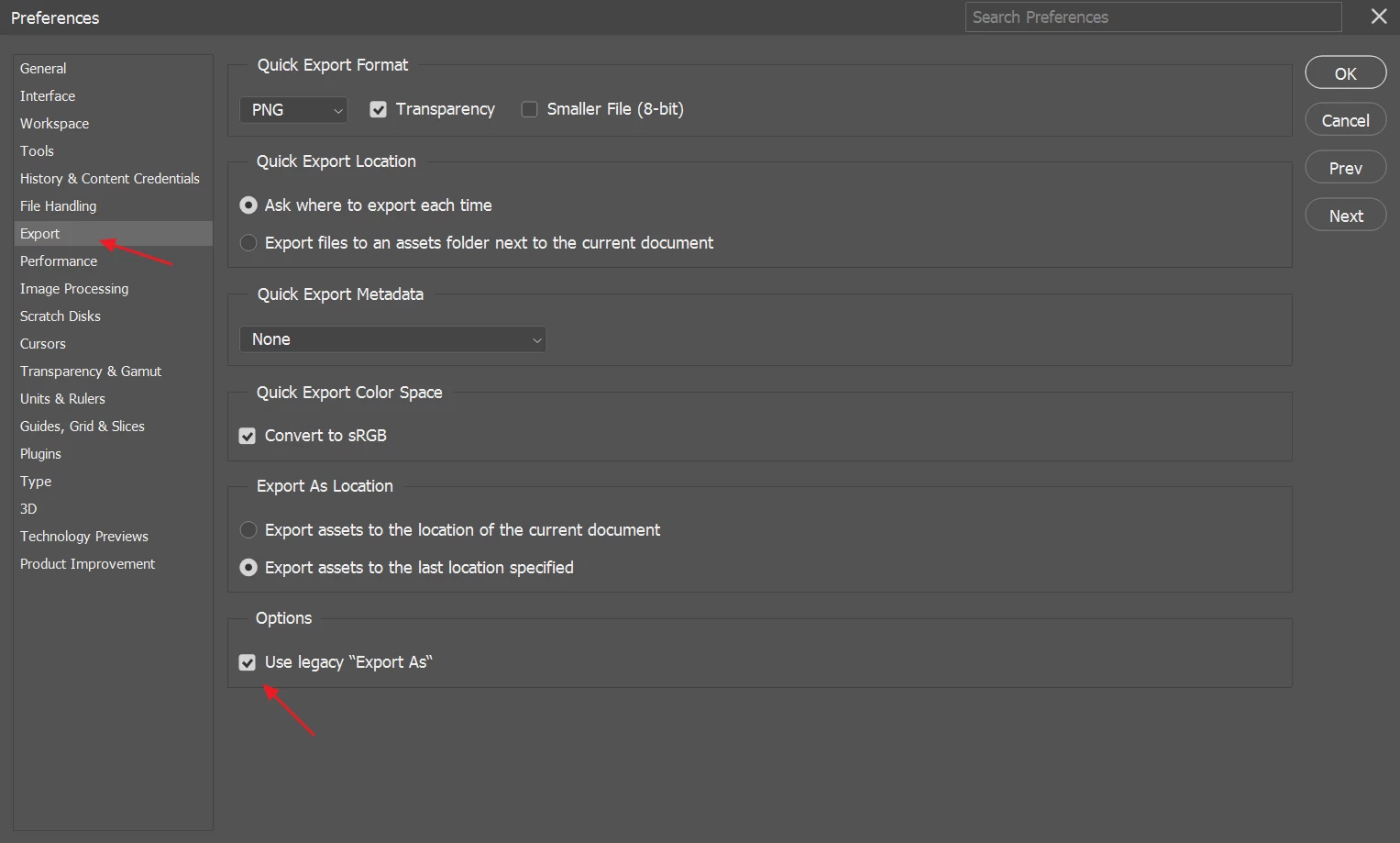


After that, my "Export As" file dialog returned. Not sure if anyone else is experiencing this, but I'd thought I'd post just in case.

This topic has been closed for replies.

6 replies

Legend
October 18, 2022
MylerTyler
Participant
October 18, 2022

Sure would be nice to have an EDIT feature here. That way I don't end up sounding like JarJar


"Me'sa did updates!"


Translation: I Just Did Updates, so I will try it later.

MylerTyler
Participant
October 18, 2022

I just updates, but havn't tried it yet. I'll try it later tonight and let y'all know if I am still seeing the issue.

Jeff Arola
Community Expert
Community Expert
October 18, 2022

Along with photoshop 2023 (ps ver 24.0) an update to photoshop 2022 was also released (22.5.2) though

i can't find a list of fixes for that version. Anyhow, Legacy Export seems to work here with photoshop 2022

(ps ver 23.5.2) on a M1 Mac Studio with Monterey 12.6

Legend
October 18, 2022

Hmm. I can't repro either condition here ( either @MylerTyler 's issue nor @TheDigitalDog 's issue).


If you install Photoshop 2023 (v24.x) does the problem persist?

TheDigitalDog
Inspiring
October 12, 2022

Something is wonky in 23.5.1. I'm on a Mac, with Use Legacy Export As, when I try using it, I get a totally blank screen:

If I disable the option for Legacy, I get the newer dialog. So this IS a bug. 

Author “Color Management for Photographers" & "Photoshop CC Color Management/pluralsight"