

Question
"Export as" produces light 1px border when scaled
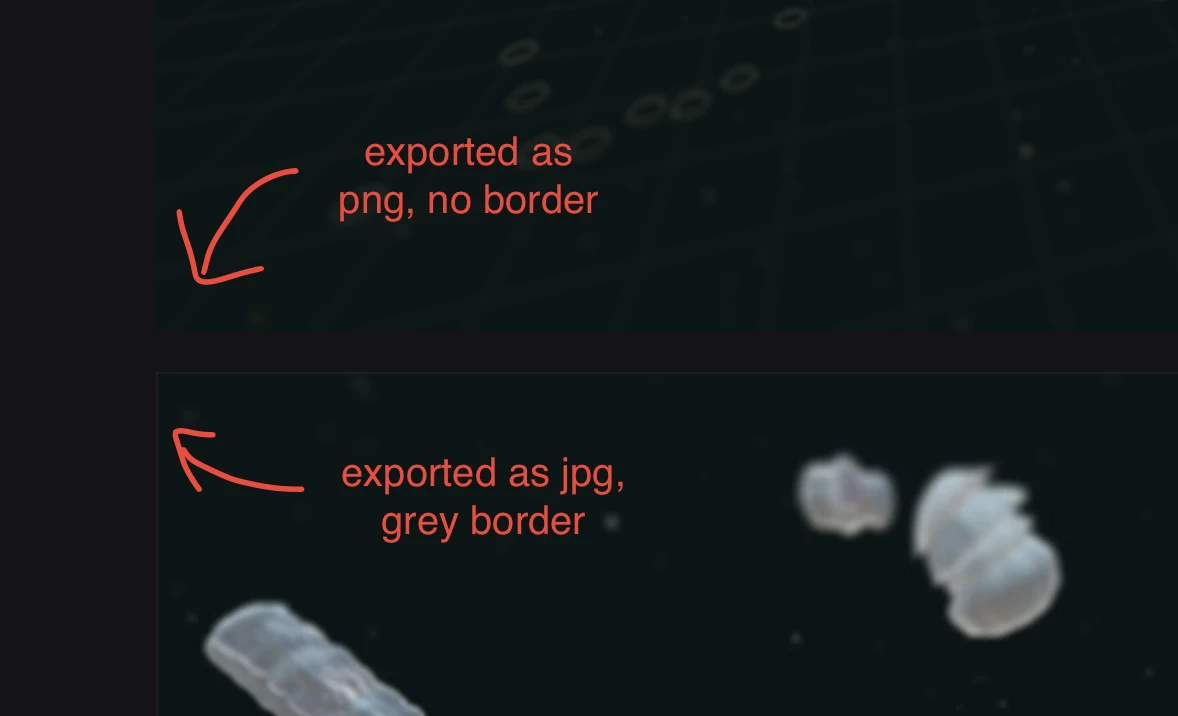
When I export an image with "Export as" as jpg and change the image size in the dialog to something smaller, a grey 1px border is produced. I suspect it has to do with the white background color that is used for transparent pixels in jpg.
- Is it possible to change the matte color for jpg in the "Export as" dialog?
When choosing "Save for Web (Legacy)", there is no problem and also pngs work fine. I could also make a slightly smaller canvas size to cut off the light edge but that's just a bad workaround.
 AdChoices