
lineravn
Participant
June 3, 2020
Question

'Export as' resizing fail

  • June 3, 2020
  • 1 reply
  • 413 views

I've set up a document with 4 arboards, each containing a produkt mockup. The artboards each measure 3400x3400px, but needs to be exportet in 1000x1000px. 


1) I go to File > Export > Export As...
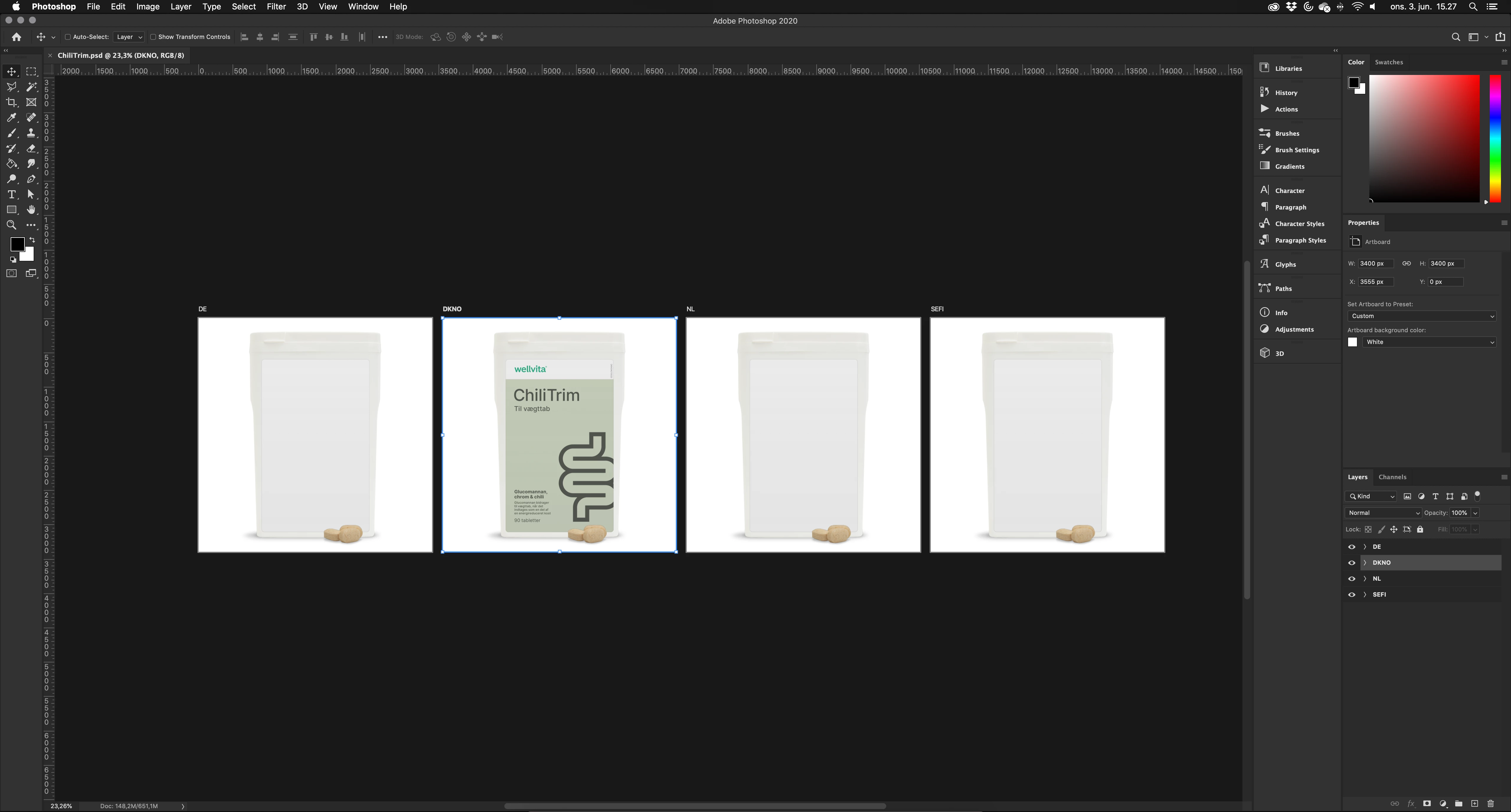
 

2) I select all (or just one) image, change the format to JPG, change the Image Size Width to 1000px.
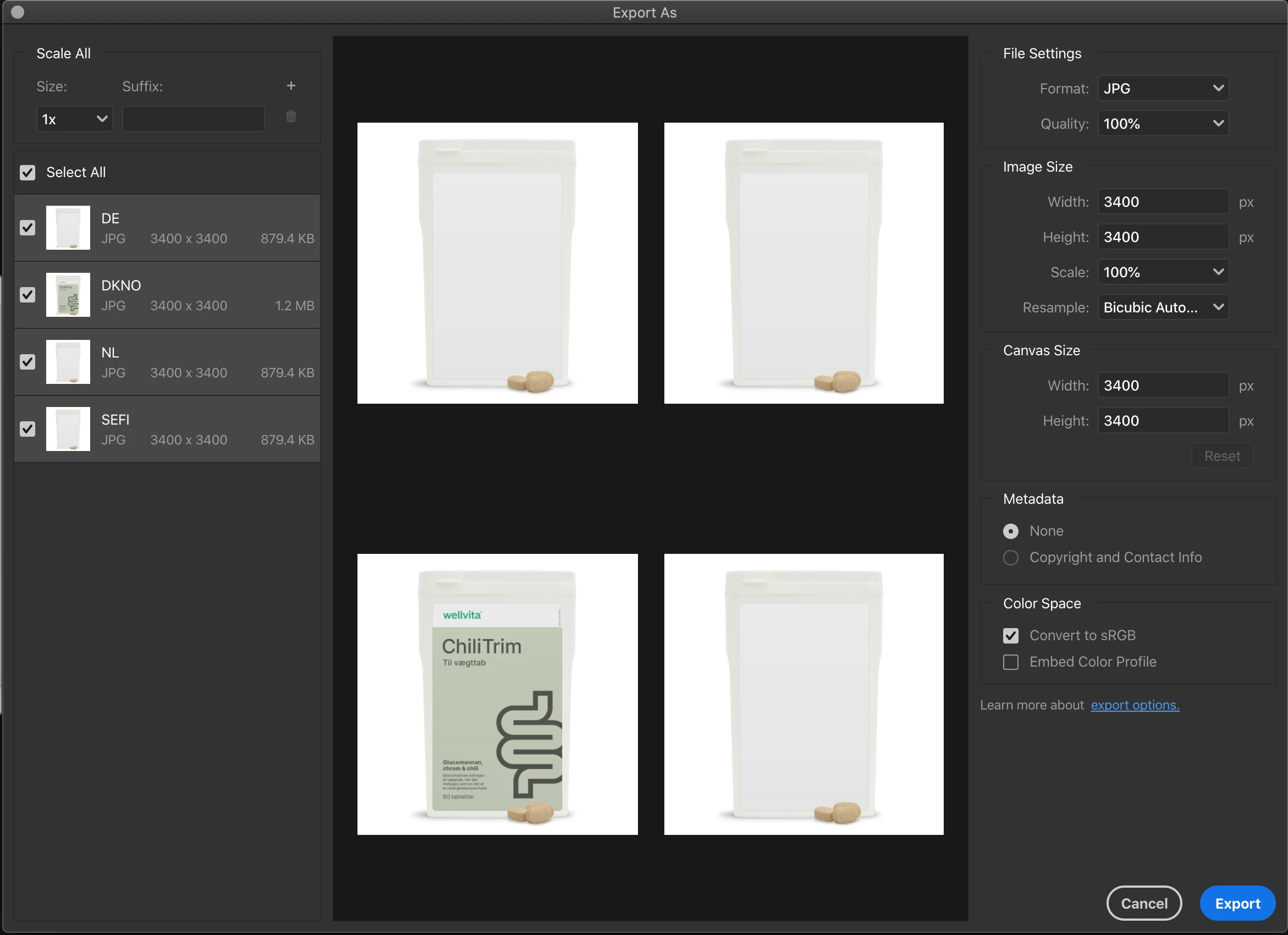
 

3) After a short load the images changes to 1000x1000px, exept for one (the one with a label on it). It changes the height of the image to 1000px and cuts off the width to 600-ish px. When I try to change the width to 1000px again, it keeps this new weird format.
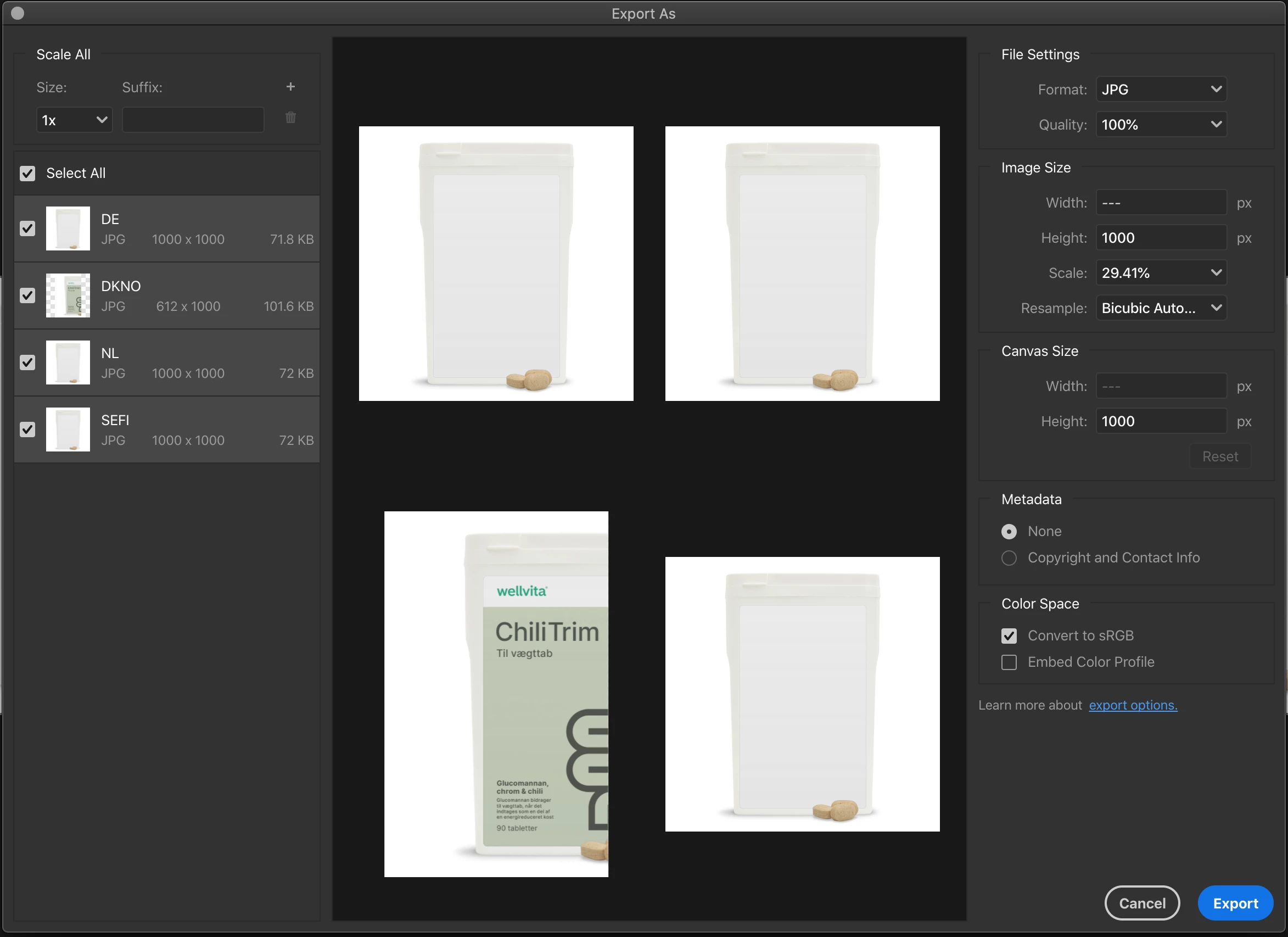
 

Does anyone know why this is happening? Am I doing something wrong, or is it a bug? My Photoshop is updated and I'm on a 27" iMac. 

This topic has been closed for replies.

1 reply

Participant
June 12, 2020

I'm experiencing the same thing. The issue happens inconsistently when I'm exporting a single artboard, and I've experienced it with multiple artboards like your example as well. The only thing I've found to help is to merge all layers in the artboard before exporting, but I'd prefer if this issue was fixed instead.

lineravn
lineravnAuthor
Participant
June 12, 2020

I found a temporary fix, but I'm still interested in a real solution though. The thing that worked for me was to change the artboard background from white (which is what I used in the document in the pictures) and set it to transparent. Then, when using 'Export As...' it resized just fine without cropping. Maybe this will work for you too (-: 

Participant
June 12, 2020

That does work for me too! Thanks for the workaround and now I'm able to replicate the issue consistently. What a weird bug. I just tried reporting this in the feedback.photoshop.com site which seems to be Adobe's bug reporting system, so fingers crossed this will be fixed soon.