

"Export" custom profiles from within a PSD?
Hi
I hope for some help in this matter. How can I "extract"/store the "CUSTOM_Mariaberg_731.....xmp" profile included in a psd-file to use it from within Lightroom/Photoshop/Camera Raw?
Here's how the workflow was to end up with this picture:
- I took it with my iPhone
- I edited it on my iPhone with Photoshop Express
- I used the "My Looks" (in German "Meine Looks") function of Photoshop Express to store my develop settings and named the "Look" (=preset???) "Mariaberg".
- I exported/uploaded the picture from Photoshop Express via the "Send to Photoshop" function
- that way, the photo got synchronized via the cloud to my computer as a psd-file
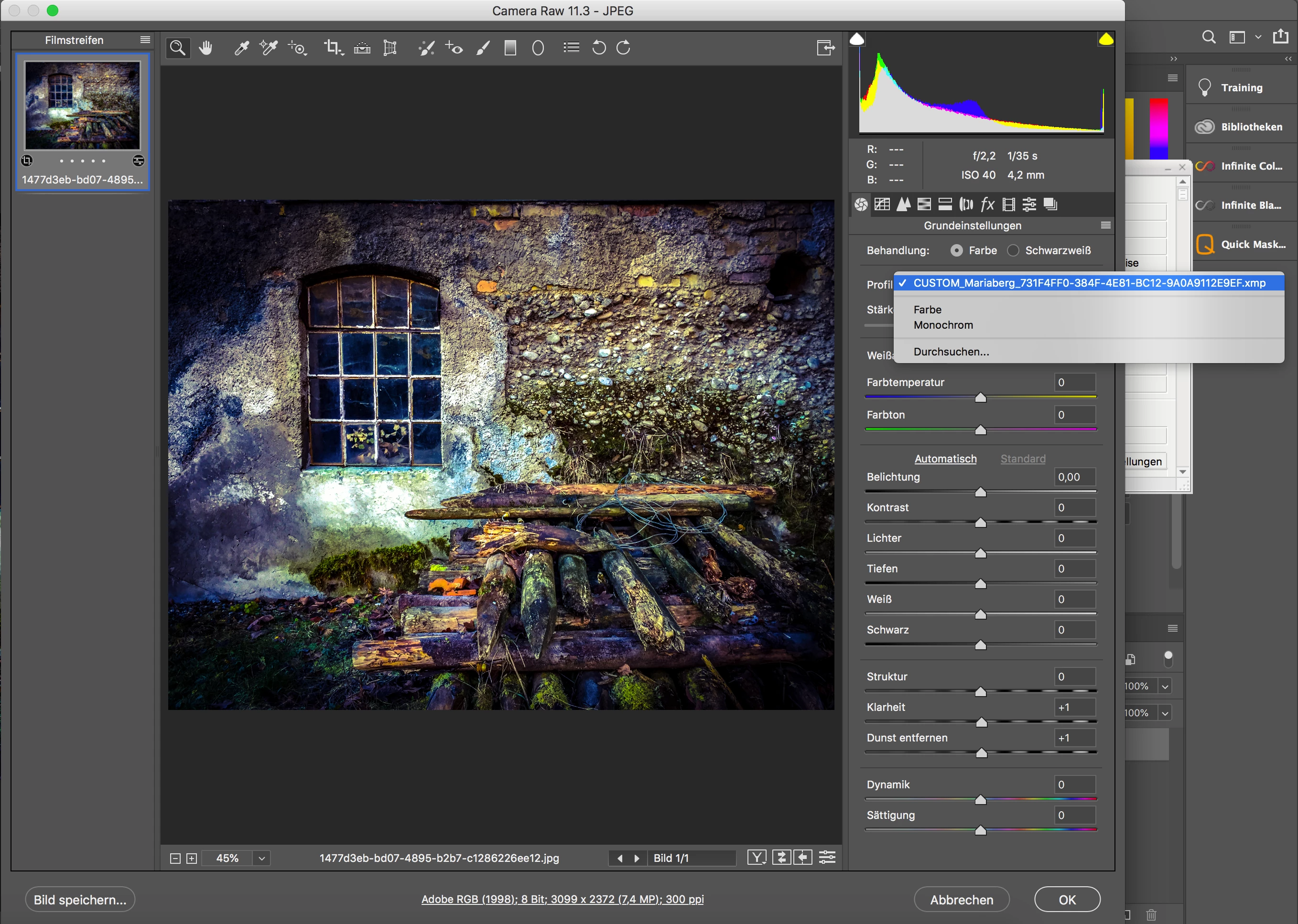
- I opened the psd in Photoshop and double-clicked on the lower righthandside icon to open Camera RAW:

- as you see in the attached picture, the picture has no development settings like temperature, contrast etc., but seems to be entirely processed by this custom profile "CUSTOM_Mariaberg_731...xmp" .
How can I get access to this profile and store it to my computer, so that I can apply it to other pictures?
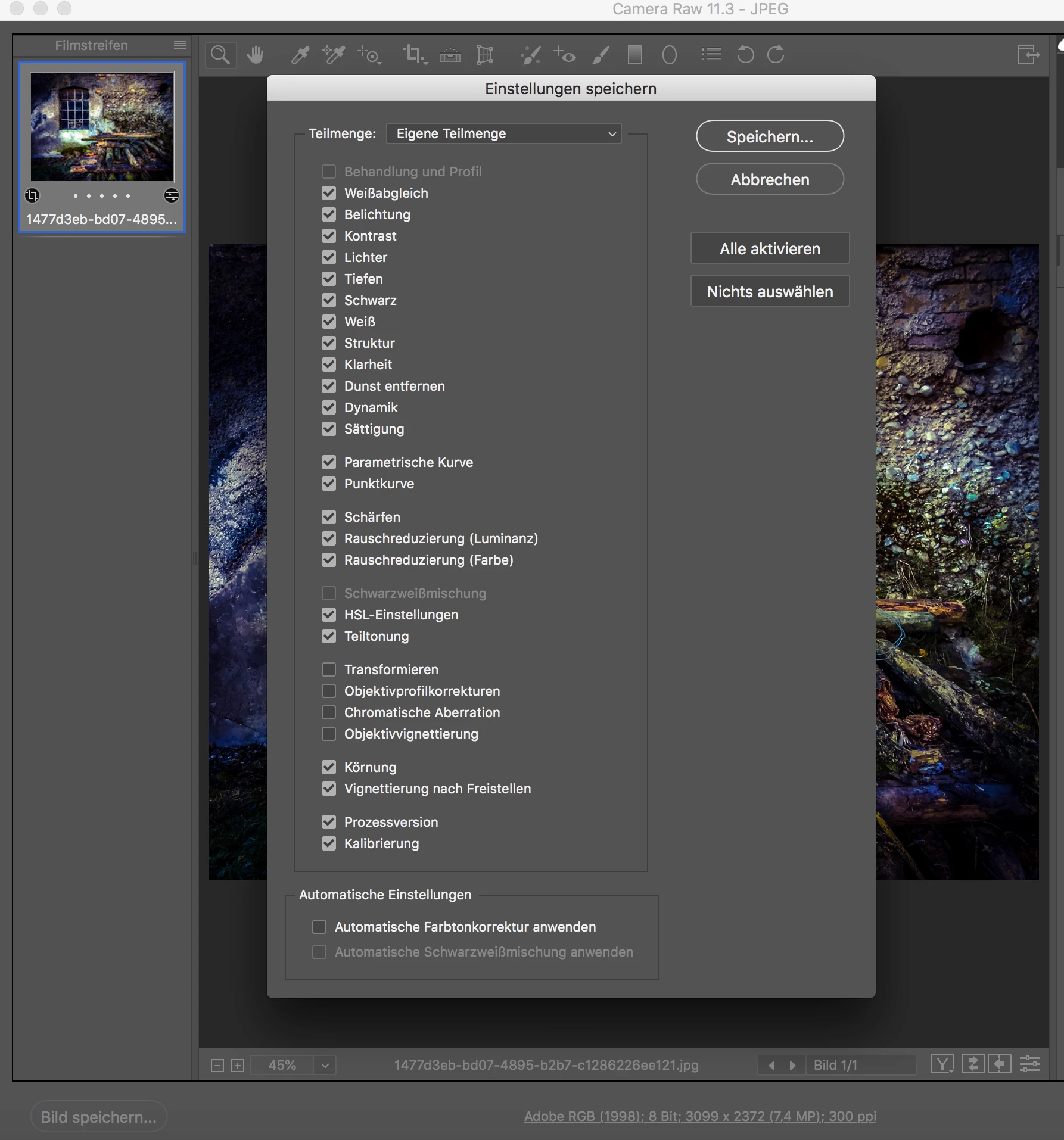
When I use the normal "export"-process from within Camera RAW to store an xmp-profile, that very "CUSTOM_Mariaberg..." profile is not "included" in the development settings, as you can see on this screenshot (top checkbox "Behandlung und Profil" cannot be accessed). If I use the export-function anyway, that very exported xmp-profile does not alter another picture in any way, when applied, since there are no development settings like color, contrast etc., - obviously, the "CUSTOM_Mariaberg..."-profile, that WOULD alter the picture, was not in any way included in the export.
So I trust the community knowledge to help me....
Thanks for helping!
 AdChoices