

Export for Web (Legacy) won't let me save as a JPEG in Photoshop CC (19.1.9)
Hello,
I am trying to use Export for Web (Legacy) in Photoshop CC version 19.1.9...On an iMac (OSX El Capitan), if that's helpful to know.
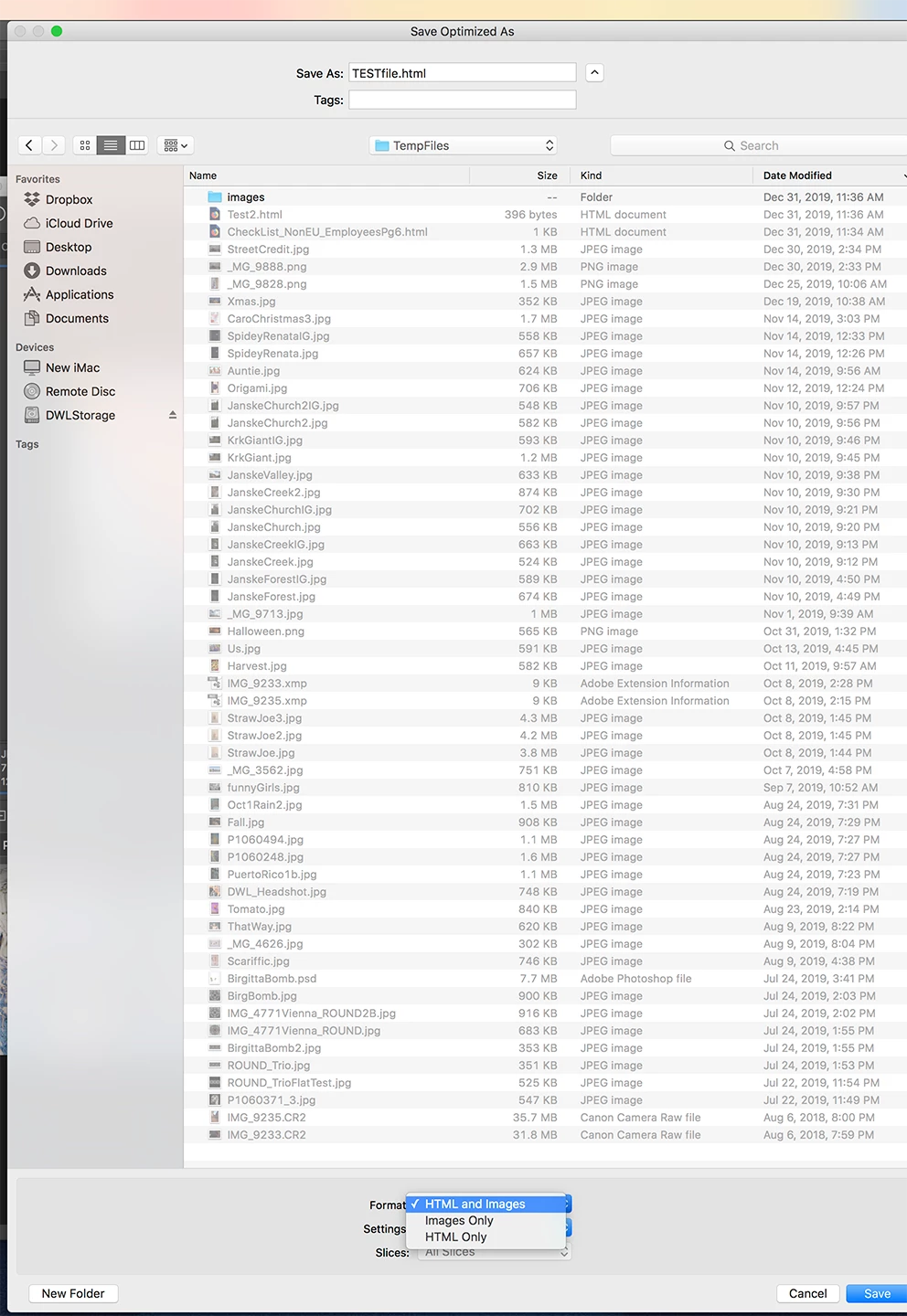
It worked fine the last time I tried. It seems like everything is set up the way it always is, but then when I go to save, the next window that pops up only offers file types: HTML and Image, Images Only or HTML Only. This is where I would ordinarly have JPEG as an option (If I remember correctly). I tried resetting preferences with no luck. Looks like I can do "Export As" instead, but wondering how to get the other option working again. Is there any benefit to one over the other?
I've attached screen shots of the two windows that I'm talking about. Hopefully they are self-explanatory and helpful.
I appreciate any help out there. I'm giving up for now. Tomorrow is a new and hopefully better day.
Thanks,
David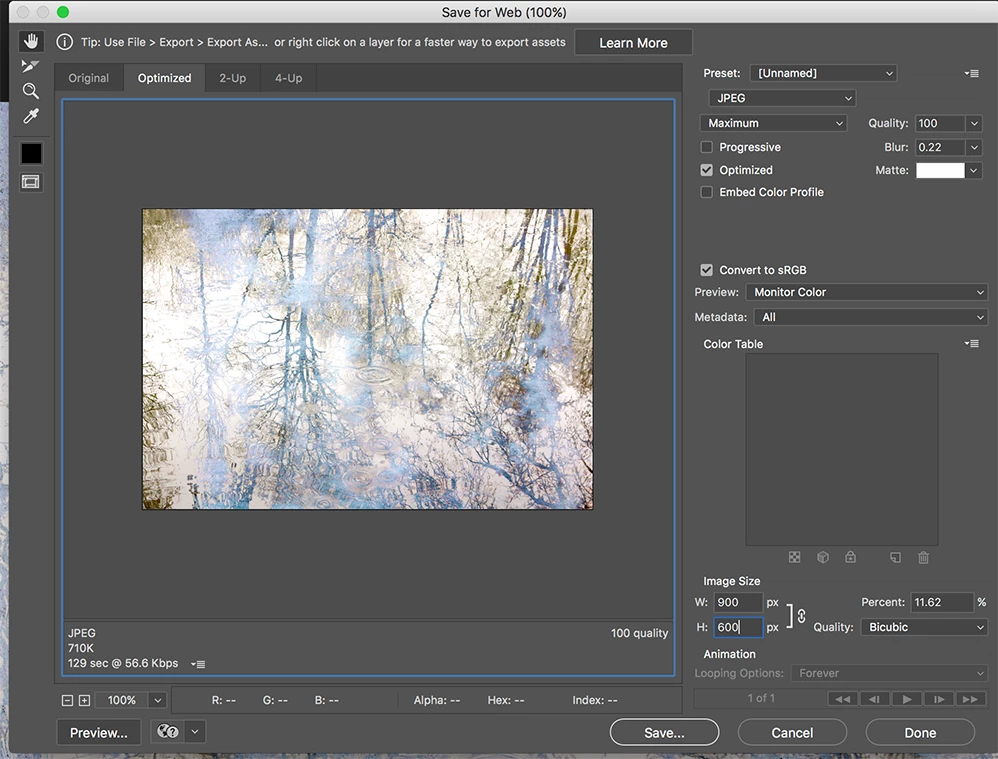
 AdChoices