Participant
October 15, 2018
Answered

Export layers to files action

  • October 15, 2018
  • 3 replies
  • 4030 views

Using photoshop CS6 version 13.0

I dont know if this is a bug or what, but ever time i try do a action using "export layers to file" its pop up a error:

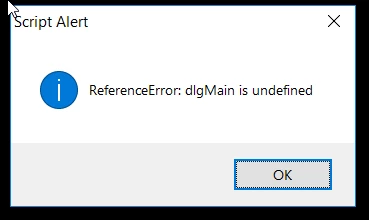
ReferenceError: digMain is undefined

Did a video:

action error - YouTube

To reply the error just create some layers , start a action, export the layers and reproduce the action again, then pop up that window

    This topic has been closed for replies.
    Correct answer JJMack

    If the script is not a Plug-in script and it has a dialog the script will not record setting used recording the step into the action step just a script step with the name of the scrip will be recorded.  When the Action step is played the script will run and do its normal process and display its dialog if it has one.  

    Plug-ins scripts like Adobe "Fit Image.jsx" and "Export Laters to file"  have code that support action recording which record the setting used in the dialog into the action step being recorded and you will see the setting recorded into the action step if you expand the step so you can see all this is recorded for the step it the script is a plug-in script.  If you do not record the step instead you insert the menu item menu File>Scripts>Name  no dialog settings will be in the inserted in the action step. If the script is a plug-in script it should be recorded not inserted.

    If the script is not a plug-in script it does not matter if you record it in an action or insert it into an action .  Either way the step in the action will be a script step the names that has the script name the will be run.  If the script displays a dialog it will display its dialog when the script is run.

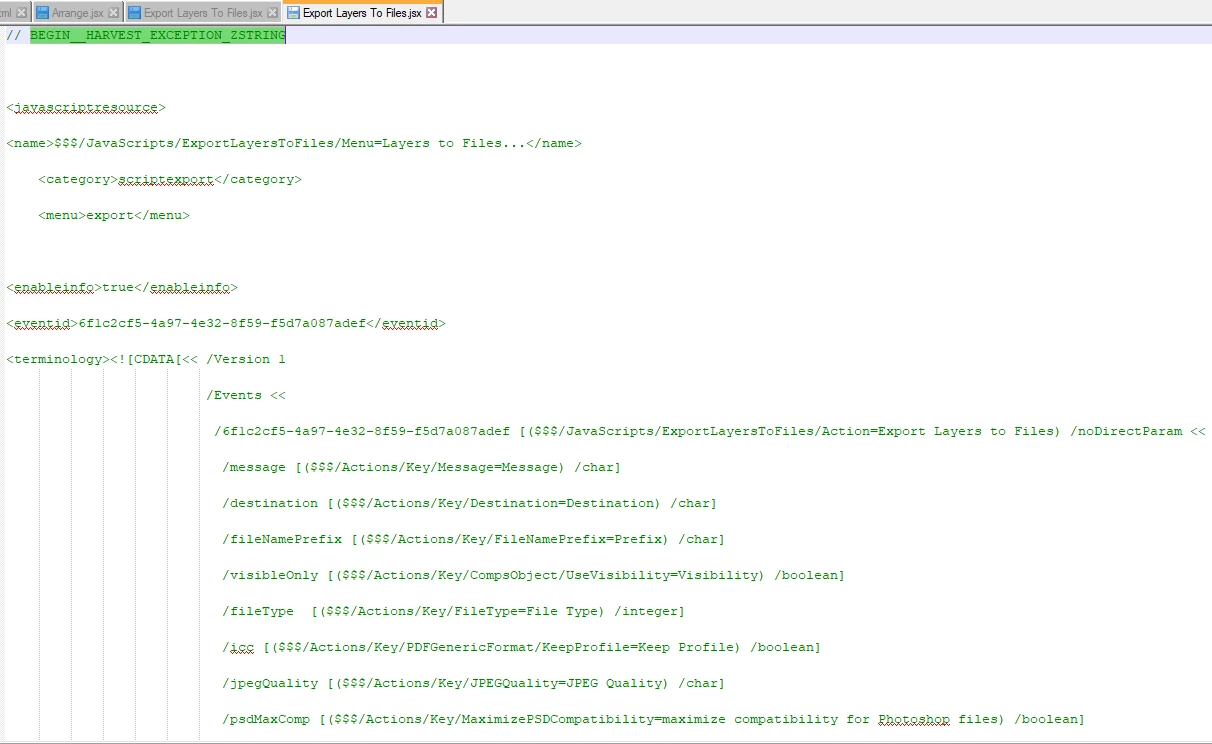
    Only Plug-in scripts can bypass displaying their dialogs.  Edit the script "create sprites from layers" see if is is a plug-in script like Export Layers to files.  If it is in the beginning of the script you will see all of its Dialog setting enumerated in "HARVEST_EXCEPTION_ZSTRING" section

    3 replies

    C7aesa7rAuthor
    Participant
    October 15, 2018

    Well i downloaded Photoshop 2018 to test, and did exactly the same action steps and it worked with no error

    I download a script and trying automate it through actions, but ever time i run the action it stop in the script to ask me what to do, its not possible automate non adobe scripts in actions?

    I mean in the end of this action, instead pop up that window to ask me the rows it automatic save the number i select.

    JJMack
    Community Expert
    JJMackCommunity ExpertCorrect answer
    Community Expert
    October 15, 2018

    If the script is not a Plug-in script and it has a dialog the script will not record setting used recording the step into the action step just a script step with the name of the scrip will be recorded.  When the Action step is played the script will run and do its normal process and display its dialog if it has one.  

    Plug-ins scripts like Adobe "Fit Image.jsx" and "Export Laters to file"  have code that support action recording which record the setting used in the dialog into the action step being recorded and you will see the setting recorded into the action step if you expand the step so you can see all this is recorded for the step it the script is a plug-in script.  If you do not record the step instead you insert the menu item menu File>Scripts>Name  no dialog settings will be in the inserted in the action step. If the script is a plug-in script it should be recorded not inserted.

    If the script is not a plug-in script it does not matter if you record it in an action or insert it into an action .  Either way the step in the action will be a script step the names that has the script name the will be run.  If the script displays a dialog it will display its dialog when the script is run.

    Only Plug-in scripts can bypass displaying their dialogs.  Edit the script "create sprites from layers" see if is is a plug-in script like Export Layers to files.  If it is in the beginning of the script you will see all of its Dialog setting enumerated in "HARVEST_EXCEPTION_ZSTRING" section
    JJMack
    Stephen Marsh
    Community Expert
    Community Expert
    October 15, 2018

    Why do you wish or need to incorporate the script into an action?

    Can you show the action panel in expanded form so that the forum can better understand your workflow?

    JJMack
    Community Expert
    Community Expert
    October 15, 2018

    I showed an action with a single step

    Export layers to Files recordet the setting I used I believe here is CC 2018 recording

    CC 2014 and CC 2018 Actions play and work.  The Action recorded is CS6 fails to play in CS6.  When the Action passes the message to the Plug-in script it will not display its dialog it will use the setting passed in the message. The CS6 seem to have failed to get the message and properly set its dialog settings and when  it tried to access something in its dialog  Script through the error dlgMain is undefined.  When you turn on the steps dialog the script displays it dialog and the recorded settings seem to be set into the dialog. For if I open the dialog from Photoshop UI it open and wants  to save Jpeg files. If I open it from the action It want to sane Png 24 files  File type 7 must be png 24 and I did record it to save PNG 24. And when you click the enter key cs6 script works.

    JJMack
    JJMack
    Community Expert
    Community Expert
    October 15, 2018

    The current version of CS6 are  Perpetual CS6  Windows  version 13.0.1.3,   Perpetual CS6 Mac version 13.0.6 and CS6 Creative cloud version 13.1.2.  Export Layers to files is a Script not and action and the script Dialog is dlgMain and I see that defined in my CS6 version 13.1.2 script on line 239 in the script that is in CS6 Preset folder Scripts folder  "Export Layers To Files.jsx" on Windows the full path is:

    "C:\Program Files\Adobe\Adobe Photoshop CS6 (64 Bit)\Presets\Scripts\Export Layers To Files.jsx".  Please make sure your CS6 is updated to the latest current version and the script file has defined dlgMain.  The dialog display on my machine and the script works.

    JJMack
    C7aesa7rAuthor
    Participant
    October 15, 2018

    "and the script file has defined dlgMain"

    I dont understand, what you mean? JJMack

    The script also works here, but when i try use him inside a action then it stop display that message.

    JJMack
    Community Expert
    Community Expert
    October 15, 2018

    Export Layer to file is a Plug-in script. I was surprise to see it in the menu File>Scripts> as a script. Plug-in scripts normally install themselves into Menu File>Automate>   Export Layers to File install itself in menu File>Scripts in a category layers.  Plug-in support being recorded into actions. When you do the Plug-in records the setting you use recording the action step into the action step and when the action step is played the plug-in bypasses displaying its menu and uses the setting passed by the action manager..

    If instead of recording the script in to an action you insert a menu item  Scripts>Export Layer  and do not turn on that step dialog CS6 Export layer to file has problems it acts like a plug-in and seems to gets some setting from the last time you user the script not from the inserted step which has not settings for export layers to files. The script does unexpected things and usually throws some script error.  In CC 2014 inserting the menu item seen to runs export layers seems to use the last setting that it save the last time it ran.   Still the script should be recorded not inserted.  In CC 2018 Eport file to layers is installed into menu File>Export

    Here is a screen capture showing the script being inserted into an action and being recorded into and action.  What does you fully expanded action step look like.  Are there settings for Export Layers to file Dialog recorded?

    I did just tested it recorded to correct way and it does fail with that error.  A work around is turning on the steps dialog by clicking the box in front of the action step. When the menu open when you play the action just press enter the settings seem to to have been passed OK.  The script should bypass displaying it menu so it did not define the menu. But some code must have tried to display the menu and that is why  it failed with the message dlgMain is undefined.

    I do not think that reporting a bug is CS6 will see Adobe fixing CS6.  Adobe does not support old version of Photoshop and Adobe create a new verson every two years or so.  Use the workaround Of cor if you batchinf the Action you do not want an intractive  step.

    JJMack