
TheAzzam
Inspiring
September 12, 2022
Resuelto

Export new layer with dimensions of canvas, instead of only non-empty region

  • September 12, 2022
  • 2 respuestas
  • 277 visualizaciones

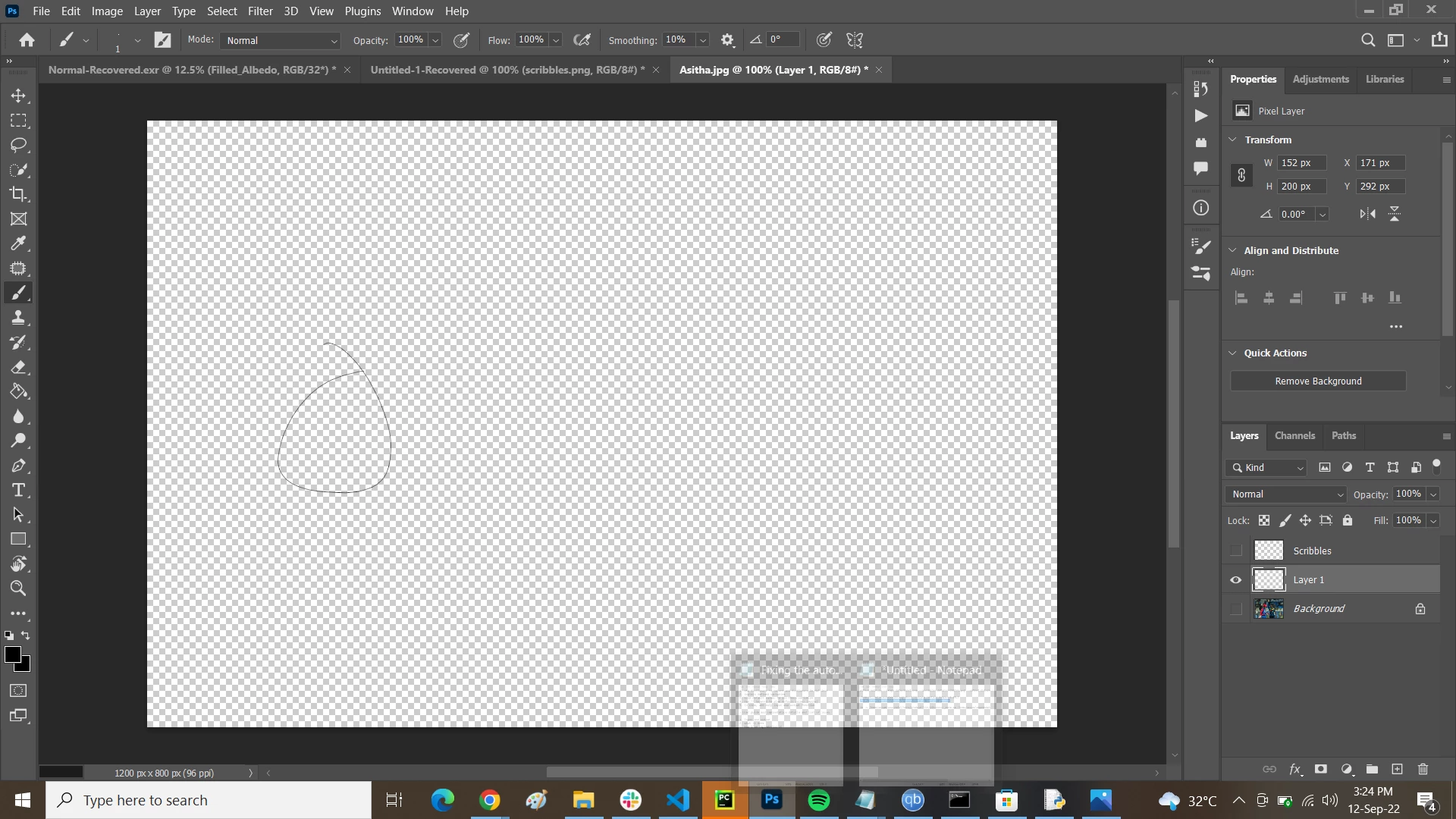
Hello. When I create a new empty layer with canvas dimensions of, say, 1024 x 1024, and then draw in one region so I can export it, only the drawn-in region is exported, and not the complete layer. Here is a screenshot:
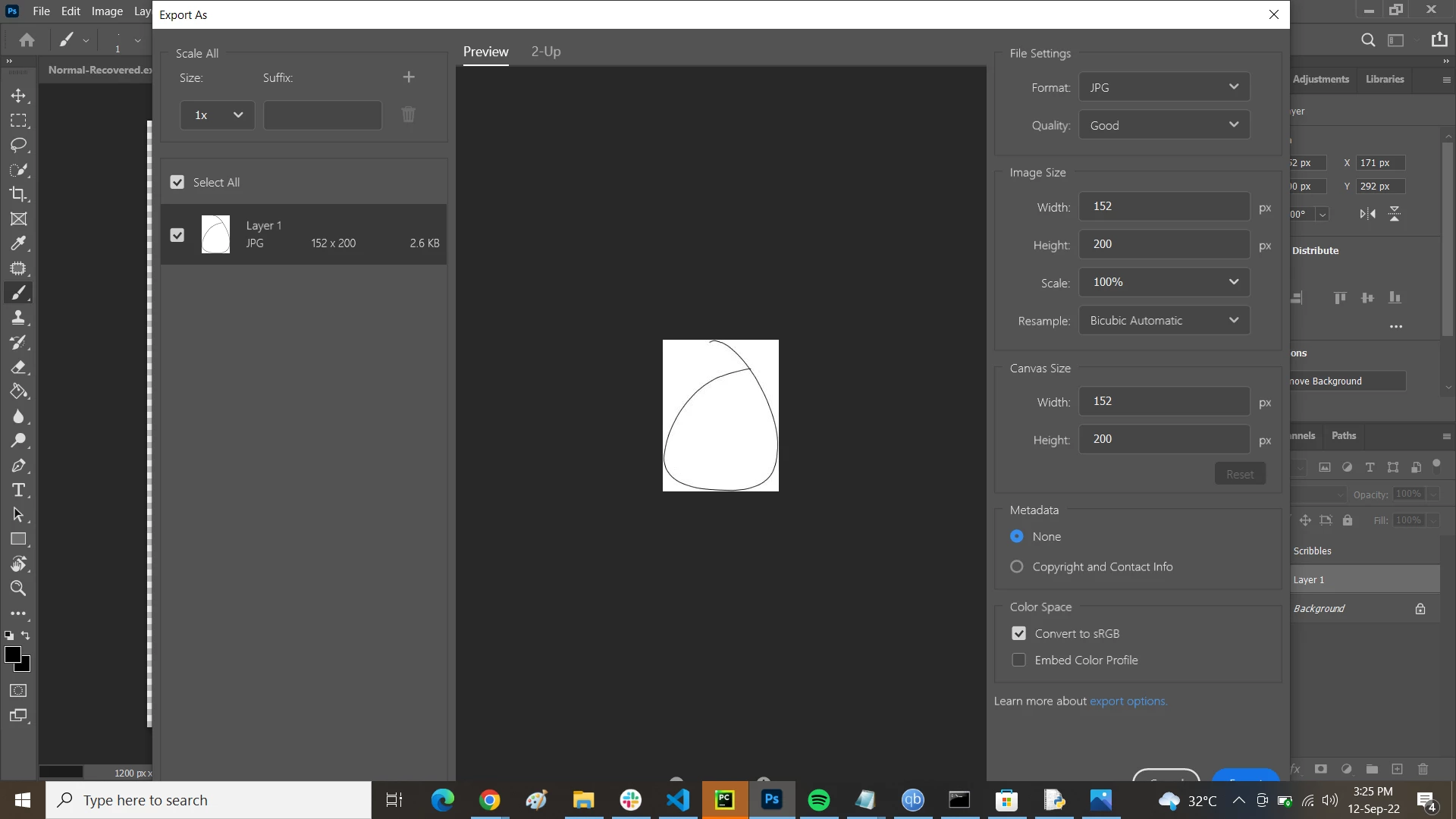


I want to export this layer completely, with original dimensions of 1024 x 1024. How can I do this? Any ideas?
 

Este tema ha sido cerrado para respuestas.
Mejor respuesta de didiermazier

My bad… I will add the following info…

If you "export as" with the contextual menu (right click on the layer in the layer panel) then  it will export only this layer with your unwanted cropping.

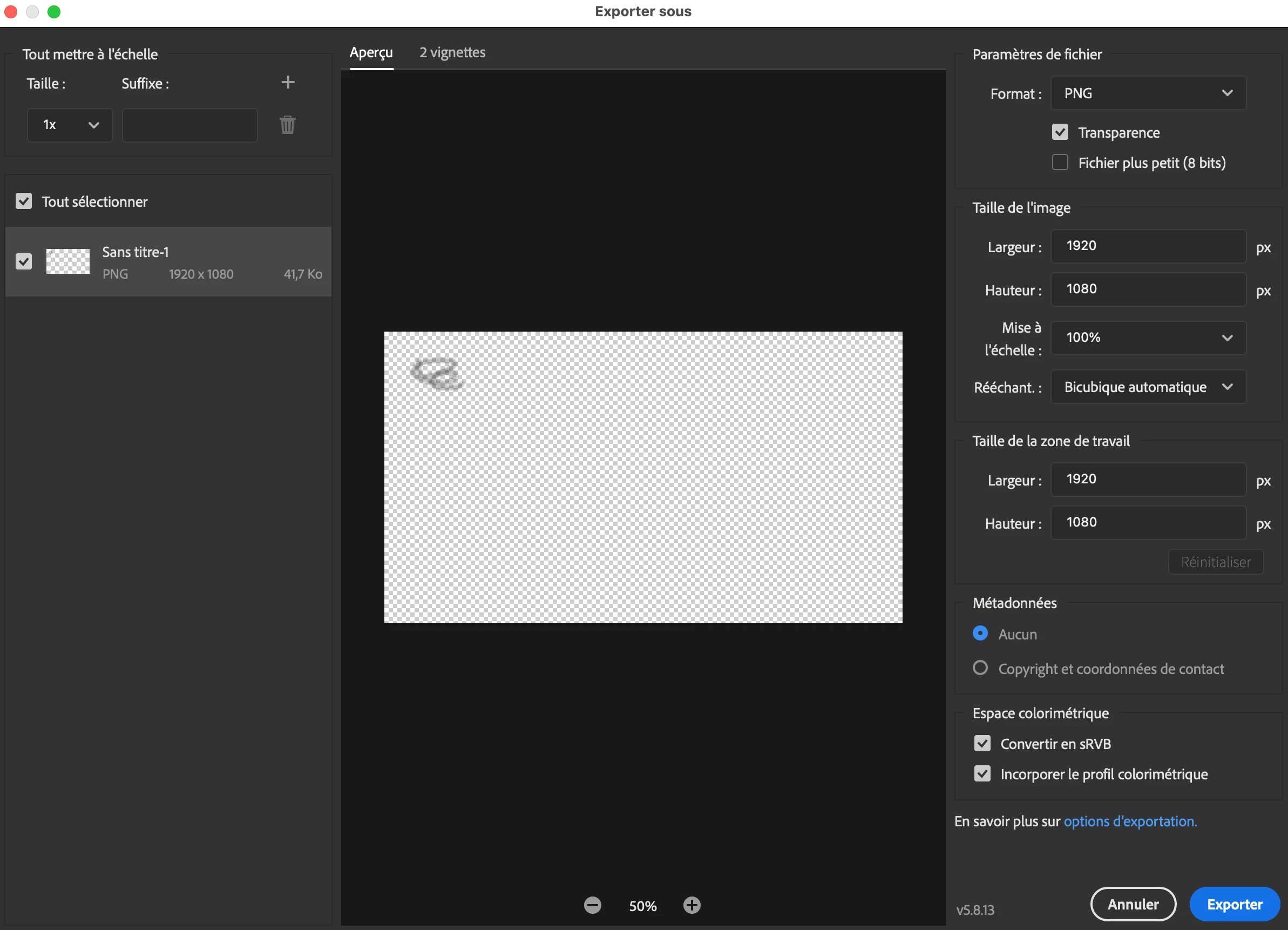
Instead use the menu File> Export >Export as and you will get the entire canvas

2 respuestas

didiermazier
Community Expert
didiermazierCommunity ExpertRespuesta
Community Expert
September 13, 2022

My bad… I will add the following info…

If you "export as" with the contextual menu (right click on the layer in the layer panel) then  it will export only this layer with your unwanted cropping.

Instead use the menu File> Export >Export as and you will get the entire canvas

didiermazier
Community Expert
Community Expert
September 13, 2022

If you check the panel you notice that the layer is not of the same size (1024/1024) because it has been transformed, maybe to reduce the size of the drawing. That's why exporting this layer is based on its size (152/200)