
December 14, 2019
Question

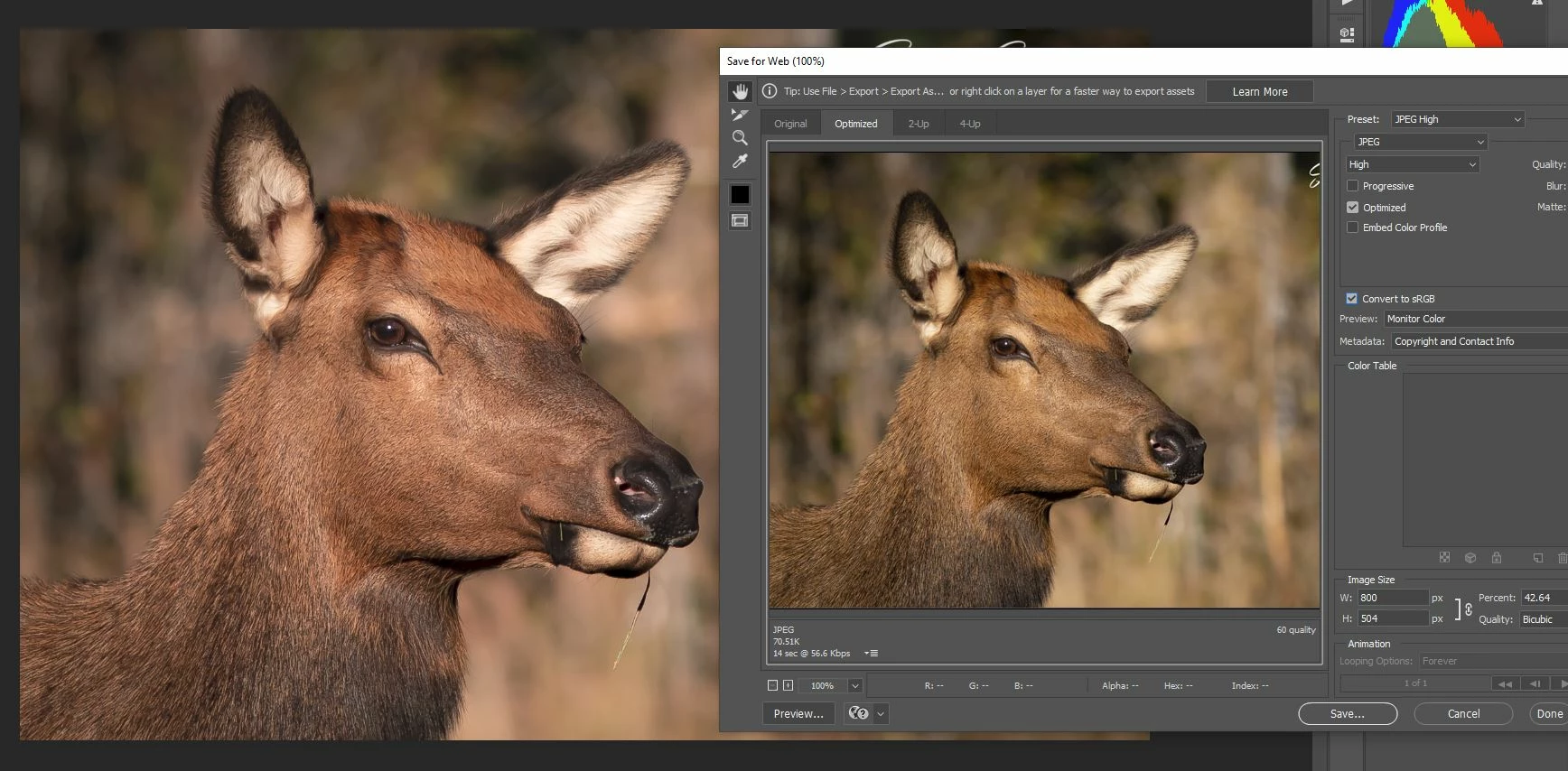
export problem - images look different with same color profile

  • December 14, 2019
  • 4 replies
  • 286 views

I'm not sure what happened to my photoshop but now anytime i try to export to web or save as jpg my photoshop and jpg images look different. The jpg image has lost all of its color. I'm familur with color profiles and as you can see from the screen shot both are sRGB. This just started happening. I did an update to photoshop recently.
This topic has been closed for replies.

4 replies

December 15, 2019

That worked. Thank you for the help.

D Fosse
Community Expert
Community Expert
December 15, 2019

Yes, of course.


In the new Export module, those two are rolled into one. Embed the profile, and the preview automatically also changes into the color managed version.


The problem is, as it has always been, that the default settings have all color management disabled, for some reason I have never been able to fathom. It causes all sorts of problems and confusion - like here.

Per Berntsen
Community Expert
Community Expert
December 14, 2019

You should also check Embed color profile in the Save for web dialog.


D Fosse
Community Expert
Community Expert
December 14, 2019

In Save For Web, preview set to "Monitor Color" disables color management. So it won't be consistent with Photoshop.


Preview should always be set to "Use Document Profile". This turns on color management.


In the same way, you need to use a color managed viewer/browser to see the exported jpeg. Note that Windows "Photos" and Edge are not color managed. They cannot be trusted - find color managed alternatives instead.