
Answered
exporting layers to file to particular file size
Trying to export layers to file to particular file size, eg approx 100KB (not using the quality as below) is there a preference setting elsewhere?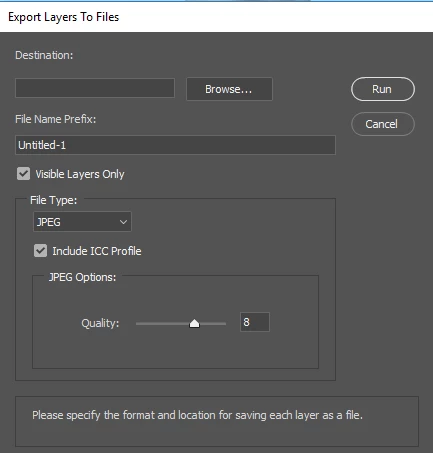

Trying to export layers to file to particular file size, eg approx 100KB (not using the quality as below) is there a preference setting elsewhere?
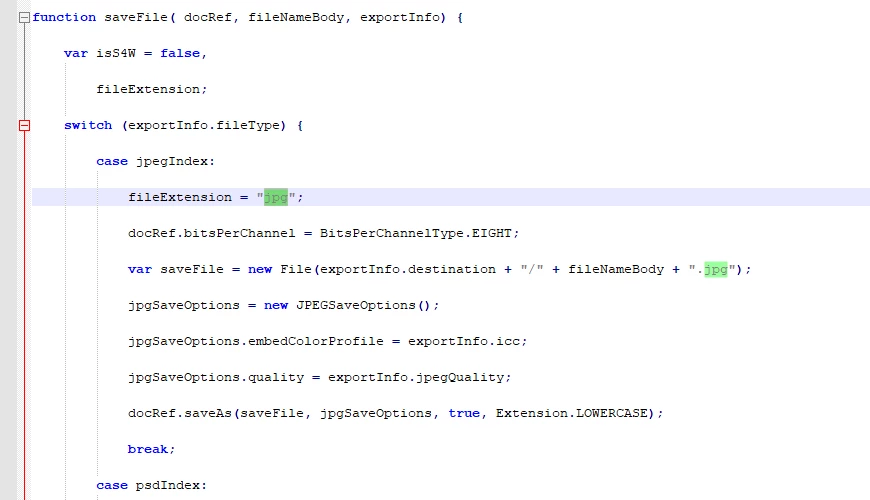
Jpeg file format uses a lossy data compression the quality setting influences the file size that will be save. Low quality smaller size then high quality setting. The actual file size depends on the number of pixels and the amount of find details an image has. An 8MP image saved as a quality 10 Jpeg may compress to 40KB or several MB. Size depends one image content. Layers in a document can be different sizes the need not be canvas size. And the details in a layer can be little(none) or extremely complex. Export Layers to Files ise a Photoshop script if you select to save jpeg file it wil use the setting you set it its dialog or the setting previously set and remembered. If you want to save 100KB Files you would need to modify the script to save at some quality then test the files sizes created if to large save over the file at a lower quality and recheck the file size. Read export layers to files javascript code.
Already have an account? Login
Enter your E-mail address. We'll send you an e-mail with instructions to reset your password.
 AdChoices