

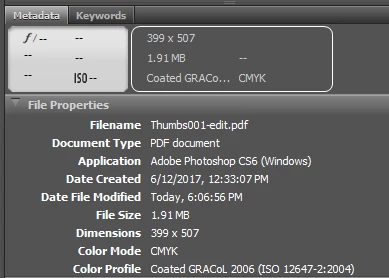
Exporting PDF from Photoshop: Shows up in Bridge/Windows Explorer as a much "smaller" size
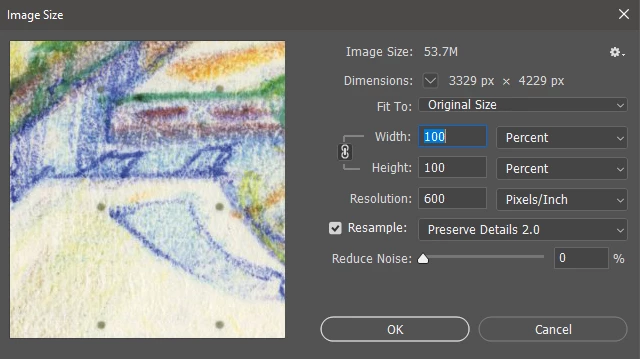
I am trying to save a bunch of images out of Photoshop with 450 DPI. I selected the high quality print (modified) setting on export, and chose to downsample to 450 DPI. The full size image should be 3,329x4,229. When I open it in Reader, it looks small at 100%. I can't tell if there's something wrong about how I'm exporting from Photoshop, or the way Adobe Reader/bridge interpret the file. They still report the correct size on disk. When I zoom in with Reader, I can see there are definitely more pixels than "reported" In Explorer.
I am guessing that Bridge/explorer are defaulting to 96 or 72 DPI somehow.
I am concerned that sending the file as-is might confuse the printing service. It is a tight deadline so I want to make sure my file is right before sending off. Is there something I can do in Photoshop export to default this file to 450 DPI? Thanks.

 AdChoices